Please be extra careful when updating packages directly from AUR in the coming days! Especially watch out for the addition of an npm dependency and an additional .install script in PKGBUILDs.
Thanks for this @muzqs , I was just about to suggest this one too
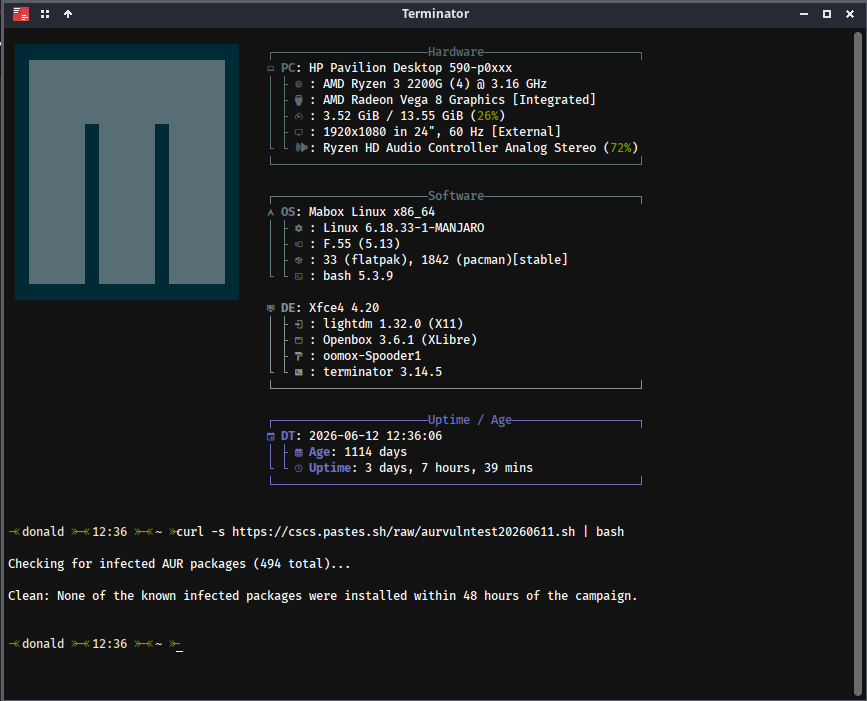
curl -s https://cscs.pastes.sh/raw/aurvulntest20260611.sh | bash

Checking for infected AUR packages (494 total)…

Clean: None of the known infected packages were installed within 48 hours of the campaign.
You can also run pacman -Qm and check manually the PKGBUILD files if you’re extra concerned about the malware attack
Interesting to add to archcanary. @M0nst3rDo you know the list of JavaScript files infected?
If it is added to archlinux list, archcanary will add it to the list. Need more investication.
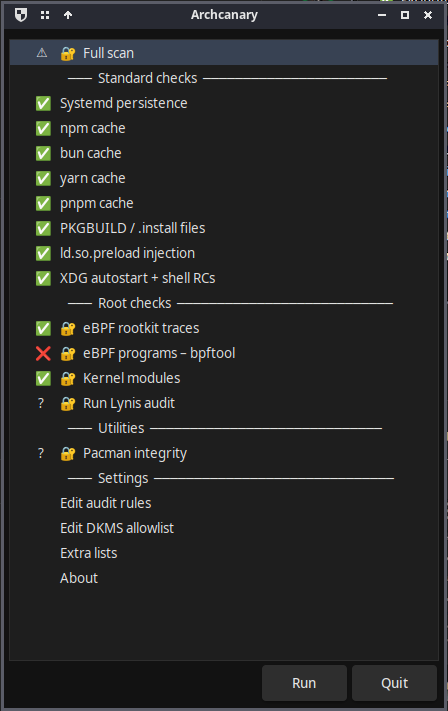
ARCHCANARY[beta]
I’ve been working on a security scanner for Arch-based systems and I’m looking for a few testers.
It audits your system for common security risks — things like package
integrity, config issues, and known vulnerabilities relevant to Arch. It
gives you a clear picture of where your system stands so you can decide
what to act on. Read-only, no files are touched or changed.
Still early, but functional. If you’re interested, let me know here or
check the repo. It is much to take in, so take your time.
Start with the README.md and also read docs/*.md for specific more info.
Installation: Use ./install. PKGBUILD can be behind latest commits.
If one has ideas for archcanary add an discussions on github.
Create an issues with bug report.
The --system install also sets up systemd services — a timer that runs background scans and a path unit that triggers automatically on pacman activity (installs, upgrades). See docs/systemd.md
I’m curious if you also have installed traur or even/also aurscan (uses LLM).
FYI AURSCAN: These are the official aurscan versions.
============================================================
 Archcanary — setup doctor
============================================================

Platform
  detected:    Mabox Linux
  AUR helpers: yay pamac
  mhwd:        present (Manjaro driver manager — expect DKMS modules)

User install
  [ OK ]  package list (config dir)

System install (root)
  [ OK ]  scanner script (/usr/lib/archcanary)
  [ OK ]  root helper (enables root checks in GUI)
  [ OK ]  polkit policy (authorizes the root helper)
  [ OK ]  DKMS allowlist

Automation (systemd)
  [ OK ]  system scan timer (weekly + boot)
  [ OK ]  post-install trigger (scan after each pacman transaction)
  [ OK ]  user scan timer (cache/autostart checks)
  [ OK ]  desktop notifier (alerts on new scan results)

Pre-install layer (external tools)
  [ OK ]  aurscan (pre-install PKGBUILD scanner)
  [ OK ]  claude CLI (aurscan LLM backend)
  [ OK ]  traur (pre-install behavioral scanner)
  [ OK ]  traur pacman hook (auto-runs on every install)
  [ OK ]  lynis (system hardening auditor)
  [ OK ]  yay hooks (auto-scan on yay install)

============================================================
 RESULT: all elements present.
============================================================
^ This. I was unaware of the system wide mode. Will install it that way and do some further testing. I probably should have read the git repository before installing because the system wide option seems better. Question before I rollback to yesterday and re-install. Is it possible to do a system wide installation without torching the current user installation? Is it hurtful in anyway NOT to revert to pre-installation in other word?
^ No, I will install and test today and get back to you.
============================================================
 Archcanary — setup doctor
============================================================

Platform
  detected:    Mabox Linux
  AUR helpers: yay pamac
  mhwd:        present (Manjaro driver manager — expect DKMS modules)

Dependencies (official repos)
  [ OK ]  yad (GUI toolkit)
  [MISS]  bpftool (eBPF enumeration)
           ↳ fix: sudo pacman -S bpf
  [ OK ]  notify-send (desktop alerts)
  [ OK ]  pkexec (GUI root checks)

User install
  [ OK ]  main scanner (~/.local/bin)
  [ OK ]  GUI (~/.local/bin)
  [ OK ]  package list (config dir)

System install (root)
  [MISS]  scanner script (/usr/lib/archcanary)
           ↳ fix: sudo bash install.sh   # (run from the archcanary repo) --system
  [MISS]  root helper (enables root checks in GUI)
           ↳ fix: sudo bash install.sh   # (run from the archcanary repo) --system
  [MISS]  polkit policy (authorizes the root helper)
           ↳ fix: sudo bash install.sh   # (run from the archcanary repo) --system
  [MISS]  DKMS allowlist
           ↳ fix: sudo bash install.sh   # (run from the archcanary repo) --system

Automation (systemd)
  [MISS]  system scan timer (weekly + boot)
           ↳ fix: sudo bash install.sh   # (run from the archcanary repo) --system
  [MISS]  post-install trigger (scan after each pacman transaction)
           ↳ fix: sudo bash install.sh   # (run from the archcanary repo) --system
  [ OK ]  user scan timer (cache/autostart checks)
  [ OK ]  desktop notifier (alerts on new scan results)

Pre-install layer (external tools)
  [OPT ]  aurscan (pre-install PKGBUILD scanner)
  [OPT ]  traur (pre-install behavioral scanner)
  [OPT ]  lynis (system hardening auditor)
  [ OK ]  yay hooks (auto-scan on yay install)

NEXT STEP → bpftool (eBPF enumeration)
  run: sudo pacman -S bpf
  then re-run --doctor to advance to the next step.

============================================================
 RESULT: all elements checked — some need attention, see fixes above.
============================================================
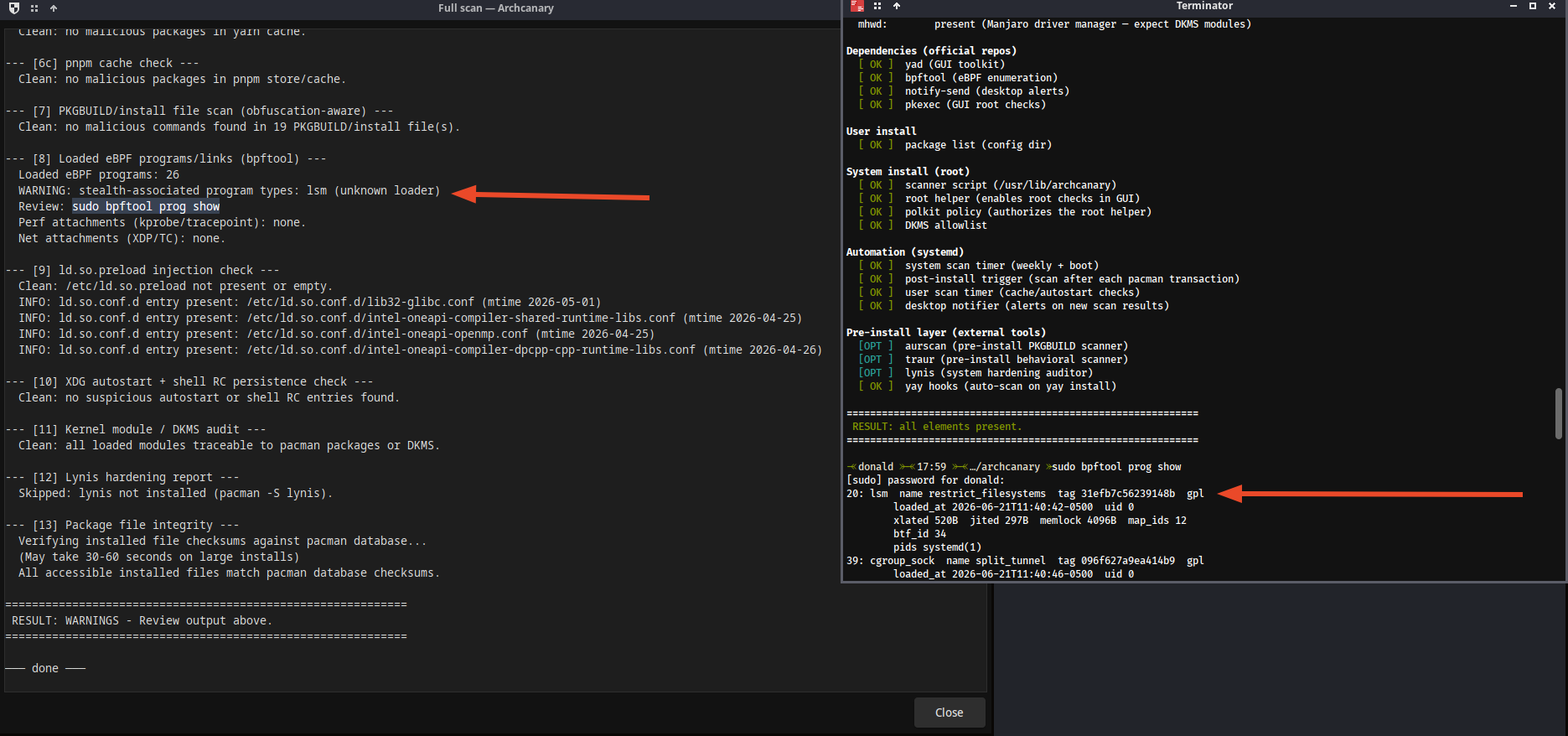
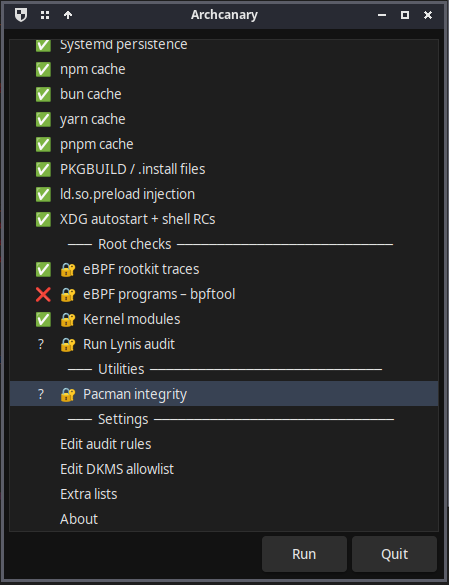
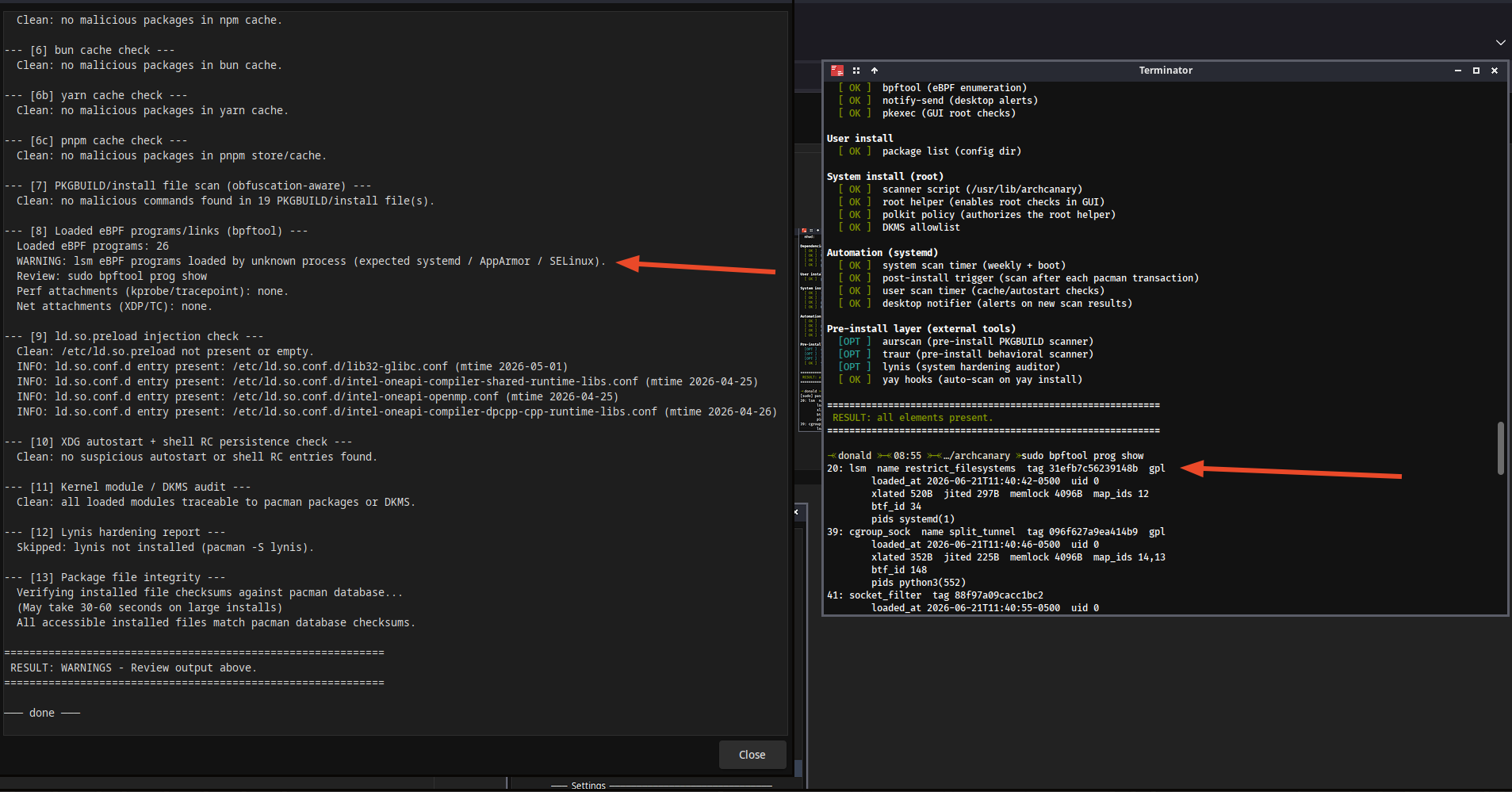
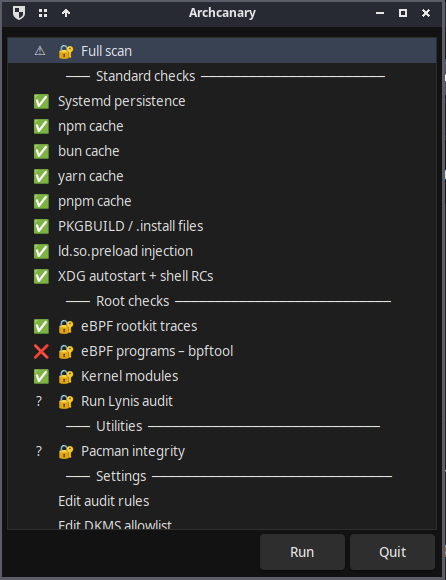
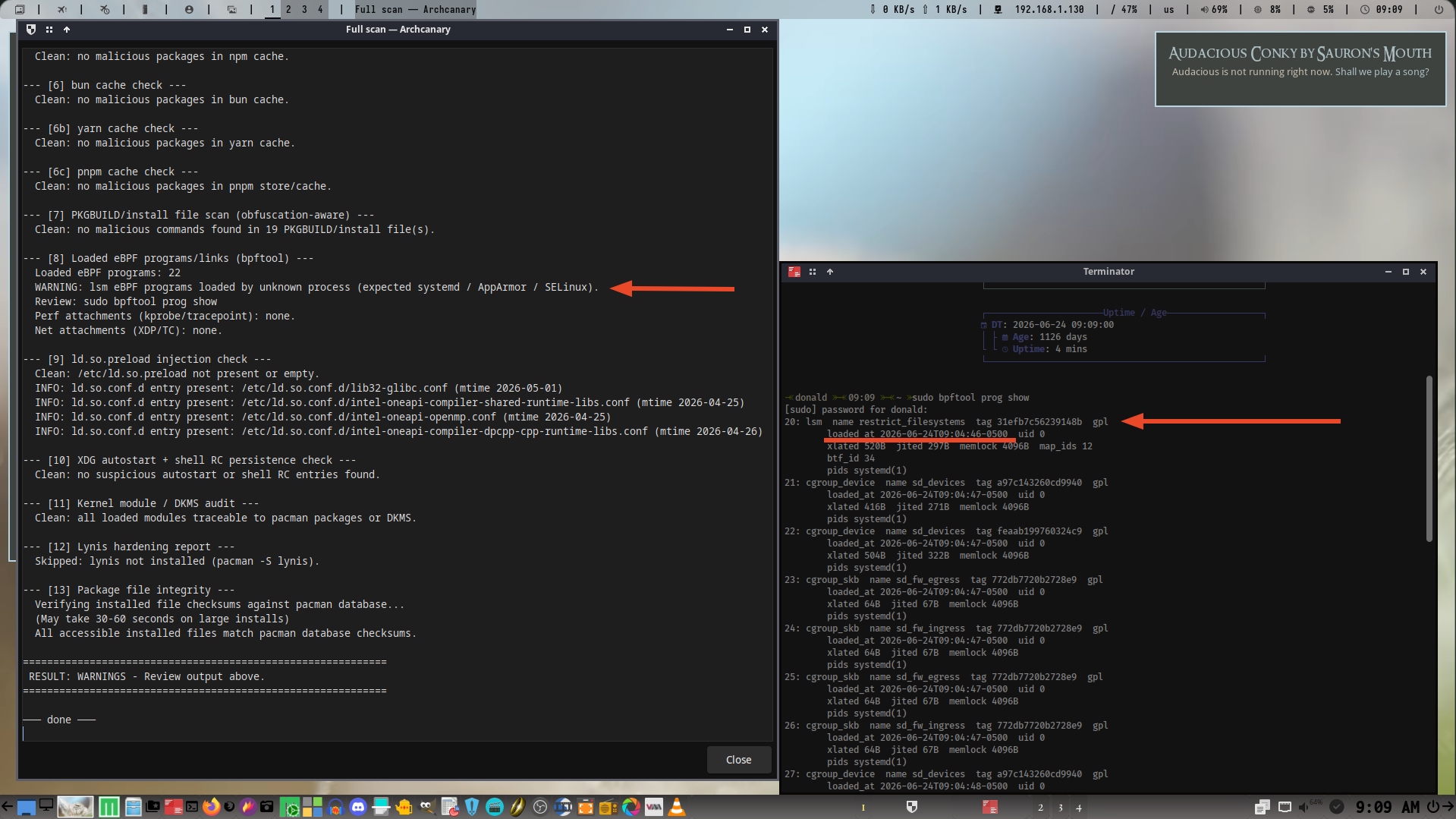
WARNING: lsm eBPF programs loaded by unknown process (expected systemd / AppArmor /SELinux).
Unknown loaders: firejail(1234)
If this looks like a false positive, report it at
https://github.com/musqz/archcanary/issues
Unknown loaders: should show the packages with pid.

 work in progress…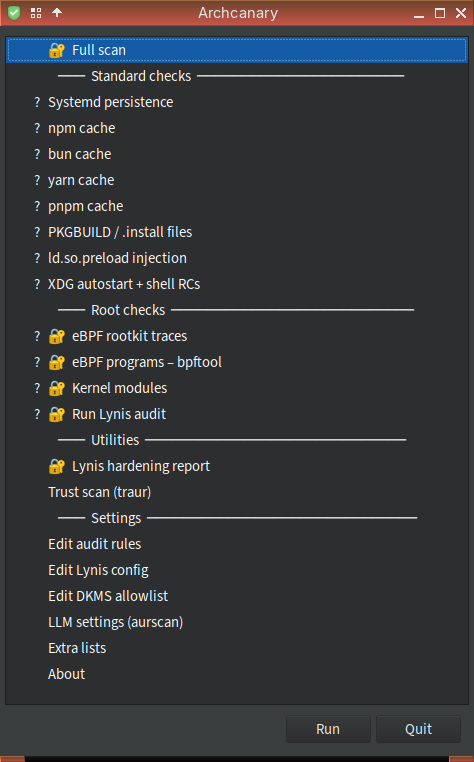
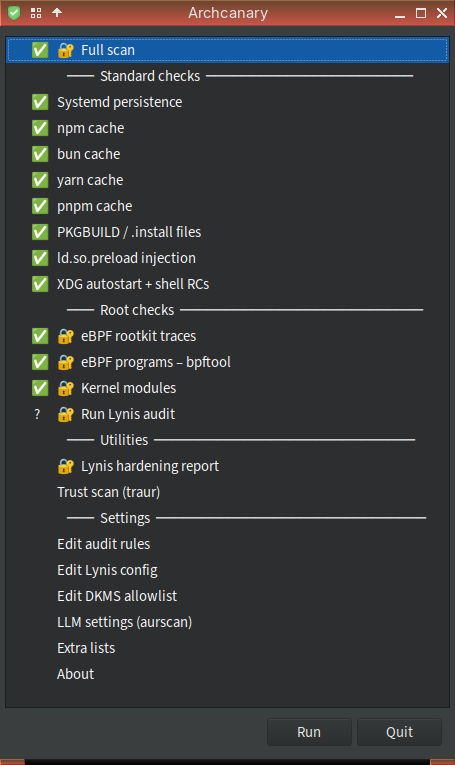

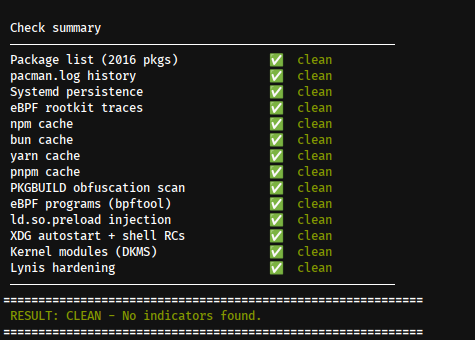
 thanks…