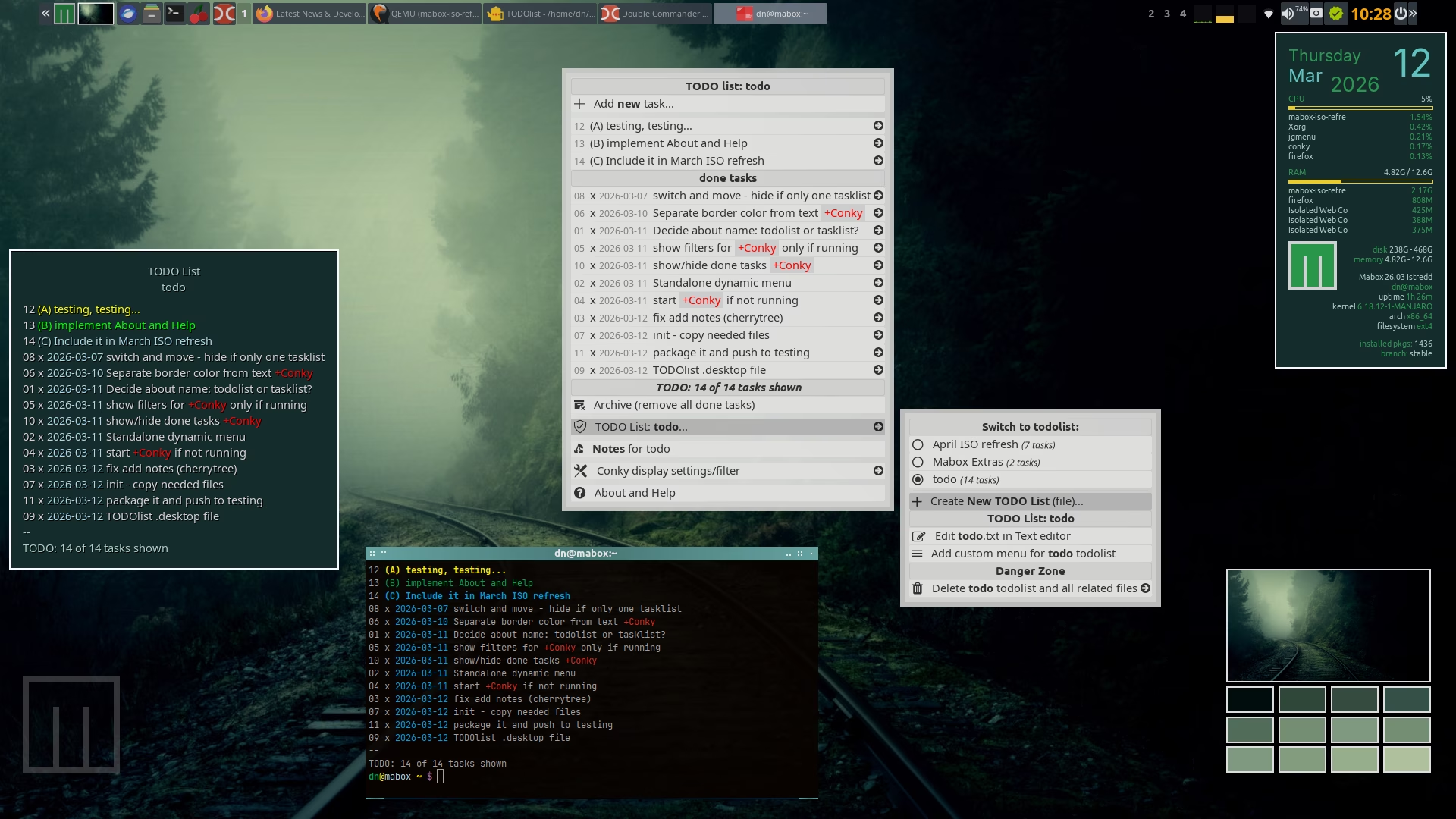
mabox-todolist is a collection of tools for managing simple to-do lists.
It includes a CLI, dynamic menus, and conky.
It’s built on the todo.sh script from http://todotxt.org/ with a few enhancements added:
multiple todo lists
handy dynamic menu
Conky widget with easy filtering
Notes for every todo list - cherrytree (optional)
customizable menu part for every todo list (optional)
My only detail was rearranging all the conkys (Make moveable all). It goes haywire if you have, like in my case, an external monitor. I had to disable it, rearrange, save new positions (got them right this time), enable external monitor again.
:: Getting packages...
failed to download mabox-todolist-20260312-1-any.pkg.tar.zst
error: Could not get file "mabox-todolist-20260312-1-any.pkg.tar.zst" from repo.maboxlinux.org: The requested URL returned error: 404
warning: Some files could not be fetched
error: The operation could not be performed (some files could not be downloaded)
Errors occurred, so the packages will not be updated

> error installing repo packages
Thanks.
I click on Start Conky widget Todo, but nothing happens. Notes for Todo and the help function aren’t working either. I have Cherry Tree installed. How do I configure all of this?
Complete installation instructions can be found in the first post. I tested it on two computers, a laptop, and several virtual machines. It works fine everywhere.
No idea why it doesn’t work for you, sorry.
Is there a way to add reminder notifications?
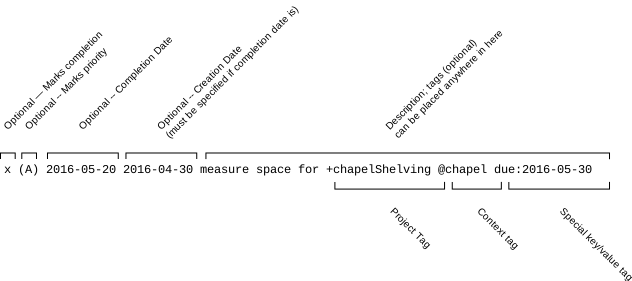
I added the time manually, but I don’t know if the script recognizes it; my English is very basic and I couldn’t find anything in the documentation.
My line: (B) 2026-03-13 15:09 plin +Project @Context