Another Manjaro stable branch update 

All good except some minor errors downloading from one repository/mirror. After several times trying, finally succeeded.
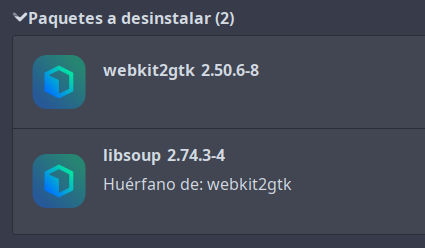
A little heads-up for those who still didn’t update and be prepared: the webkit2gtk package, in my case, compiled everything from source (8000+ files) and took 5 hours or longer, I had to leave it running overnight.
Regards.
I used add/remove programs to uninstall it from my computers before updating. It seems that it has zero dependencies and looks to have been deprecated.
I use stremio and it uses webkit2gtk.
Only for that I use the flatpak version of stremio to avoid hours of building time.
What is for you the package that uses the webkit2gtk as dependency.
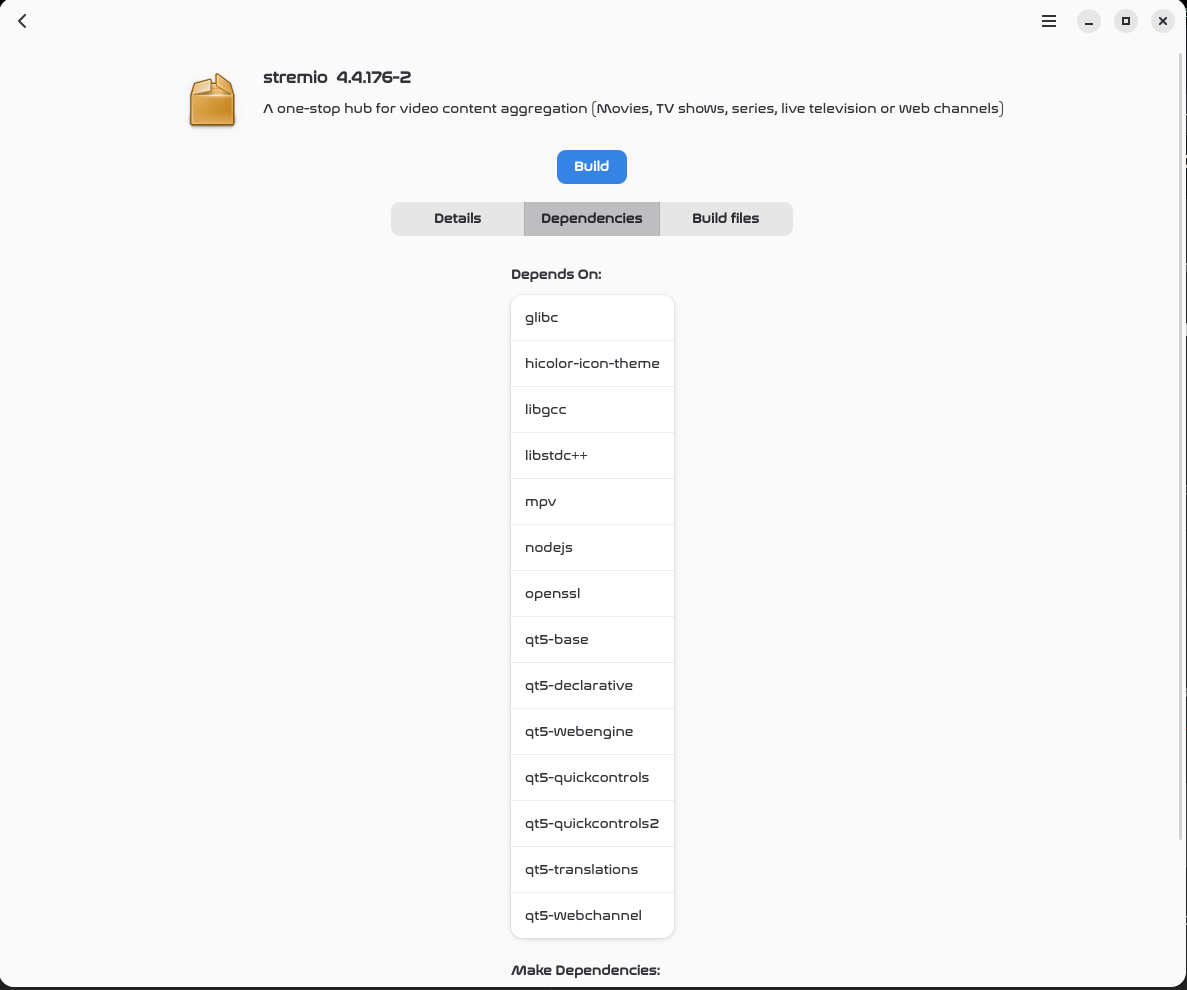
Oh maybe I mistaken. Maybe stremio did use it in the past, installing from aur started to take long maybe 2 month or a bit longer ago.
I remember webkit2gtk in an application that tooook loonggg to build (hours)…
With stremio right now it is qtwebengine that takes long to download, but thats another thing.
Retrieving sources...
  -> Downloading qtwebengine-5.15.19-lts.tgz...
  % Total    % Received % Xferd  Average Speed  Time    Time    Time   Current
                                 Dload  Upload  Total   Spent   Left   Speed
  0      0   0      0   0      0      0      0                              0
100  3.60M 100  3.60M   0      0  3.98M      0                              0
  -> Downloading qtwebengine-chromium-87-based-20250423.tgz...
  % Total    % Received % Xferd  Average Speed  Time    Time    Time   Current
                                 Dload  Upload  Total   Spent   Left   Speed
  0      0   0      0   0      0      0      0                              0
100 388.9M   0 388.9M   0      0  2.34M      0           02:45          4.02M^C

==> ERROR: TERM signal caught. Exiting...
- Have one machine with BambuStudio on it, which depends on
webkit2gtk, but dep failed build. Was able to remove it from the other two machines. - Two of three machines are missing some system font. The old
<<and>>left and right Mabox sidepanel menu icons (and volume icon) appear as unknown unicode glyphs like. On the third machine, everything displays correctly.
Edit: on one machine which did not render properly, it had ttf-nerd-fonts-symbols-common and ttf-nerd-fonts-symbols. Solution was as described below: mb-reset tint2. The top tint2 bar flashed as it was reloaded, then presto, problem solved.
The last PC was not as lucky. It also has the correct fonts, but mb-reset tint2 did not fix that one. Investigating…
Edit 2: fc-cache -f -v did not help.
- I’m not sure about the
webkit2gtkpackage, but it’s possible that it used to be required foryad. (Currently, yad useswebkit2gtk‑4.1, which is in the repo.) - As for Nerd Fonts in the menu and other places… everything should work without any user intervention. The icon‑fonts currently in use come from the package:
ttf‑nerd-fonts-symbolsorttf-nerd-fonts-symbols-mono.
Edit:
You can copy new tint2 panel configs to your home directory by:
mb-reset tint2
Can I do it without GUI? (from TTY old-school terminals?) to leave it all night…
Yes, three times I had to stop it because I was not sure if everything was OK. There’s something wrong about the compilation. Takes as much as the kernel itself!
@lobaluna
Which program requires webkit2gtk?
A better idea might be to recompile it so that it uses webkit2gtk‑4.1…
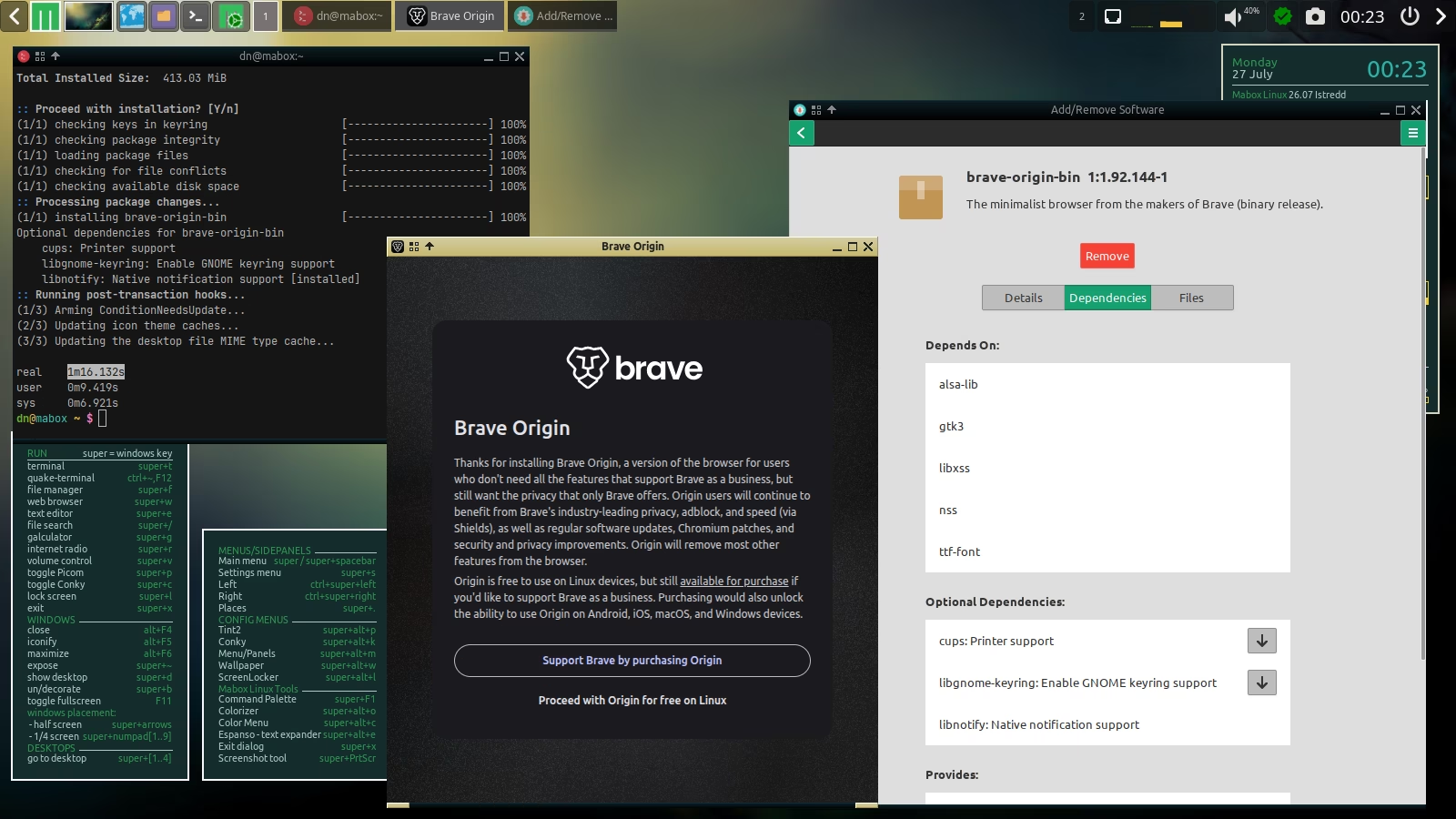
In my case, it is brave-origin-bin.
I do not know exactly how to recompile with webkit2gtk-4.1. I saw the upstream maintainer recommended that way, but I’m not sure of such technicalities.
I compile it with leaving all resources to it, when in TTY only, all night long. It took +5 hours, as @M0nst3r said. This is just my little rant, but … what a waist of resources it is today! (at least, it is to me).

Very weird. Just a side-note, if you have a multi-core CPU and lots of RAM, can set these in the .bashrc, logout/login, and it then will compile much faster:
export MAKEFLAGS='-j 16 -l 4'
export GNUMAKEFLAGS='-j 16 -l 4'
Where 16 is the number of parallel jobs maximum (depends on how many CPU cores you have; target 1.5 times the real number of cores.) And -l 4 means Max load: do not start more jobs if the CPU is loaded this much. Can also research the mold linker for even more speed, but that is rather involved.
Be aware though, that this uses at least twice as much RAM, and could potentially fail on poorly-written code.
You shouldn’t need to logout/login as .bashrc is processed each time a terminal is opened.
Sounds fishy, I know.
I cannot tell why so it was my case. Some bizarre dependencies that I had for other packages I had previously installed? Maybe. I install/uninstall many software just to test it and play with it.
Finally, after 16 hours of compiling the mentada biblioteca (I ended updating the machine). The package was (I didn’t checked today) in AUR repos…
Anyway, it is problem solved for me. The mystery remains ;D
I will take that into account before the next yay with AUR command.
Thank you!
Welcome. Also see here about ccache specifically for AUR builds: Boost AUR Compilation in Arch Linux with ccache | UmmIt Kin Personal website
Thanks for the tip!