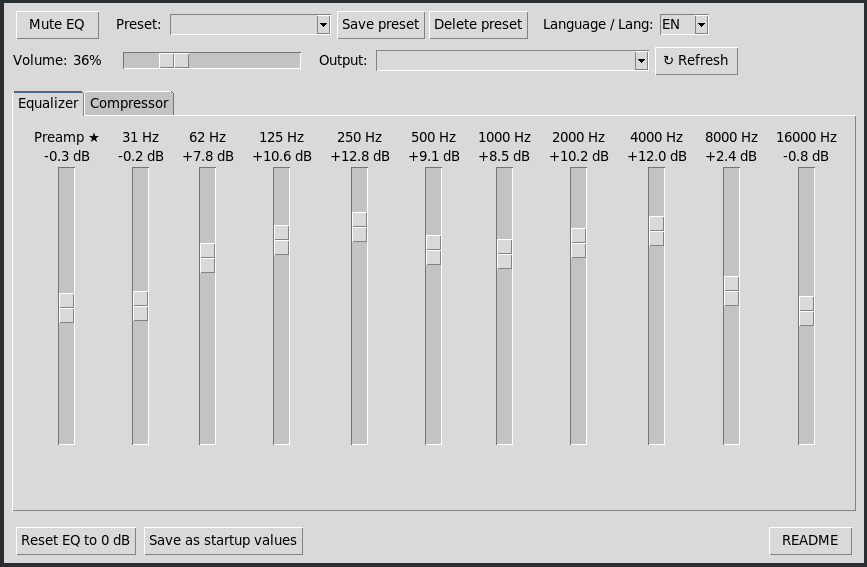
I couldn’t find a lightweight, simple equalizer for Pipewrite, so I decided to build one in Python with the help of AI. Lightweight, simple, effective.
10 bands, pre-amp, compressor, presets, option to set fixed parameters in the system.
As my PC is currently being repaired, I’ve only tested it on the Orange Pi 5 Max running Armbian/Xfce, but in theory it should work on any architecture with any Linux distribution.
Bilingual (Spanish/English), automatically detects the language; however, there are three options in case one fails:
One thing I didn’t mention: it doesn’t run in the background like EasyEffects, so it doesn’t use up system resources. If you click ‘Save’ to set the values, close the script and the settings will be saved; if you don’t click that button, the settings will remain until you restart (or reset them).
Requirements
PipeWire 0.3.50+ (con filter-chain)
calf-plugins
python3-tk (GUI, Tkinter)
pactl
pw-cli / pw-dump
lilv-utils (opcional, para inspeccionar otros plugins LV2)
When testing it on Mabox, we had to change a few things because Arch uses different names to Armbian:
Fix language + multi-distro docs (Arch/Mabox) + MIT licence
Fix: language detection did not recognise LANG=es_* (it only checked LC_ALL/LC_MESSAGES/LANGUAGE, never LANG itself with the ‘es’ prefix)
Add Mabox Linux (Arch, PipeWire 1.6.8) as a tested platform, alongside the Orange Pi (Armbian)
Document that the Calf package is renamed depending on the distro:
calf-plugins (Debian/Armbian) vs calf (Arch)
New precaution: compare the .conf files on disk against those in the repository before assuming a new bug (the actual cause of a failure on Mabox was having a eq.conf/compressor.conf file with invalid syntax, not from the repository)
Requirements without a table (easier to read in the script’s built-in viewer)
Document the “Save as boot values” and “View README” buttons