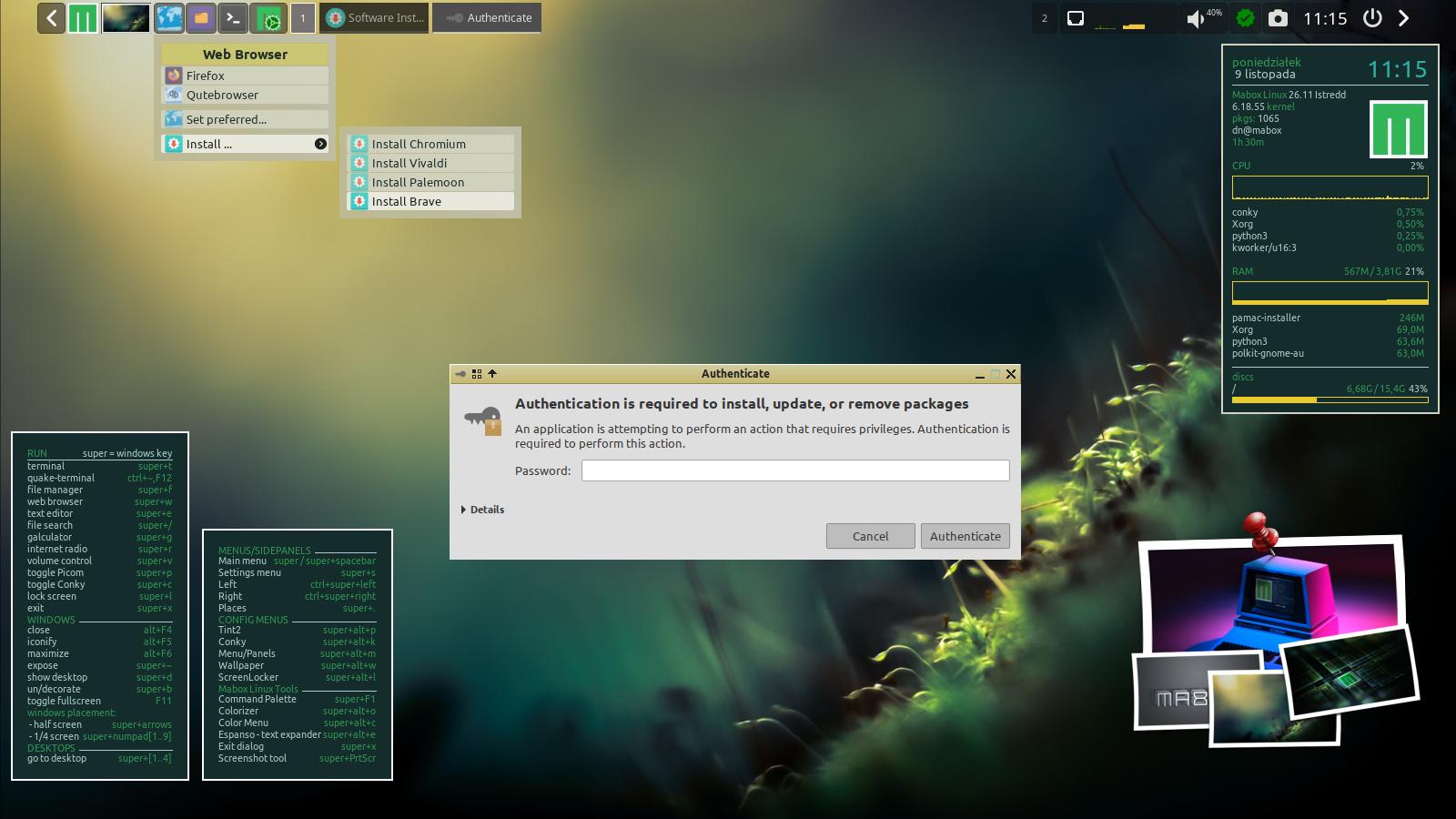
latest ISO of mabox , while i try from the beginning to use pamac gui it always failed , there was a shaking autothencation popup that dissapear before i could read it or type something .so install programs without the cli was impossible .
My knowledge of linux is almost zero so i use the ai -Lumo from proton to figure this out
here is what i have done because AI told me so , it was a risk but it works for now , maybe it is helpfull , The missing PAM file is strange because iam new i dont throw away files .
The problem: pamac-manager never showed a password prompt when installing software, and pkexec returned “Not authorized”. For months, graphical software installation was impossible.
The investigation — ruled out step by step:
Polkit agent? — Running fine (first polkit-gnome, verified with ps aux). Not the cause.
Group membership? — You were correctly a member of wheel. Not the cause.
Session registration? — loginctl showed an active x11 session on seat0 (Active=yes). Not the cause.
Authorization rules? — 99-mabox.rules proved harmless; the default rules (50-default.rules) were intact. Not the cause.
The journal produced the first real lead: authentication attempts were reaching polkit, and the polkit-agent-helper was crashing with exit status 1.
The three actual defects and their repairs:
Missing PAM file — /etc/pam.d/polkit-1 had vanished entirely, leaving the helper unable to verify passwords. Recreated with:
#%PAM-1.0 auth include system-auth account include system-auth session include system-auth
(The session line only proved necessary after testing — hence the two-step addition.)
Missing setuid bit — /usr/lib/polkit-1/polkit-agent-helper-1 had permissions -rwxr-xr-x instead of -rwsr-xr-x; without the s, the helper could not present itself as root and crashed. Restored with chmod u+s.
Broken socket route — polkit 127 attempted to launch the helper through polkit-agent-helper.socket, which failed with “Pidfd not supported on this platform”. Following the error message’s own advice, the socket was masked with systemctl mask, allowing the setuid route to take over.
Two finishing improvements:
Agent modernised — the outdated polkit-gnome agent was replaced by mate-polkit, made permanent in ~/.config/openbox/autostart (line 32).
Thanks for reporting @buildid , I will check latest ISO and current (unreleased) ISO and try to reproduce…
On my main system ( installed 5 January 2026) all works fine.
Question:
Did you manually modify any important system files related to polkit or PAM?
Or did you make any manual changes based on .pacnew files after an update?
i dont do that on purpose i try not to delete anyfiles as only in my home directory , what i created .The invisible one i even cannot see .
The strange thing is it happens from te start after installation i get this error .
I once use the gui with pamac as root , i understand now i better dont do that . But that was after i get the error . .an i wanted to install a program. lets hope it will stay fixed for me , thankyou
Install Timeshift, and use it. I can’t tell you the amount of times I have inadvertently lost an important system file due to my ignorance and/or stupidity and it yanked my feet back out of the fire with a simple system restore.
i found my old laptop an HP with mabox 26.01 , didnot touched it from end of januari till now . with excact the same problem , just try to update that old one did not work with the gui . i remember i saw this before … could not remember anymore . just to let you know
i dont update it for now in case you want me something todo, this week i will update with the consolle.
I never, ever do update via GUI… always from command line. It is simple as typing yay.
I use Pamac GUI only to search pkgs and sometimes to install single package.
Did the laptop miss a bunch of updates? Mabox is a rolling-release and must be updated regularly. Missing a string of updates can bork it in very weird ways, because each update depends on the previous update. Weekly might be a good minimum-update cadence.
Did you download the Mabox install .iso from the official website? Download and installation | MaboxLinux I’d suggest re-downloading it just to be sure and delete all old copies; maybe yours is corrupted.