I’m designing an Obsidian-style note-taking system in HTML and JavaScript that works both locally (on your desktop) and on a web server. It allows you to create many notebooks to store notes, tag them, link notebooks, and more. It also has the option to generate an interactive map showing all the relationships: linked notes, tags, internal links, etc., just like Obsidian.
Why?
To avoid relying on installations or dependencies and to allow for customization “a piacere”.
I haven’t uploaded it to GitHub yet. I’d like you to try it on my site (it saves data to your browser’s localStorage - I don’t access your data -, with the option to export to a .json file), or you can download it for inspection.
… and to learn…
If you want to try it:
If you want to download it, “right click->save as:”
Upon entering the page, you’ll find the “Backup->Importar JSON” button in the sidebar. You may need to refresh the page. You can modify, create, and delete to see how it works.
Clicking the “ Mapa de notas” button will take you to the interactive map.
The READMEs:
English
First paragraph:
Notebooks – Version 2.0
Note management system with virtual notebooks, Markdown editor, tags, global search, links between notes, connection map, and JSON export.
Without a backend for ease of use and portability, it saves data to the browser’s localStorage, allowing you to export all content to a .json file with the date and time embedded in the filename.
The system consists of three files:
index.html(the application),marked.min.js, andgrafo.html(the Notes Map, optional). A local copy ofmarked.min.jsis included to enable rendering Markdown without an internet connection. All three must be in the same folder.
For now it’s in Spanish but I’m working on making it bilingual (Spanish - English)
Ideas for the future:
Make it modular: separate html, css, and javascript(s) to facilitate necessary changes without struggling with a 3000-line file (index.html) or nearly 900 lines (grafo.html).
Main screen:
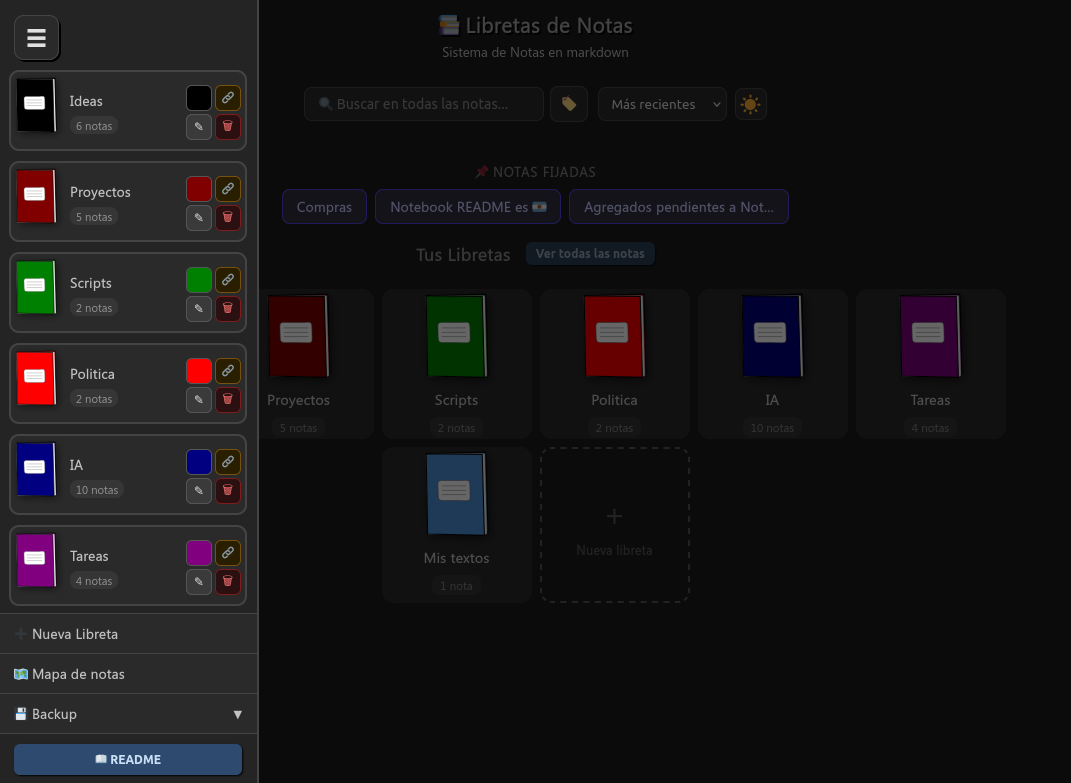
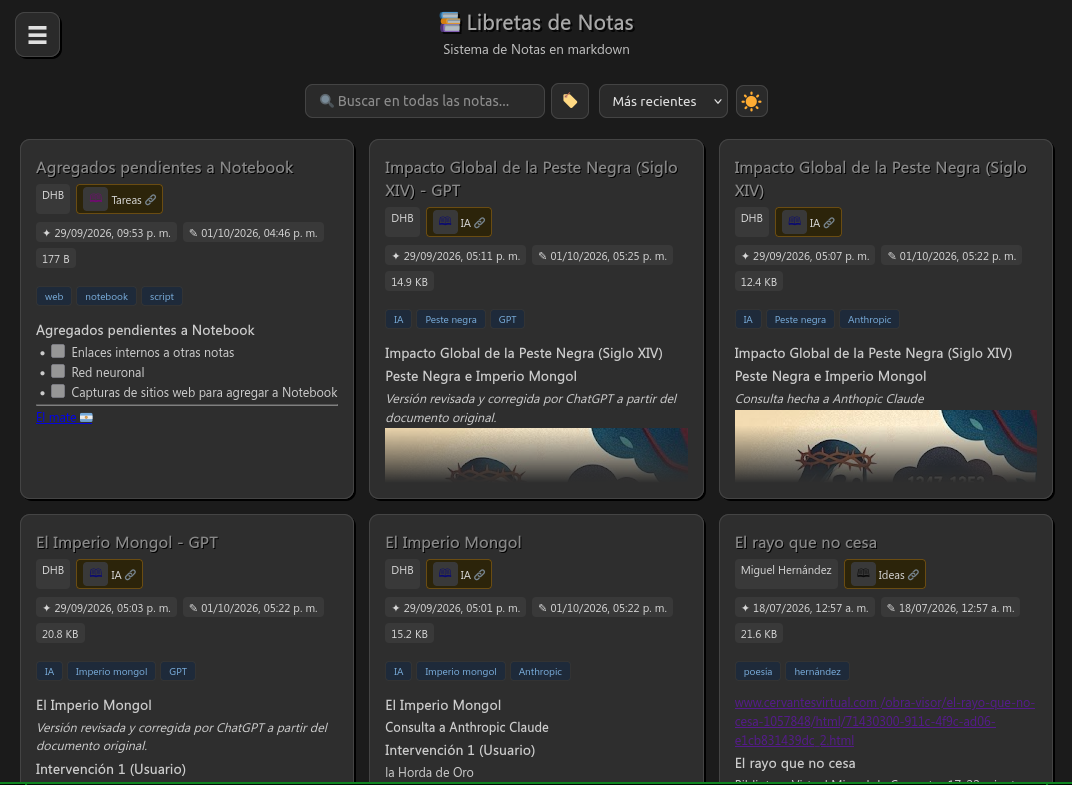 Mapa de notas: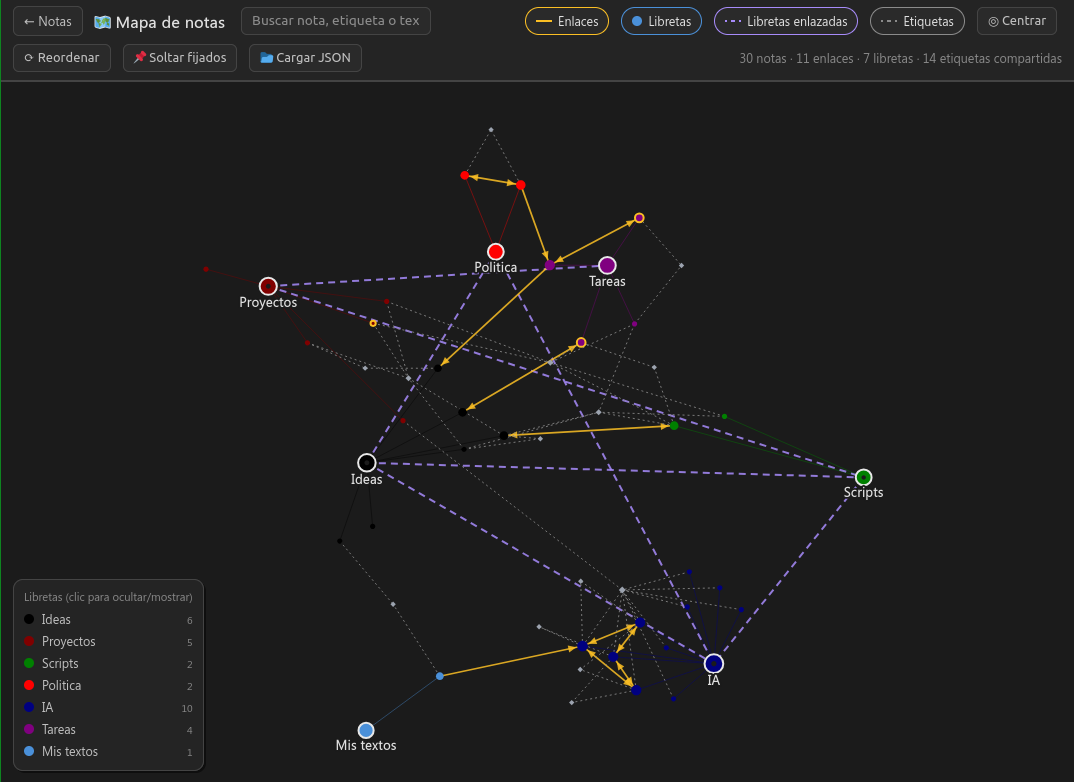
As always: let me know if you find it interesting, if you try it, or if you think it’s garbage or crap.
Thanks, greetings from Argentina. 
 Privacy and Total Control
 0% Cloud, 100% Local: No remote servers, no telemetry, no data collection. Everything lives in your local storage or in
  No sign-up, no users: Forget about creating accounts, remembering passwords, or depending on a third-party service deciding to shut down or change its policies.
 Data sovereignty (JSON / Markdown): Export and import whole projects whenever you want. Your notes are not trapped in proprietary formats (vendor lock-in); you can keep your backups on a USB drive, on your own disk, or migrate to Markdown whenever you need to.
 PKM features in a single file
 Total portability: No installation required. Just open
  Knowledge network: Connect ideas with links between notes (
 Full editor: Live Markdown preview, interactive checklists, tables, metadata, special tags, and dark/light mode.
 Multilingual: Interface and documentation built in, dynamically available in Spanish and English.
 Notes in Markdown format
 Organizational tags
 Global search
 JSON export/import
 Individual export to .md