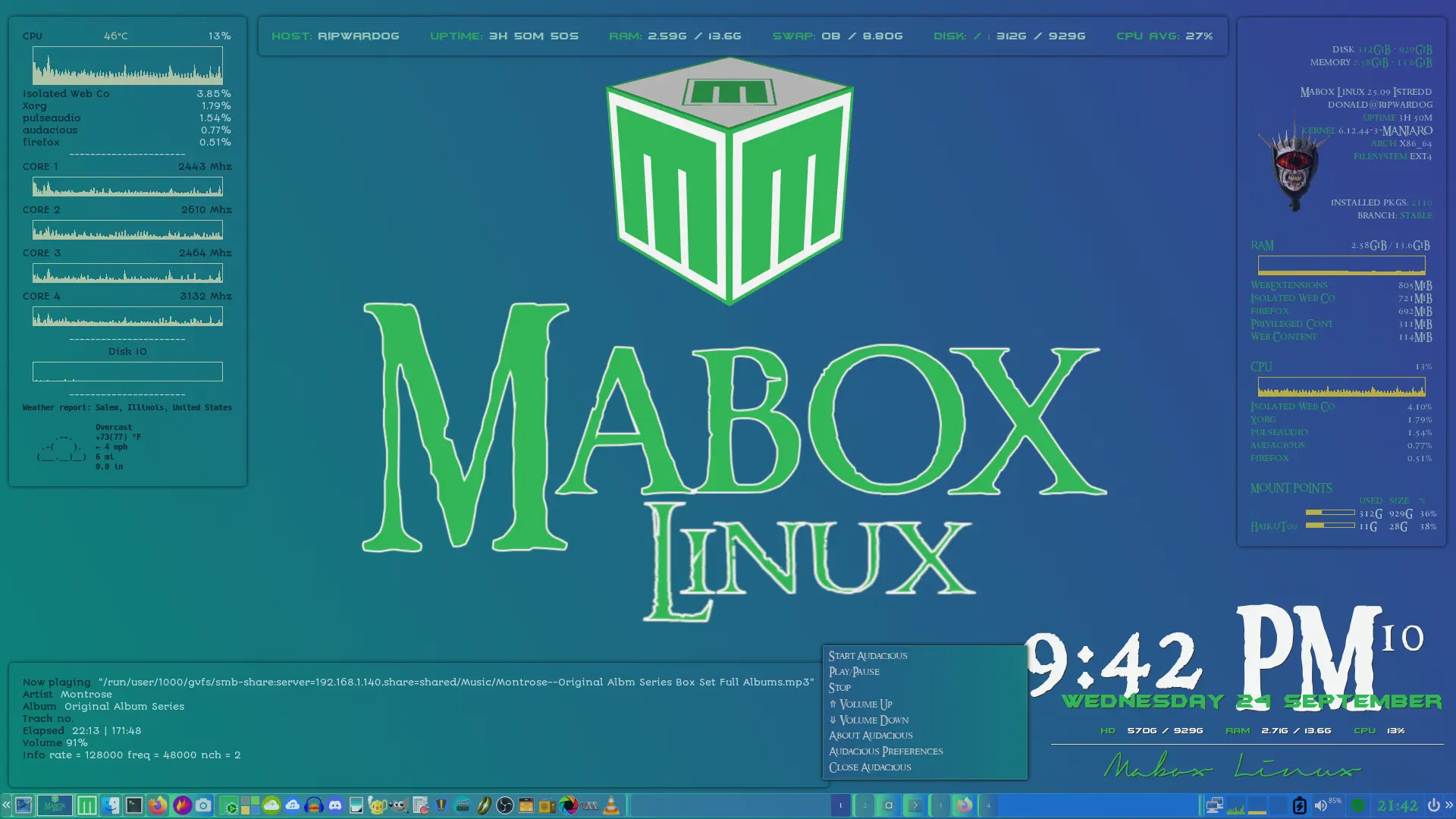
New to Conky

I’m sure someone else could do way better than me but seeing as I’m pretty new to programming Conky I’m quite impressed with myself.

conky.config = {
-- WINDOW
	own_window = true,
	own_window_type = 'desktop',
	own_window_transparent = true,
	own_window_hints = 'undecorated,below,skip_taskbar,skip_pager,sticky',
	own_window_colour = '#6fa9d8',
	own_window_colourto = '#222222',
	own_window_class = 'Conky',
	own_window_title = 'Mabox CPU-4Core-SM Conky',

    alignment = 'top_left',
	gap_x = 30,
	gap_y = 60,
    minimum_height = 64,
    minimum_width = 64,

-- FONTS
	use_xft = true,
	font = 'Autour One:size=8',
	xftalpha = 1,
	override_utf8_locale = true,

-- COLORS
	draw_shades = false,
	default_shade_color = '#000000',
	draw_outline = false,
	default_outline_color = '#222222',

	default_color = '#F8F8FF',
	color0 = '#040b10',
    color1 = '#f8faf8',
    color2 = '#ebc13d',
    color3 = '#84c747',

-- BORDERS
	draw_borders = false,
-- Stippled borders?
	stippled_borders = 0,
-- border margins
	border_inner_margin = 15,
	border_outer_margin = 1,
-- border width
	border_width = 2,
-- graph borders
    draw_graph_borders = true,

-- MISC
-- Boolean value, if true, Conky will be forked to background when started.
	background = true,

-- Adds spaces around certain objects to stop them from moving other things
-- around, this only helps if you are using a mono font
-- Options: right, left or none
	use_spacer = 'none',

-- Subtract (file system) buffers from used memory?
	no_buffers = true,

-- Imlib2 image cache size, in bytes. Default 4MiB Increase this value if you use
-- $image lots. Set to 0 to disable the image cache.
--imlib_cache_size = 0,

-- Use the Xdbe extension? (eliminates flicker)
-- It is highly recommended to use own window with this one
-- so double buffer won't be so big.
	double_buffer = true,
	update_interval = 2,
};

conky.text = [[
${color0}CPU${alignc}${color2}${hwmon 1 temp 1}°C${alignr}${color1}$cpu%
${color2}${alignc}${cpugraph 50,250 -l -t}${voffset -6}
${color0}${top name 1}${alignr}${color1}${top cpu 1}%
${color0}${top name 2}${alignr}${color1}${top cpu 2}%
${color0}${top name 3}${alignr}${color1}${top cpu 3}%
${color0}${top name 4}${alignr}${color1}${top cpu 4}%
${color0}${top name 5}${alignr}${color1}${top cpu 5}%
${color1}${alignc}----------------------
${font}${color0}CORE 1${alignr}${freq 1} Mhz
${color2}${alignc}${cpugraph cpu1 25,250}
${font}${color0}CORE 2${alignr}${freq 2} Mhz
${color2}${alignc}${cpugraph cpu2 25,250}
${font}${color0}CORE 3${alignr}${freq 3} Mhz
${color2}${alignc}${cpugraph cpu3 25,250}
${font}${color0}CORE 4${alignr}${freq 4} Mhz
${color2}${alignc}${cpugraph cpu4 25,250}
${color1}${alignc}----------------------
${color0}${alignc}Disk IO
${color2}${alignc}${diskiograph 25,250}
${color1}${alignc}----------------------
${font Dejavu Sans Mono:size=8}${alignc}${color2}${execpi 300 curl wttr.in/?T0 --silent --max-time 3}
]];


```
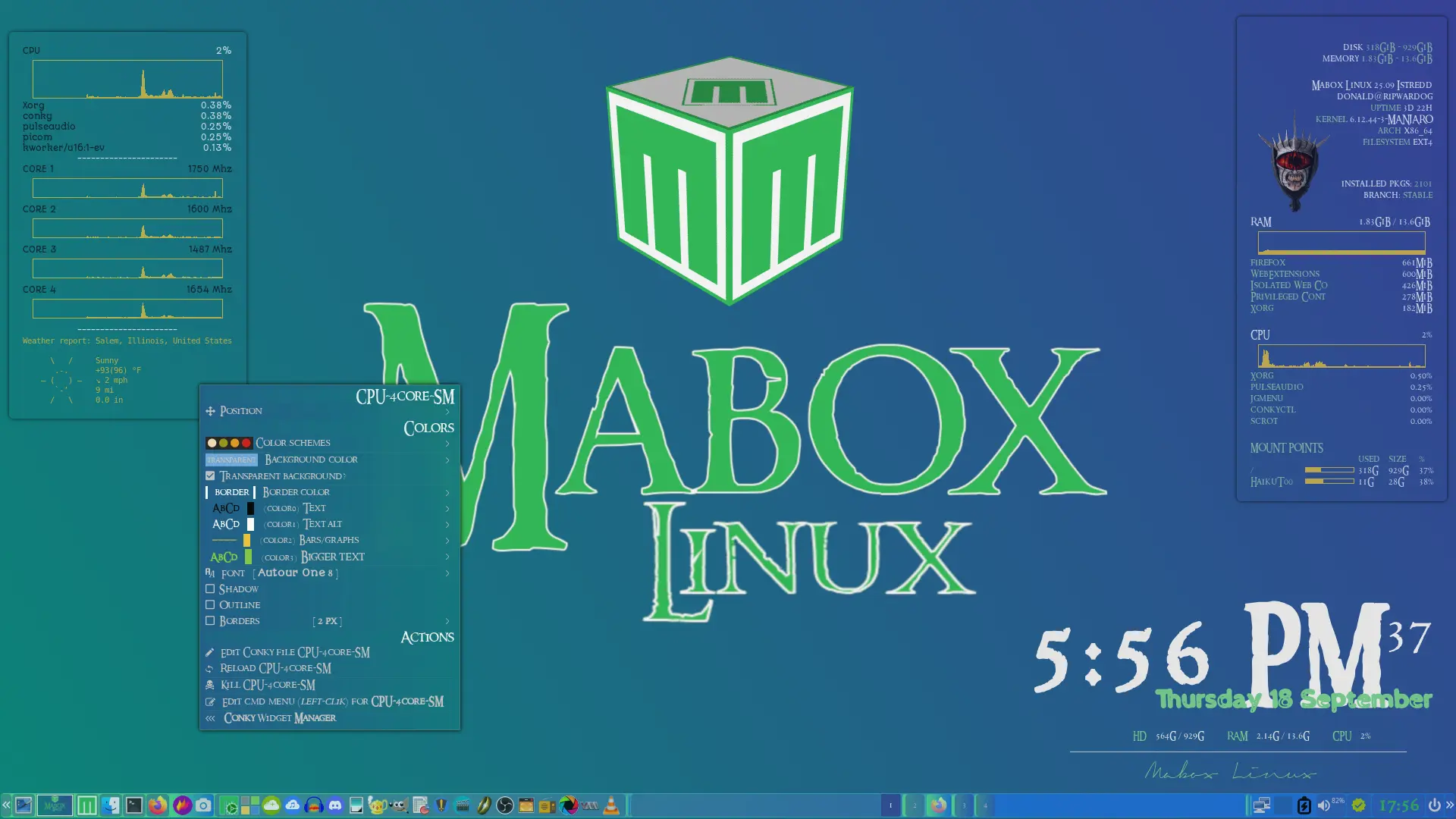
Updated to add a couple items.
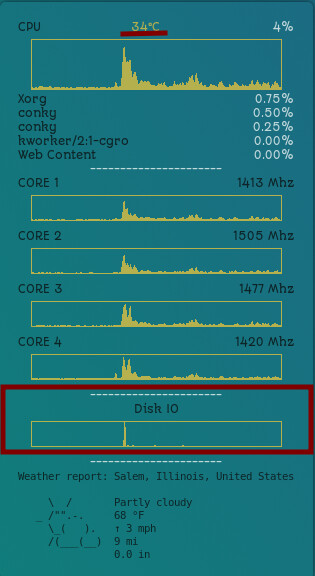
1 Like

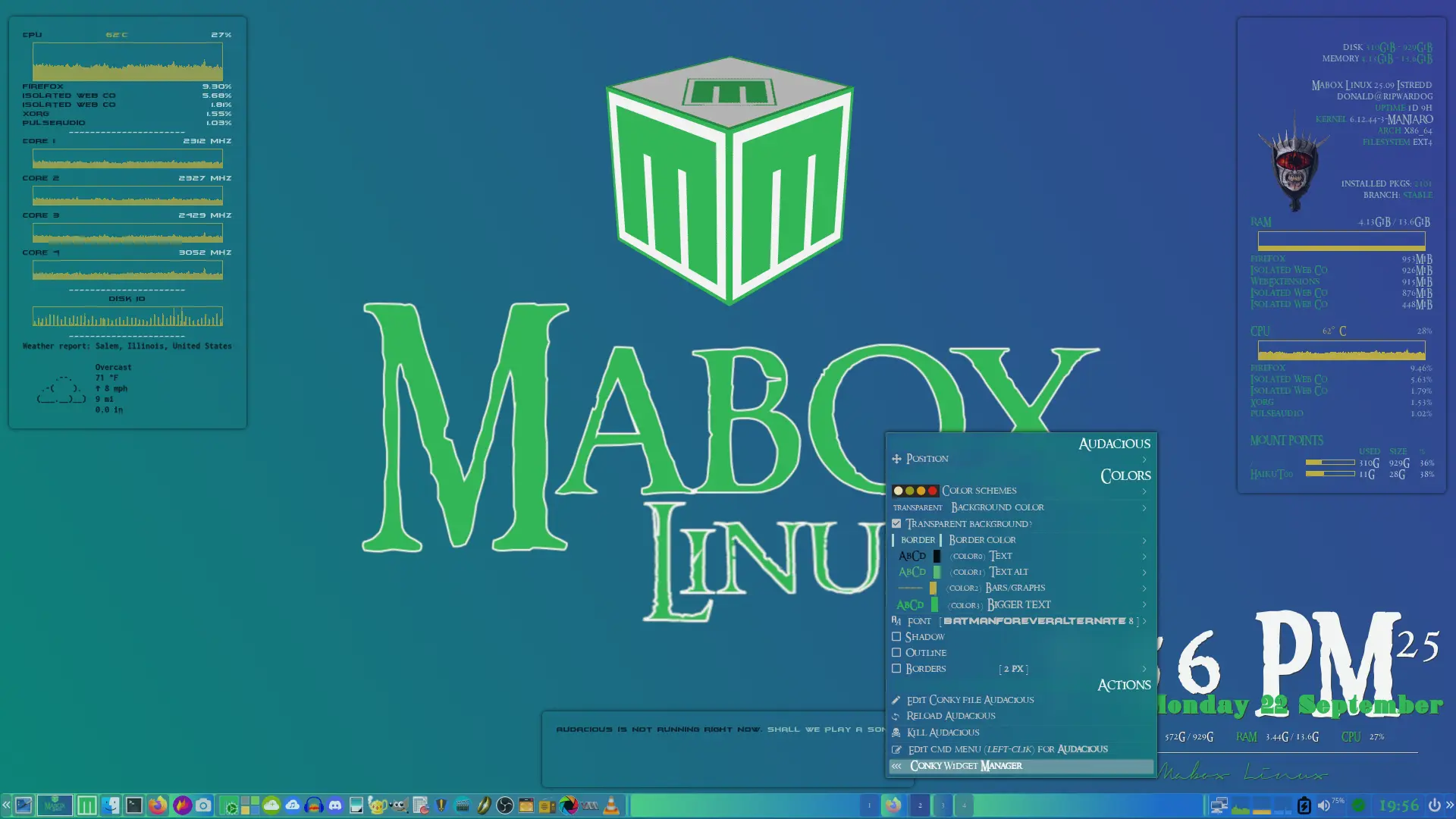
Working on a Conky for Audacious. What I have so far.

conky.config = {
-- WINDOW
	own_window = true,
	own_window_type = 'desktop',
	own_window_transparent = true,
	own_window_hints = 'undecorated,below,skip_taskbar,skip_pager,sticky',
	own_window_colour = '#255c89',
	own_window_colourto = '#222222',
	own_window_class = 'Conky',
	own_window_title = 'Audacious Conky',

    alignment = 'bottom_left',
	gap_x = 30,
	gap_y = 60,
    minimum_height = 64,
    minimum_width = 64,

-- FONTS
	use_xft = true,
	font = 'BatmanForeverAlternate:size=8',
	xftalpha = 1,
	override_utf8_locale = true,
    template2 = [[Inconsolata]],

-- COLORS
	draw_shades = false,
	default_shade_color = '#000000',
	draw_outline = false,
	default_outline_color = '#222222',

	default_color = '#b4d2c4',
	color0 = '#040b10',
    color1 = '#53ba6e',
    color2 = '#B9AC45',
    color3 = '#32B557',

-- BORDERS
	draw_borders = false,
-- Stippled borders?
	stippled_borders = 0,
-- border margins
	border_inner_margin = 15,
	border_outer_margin = 1,
-- border width
	border_width = 2,
-- graph borders
    draw_graph_borders = true,

-- MISC
-- Boolean value, if true, Conky will be forked to background when started.
	background = true,

-- Adds spaces around certain objects to stop them from moving other things
-- around, this only helps if you are using a mono font
-- Options: right, left or none
	use_spacer = 'none',

-- Subtract (file system) buffers from used memory?
	no_buffers = true,

-- Imlib2 image cache size, in bytes. Default 4MiB Increase this value if you use
-- $image lots. Set to 0 to disable the image cache.
--imlib_cache_size = 0,

-- Use the Xdbe extension? (eliminates flicker)
-- It is highly recommended to use own window with this one
-- so double buffer won't be so big.
	double_buffer = true,
	update_interval = 1,
};

conky.text = [[
${if_running audacious}${font}${color0}Now ${exec audtool --playback-status}  ${color2}"${exec audtool --current-song-filename}"
${color0}Artist  ${color2}${exec audtool --current-song-tuple-data artist}
${color0}Album  ${color2}${exec audtool --current-song-tuple-data album}
${color0}Track no.  ${color2}${exec audtool --current-song-tuple-data track-number}
${color0}Elapsed  ${color2}${exec audtool --current-song-output-length} | ${exec audtool --current-song-length}
${else}${alignc}${color0}Audacious is not running right now. ${color2}Shall we play a song?${endif}
]];

Left Click Menu

# Add your commands here
# Syntax is simple: Label,command
# examples:

Start Audacious,audacious
Play/Pause,audtool playback-playpause
Stop,audtool playback-stop
⤊ Volume Up,audtool set-volume $((`audtool get-volume` + 5))
⤋ Volume Down,audtool set-volume $((`audtool get-volume` - 5))
About Audacious,audtool about-show
Audacious Preferences,audtool preferences-show
Close Audacious,audtool shutdown

# If only one command is uncommented it will run, if more commands available menu will be shown
# to see how it works play with uncomenting examples above and clicking Conky

```