[priority:LOW]
Issue with mb-status and external disks.
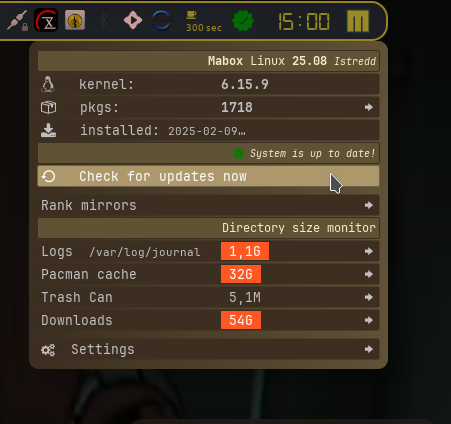
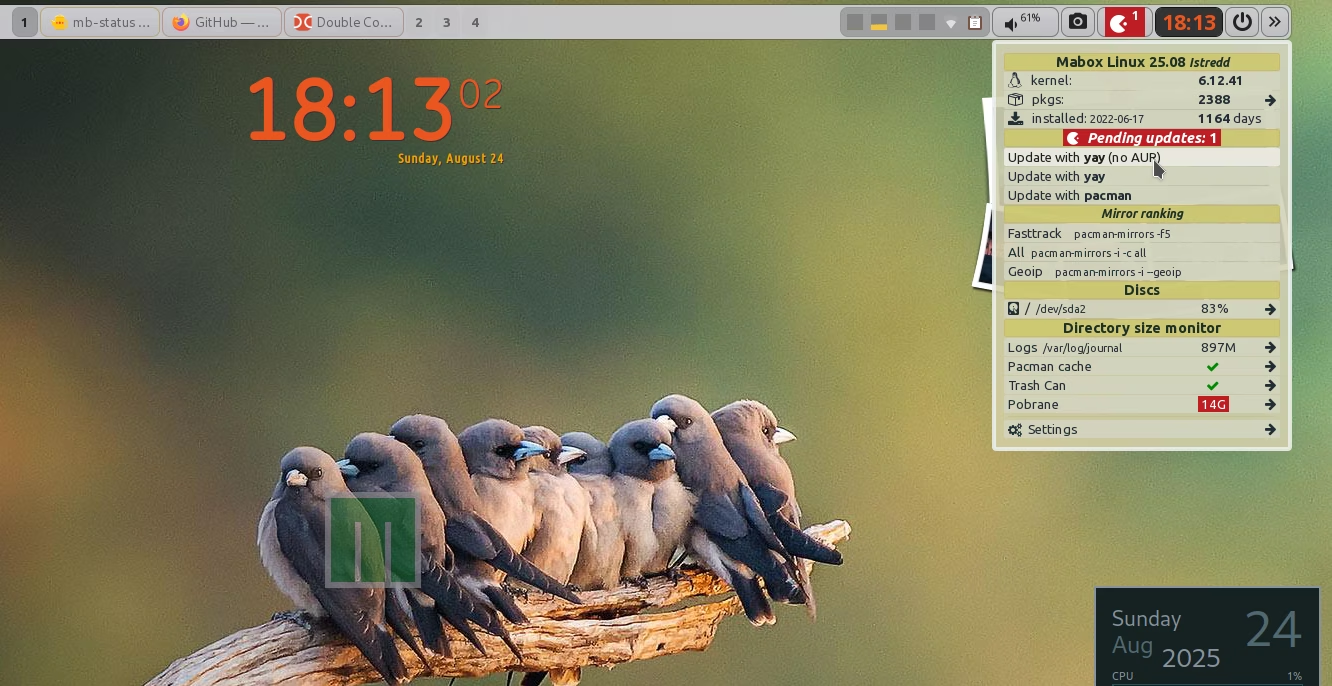
I am starting to use mb-status, but I’ve run into a known problem. And remember why i didn’t use it till now.
I have two external drives that are always attached and mounted. One of them is a 1TB backup drive that’s about 80% full.
Whenever I hover over the menu item related to these drives, the system gets stuck trying to collect information from the disk.
The system doesn’t exactly freeze, but it becomes unresponsive—probably because jgmenu can’t handle gathering data from large disks for this system.
If I wait long enough (about an hour), the system eventually recovers. (hypotheses)
C-A-F2 TTY Reboot…
I understand that jgmenu isn’t optimized for handling large disks.
For ‘jgbrowser’ I added a max of data to check.
snippet jgbrowser-ce
  # Set the maximum number of files to load. Loading time of the menu.
    Can take a while with realy large wallpaper collection and limited hardware.
    MAX_FILES=200  # set as high as possible like 10000 or more.
    Slow menu, lower number.


  # Check if the maximum number of files has been reached
    if [ $count -eq $MAX_FILES ]; then
        break
    fi
jgbrowser tweaked
#!/bin/bash
# Daniel Napora 2020 - 2023 <napcok@gmail.com>
# edit by musqz 2023 - 2024
# Set the maximum number of files to load. Loading time of the menu. Can take a while with realy large wallpaper collection and limited hardware.
MAX_FILES=200 # set as high as possible like 10000 or more. When slow menu, lower number.
. "$HOME"/.config/mabox/mabox.conf
CONFIG_DIR="$HOME/.config/mbwallpaper"
CONF_FILE="$CONFIG_DIR/mbwallpaper.conf"
source <(grep = "$CONF_FILE")
case $LANG in
pl*)
DIRECTORIES="Katalogi"
FILES="Pliki"
ADDBOOKMARK="Dodaj do zakładek"
OPENDIR="Otwórz w menadżerze plików"
OPENTERM="Otwórz w terminalu"
;;
es*)
DIRECTORIES="Directorios"
FILES="Archivos"
ADDBOOKMARK="Agregar a marcadores"
OPENDIR="Abrir Gestor de archivos aquí"
OPENTERM="Abrir terminal aquí"
;;
*)
DIRECTORIES="Directories"
FILES="Files"
ADDBOOKMARK="Add to Bookmarks"
OPENDIR="Open filemanager here"
OPENTERM="Open terminal here"
SET_WDIR="Set wallpaper dir for (0)"
SET_WDIR2="Set wallpaper dir for (1)"
;;
esac
: "${JGMENU_RESOURCE_OPENER="xdg-open"}"
DIRECTORY=${1:-$HOME}
# If '$DIRECTORY' is '/', unset it to avoid '//'.
[[ $DIRECTORY == / ]] && DIRECTORY=
if [ "$jgbrowser_show_hidden" == false ]; then
count=0 # Counter to keep track of processed items
for item in "$DIRECTORY"/*; do
if [[ -d $item ]]; then
dirs+=("${item##*/},^pipe(jgbrowser \"$DIRECTORY/${item##*/}\")")
else
if [[ -f $item ]]; then
files+=("${item##*/},xdg-open \"$DIRECTORY/${item##*/}\"")
((count++))
fi
fi
# Check if the maximum number of files has been reached
if [ $count -eq $MAX_FILES ]; then
break
fi
done
else
count=0
for item in "$DIRECTORY"/* "$DIRECTORY"/.[^.]*; do
if [[ -d $item ]]; then
dirs+=("${item##*/},^pipe(jgbrowser \"$DIRECTORY/${item##*/}\")")
else
if [[ -f $item ]]; then
files+=("${item##*/},xdg-open \"$DIRECTORY/${item##*/}\"")
((count++))
fi
fi
if [ $count -eq $MAX_FILES ]; then
break
fi
done
fi
printf "%b\n" "^sep(<small><i>${DIRECTORY:-/}</i></small>)"
printf "%b\n" " ${ADDBOOKMARK},\"\"\"echo \" ${DIRECTORY##*/},^pipe(jgbrowser ${DIRECTORY:-/})\" >> $HOME/.config/mabox/places.csv;mb-places -s\"\"\""
printf "%b\n" "^sep()"
printf "%b\n" " $SET_WDIR,awk -v newdir='${DIRECTORY:-/}' '/^wallpaper_dir=/{\$1=\"wallpaper_dir=\"newdir}1' $CONF_FILE > $CONF_FILE.tmp && mv $CONF_FILE.tmp $CONF_FILE"
printf "%b\n" " $SET_WDIR2,awk -v newdir='${DIRECTORY:-/}' '/^wallpaper_dir2=/{\$1=\"wallpaper_dir2=\"newdir}1' $CONF_FILE > $CONF_FILE.tmp && mv $CONF_FILE.tmp $CONF_FILE"
printf "%b\n" "^sep()"
printf "%b\n" " $OPENDIR,${JGMENU_RESOURCE_OPENER} \"${DIRECTORY:-/}\""
printf "%b\n" "<big></big> $OPENTERM,exo-open --launch TerminalEmulator --working-directory=\"${DIRECTORY:-/}\""
if [ ${#dirs[@]} -ne 0 ]; then
printf "%b\n" "^sep($DIRECTORIES <small>(${#dirs[@]})</small>)"
printf "%s\n" "${dirs[@]/&/&}"
fi
# Count the total number of files in the folder
total_files=$(find "$DIRECTORY" -type f | wc -l)
if [ ${#files[@]} -ne 0 ]; then
printf "%b\n" "^sep($FILES <small>($total_files)</small>)"
#printf "%s\n" "${files[@]}"
#okfiles=("${files[@]/</ <}")
printf "%s\n" "${files[@]/&/&}"
fi
With setting ‘max_files = 200’ jgmenu reacts quick enough with large disks.
Suggestion:
Thinking of an option in mb-status to manage external drive visibility. For example:
- A checkbox to show/hide external disks.
- Or maybe even better, individual check-boxes for each USB drive.
why? Because a small sticky is ok to show up.
- Another idea: automatically hide drives larger than XXXGB.
- Or another solution.
For now, I’ve disabled the DISK/USB section in mb-status to avoid accidentally hovering over the large disk and causing the system to hang.