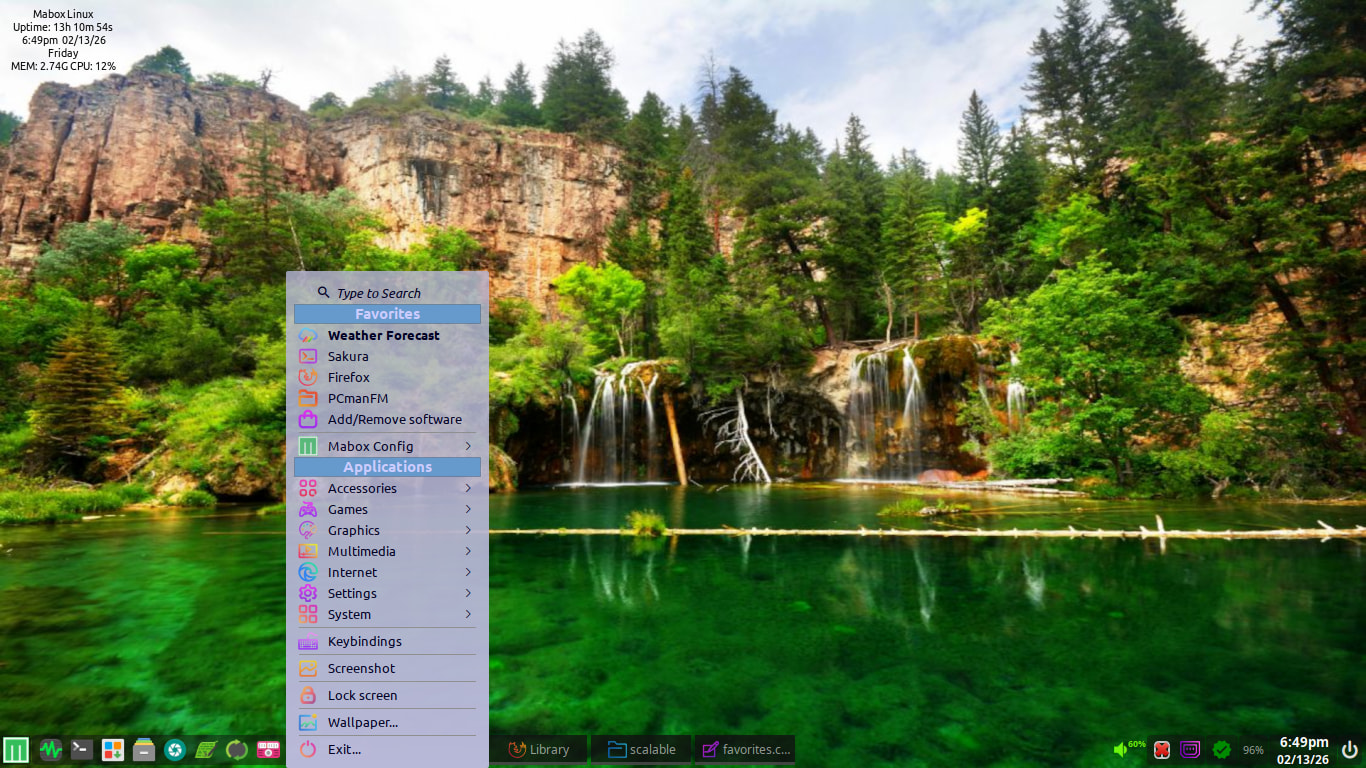
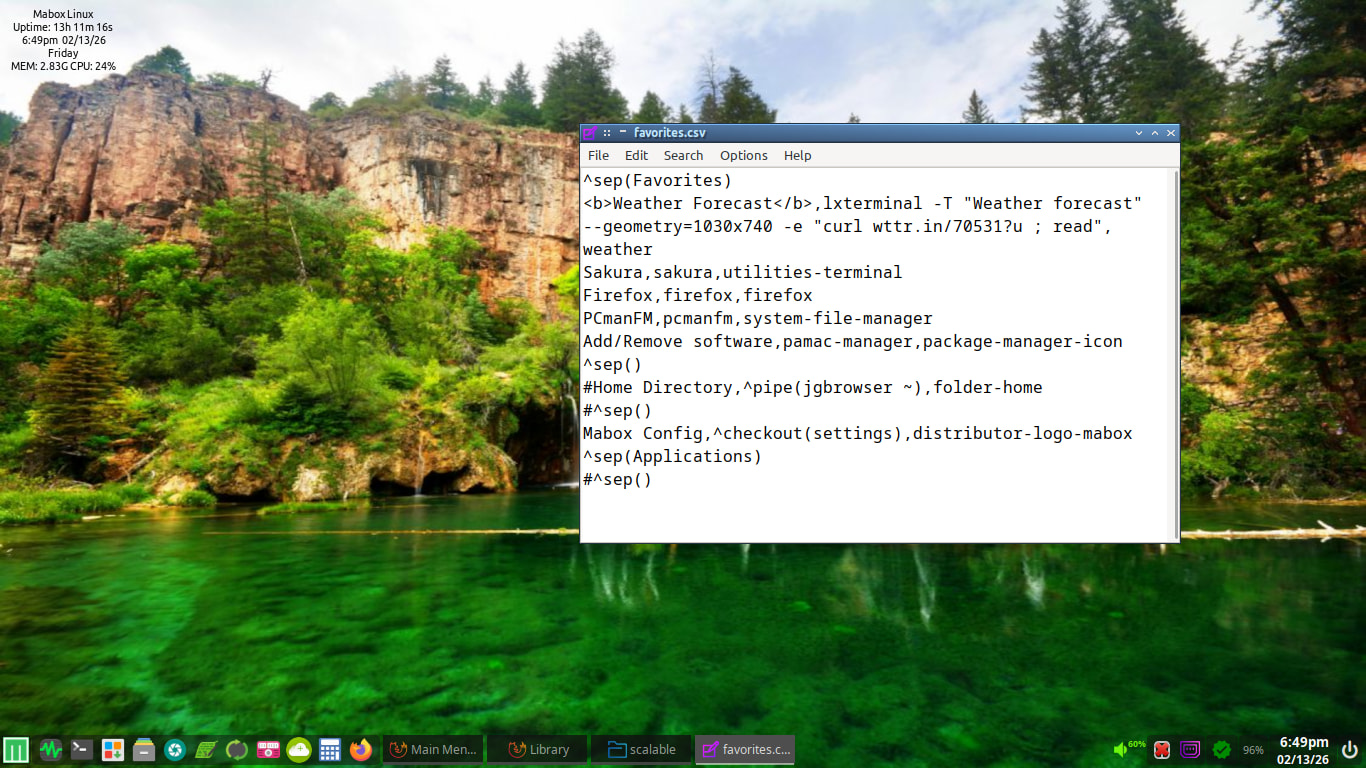
I have my main menu top items setup as this and am referencing the “Weather Forecast” line:
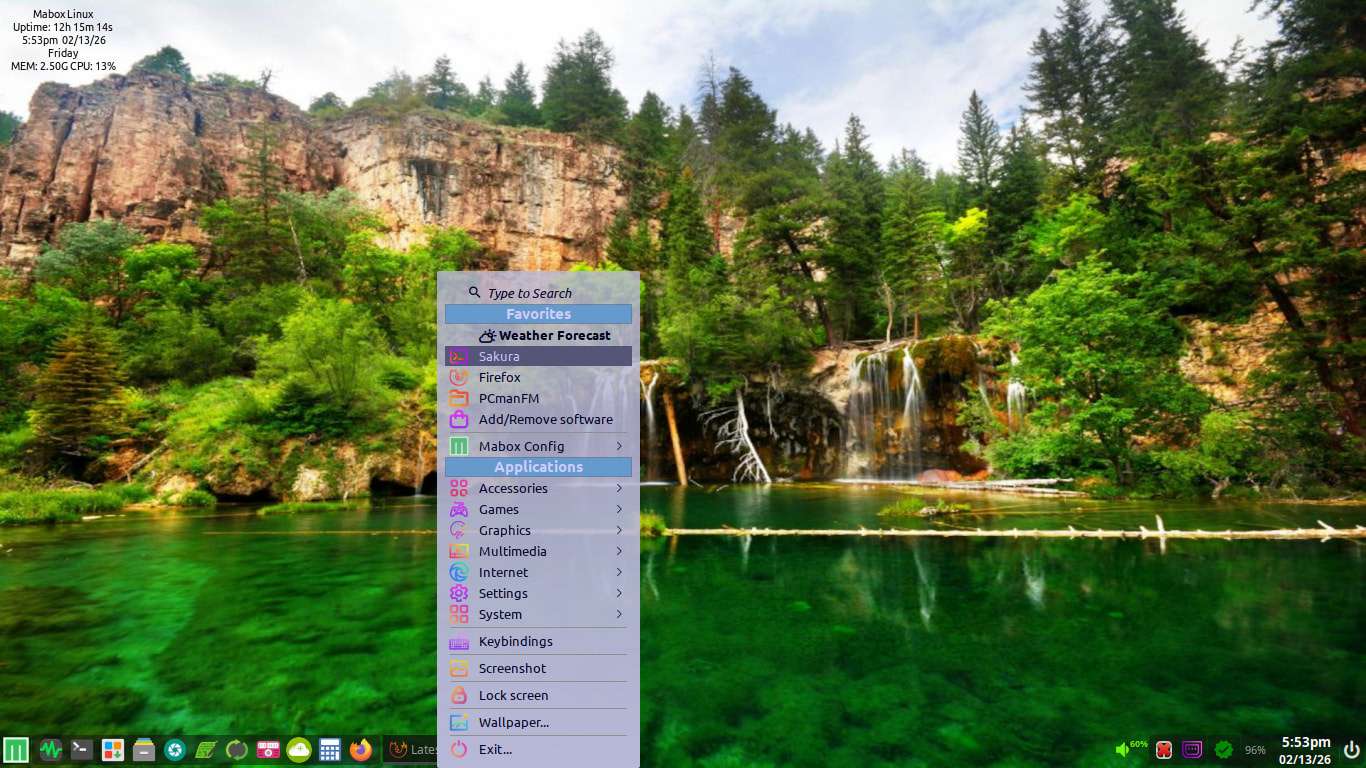
As you can see, the weather icon is set to the right a bit more than I would like, as I would want it to align with the other icons that appears below its entry. Here is the main menu config file I am using:
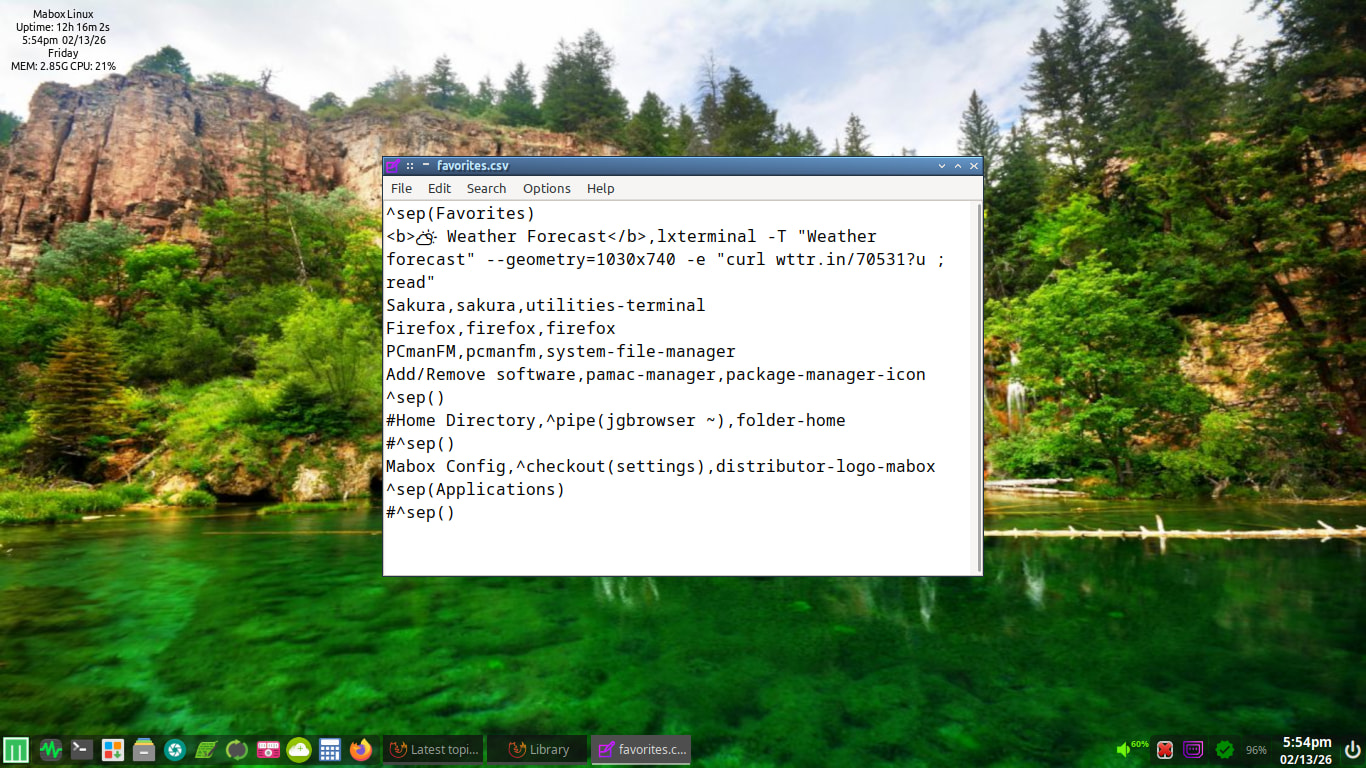
What change/changes would I need to make to accomplish this goal? I have tried a few things but with no success. Not important but I would like it to look a bit more organized than what it does right at this moment.
Thanks!