TechGood morning from the south of Germany!
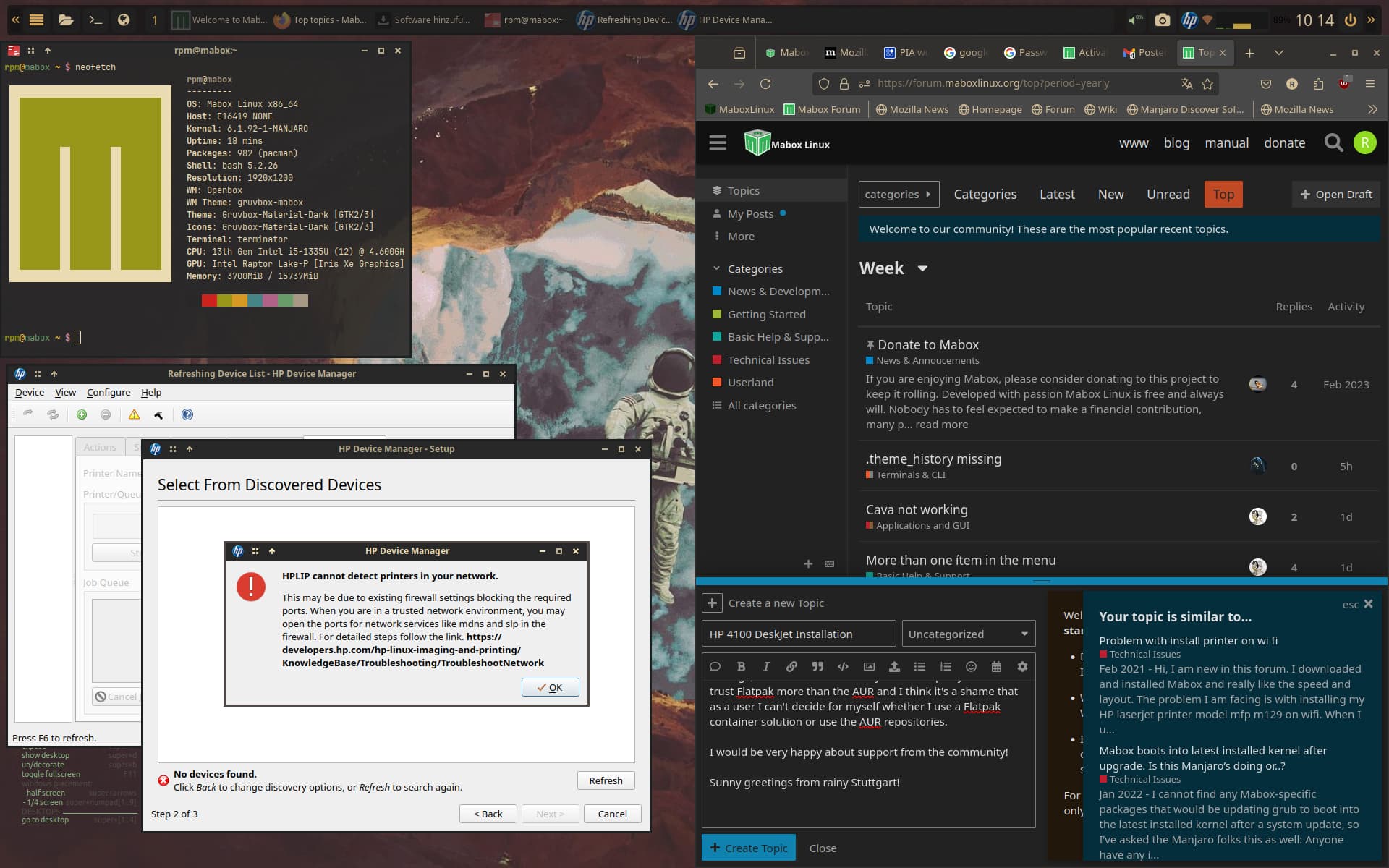
Yesterday I installed Mabox on my new laptop, I’m from Manjaro and I really liked the look of Mabox. Everything went smoothly until I went to install my printer. As already written, it is an HP DeskJet 4100 that is supposed to be connected to the laptop via WiFi. I installed CUPS and hplip, but the printer was not recognized by the HP GUI - the attempt to install the printer directly via CUPS on the browser interface also failed because no connection to the CUPS server could be established, even though the laptop was connected to the Internet the entire time.
My first question is: Does Mabox have a firewall installed and active by default? I can’t find a firewall when I search for it in settings. If so, how can I find it and, if necessary, switch it off briefly, since HP assumes that the printer’s connection to the network is failing due to an active firewall.
Today I just tried to install the printer again and am stuck at the same point.
In order to prevent such queries: Yes, I know the relevant article in the Manjaro Wiki (Printing - Manjaro) and have proceeded accordingly. Unfortunately that doesn’t solve my problem.
That’s why I’m now turning directly to this forum.
PS: Installing the drivers and integrating the printer was no problem under Manjaro, so there MUST be a specific Mabox problem.
About the computer: It is a Medion E16419 with the following data:
CPU: 13th Gen Intel i5-1335U (12) @ 4,600GH
GPU: Intel Raptor Lake-P (Iris Xe Graphics)
I’m also surprised that I can’t get access to the Flatpak repositories; the repos can’t be activated via the Pamac settings, nor via the console. Why is that? I openly admit that I trust Flatpak more than the AUR and I think it’s a shame that as a user I can’t decide for myself whether I use a Flatpak container solution or use the AUR repositories.
I would be very happy about support from the community!
Sunny greetings from rainy Stuttgart!