# Tint2 is a Tint 2 is a headache
**URL:** https://forum.maboxlinux.org/t/tint2-is-a-tint-2-is-a-headache/1438
**Category:** Tint2 Panels
**Created:** [July 19, 2023, 12:05am UTC](https://forum.maboxlinux.org/t/tint2-is-a-tint-2-is-a-headache/1438 "2023-07-19T00:05:23Z")
**Posts on this page:** 5
**Page:** 1
### Author:  [@Claudio](https://forum.maboxlinux.org/u/Claudio)
#### Post date: [July 19, 2023, 12:05am UTC](https://forum.maboxlinux.org/t/tint2-is-a-tint-2-is-a-headache/1438/1 "2023-07-19T00:05:23Z")
Continuing the discussion from [Add launchers to Tint 2 panel](https://forum.maboxlinux.org/t/add-launchers-to-tint-2-panel/1395):
Well I spent a lot of time reading about Tint2 but can’t get it to work as I want.
If I use this at the Terminal \> tint2 -c /home/claudio/.config/tint2/Pinchudo-gruvbox.tint2rc
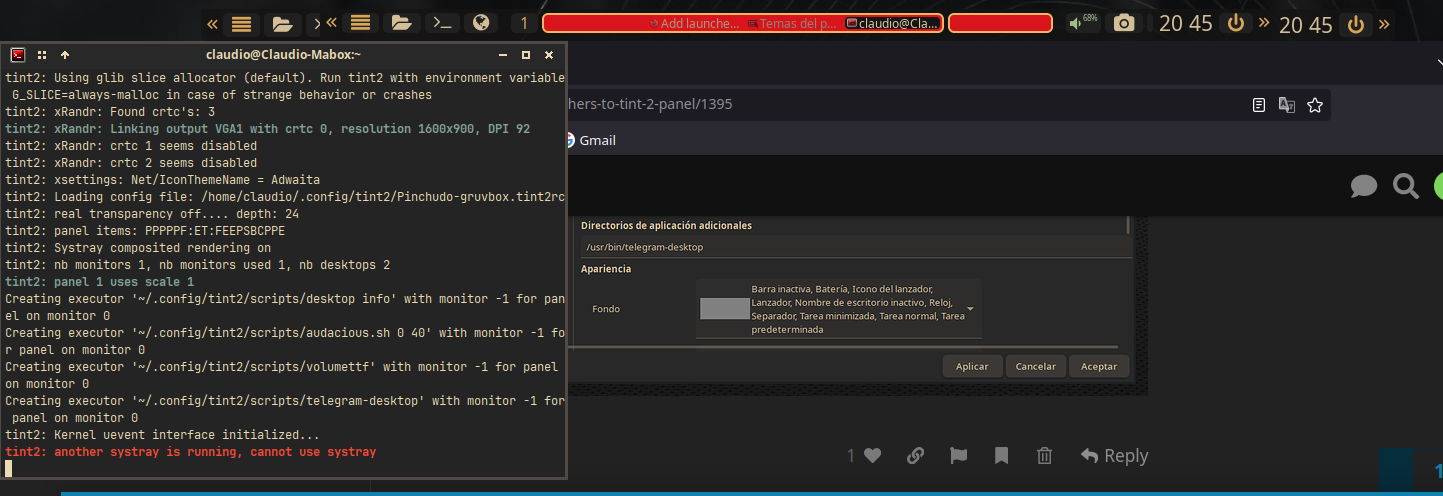 This is what happens. both two panels apears. (see 1º image)
I modified the original gruvbox and save it as Pinchudo-gruvbx.tint2rc but I can´t use it.
So I thought I must kill or save it as predeterminated but I don’t know how to kill and it seems not correct to save it as predeterminated, I lost the original. I worked and worked to add launchers to the panel but it doesn’t work.
Continue in next post
---
### Author:  [@Claudio](https://forum.maboxlinux.org/u/Claudio)
#### Post date: [July 19, 2023, 12:07am UTC](https://forum.maboxlinux.org/t/tint2-is-a-tint-2-is-a-headache/1438/2 "2023-07-19T00:07:31Z")
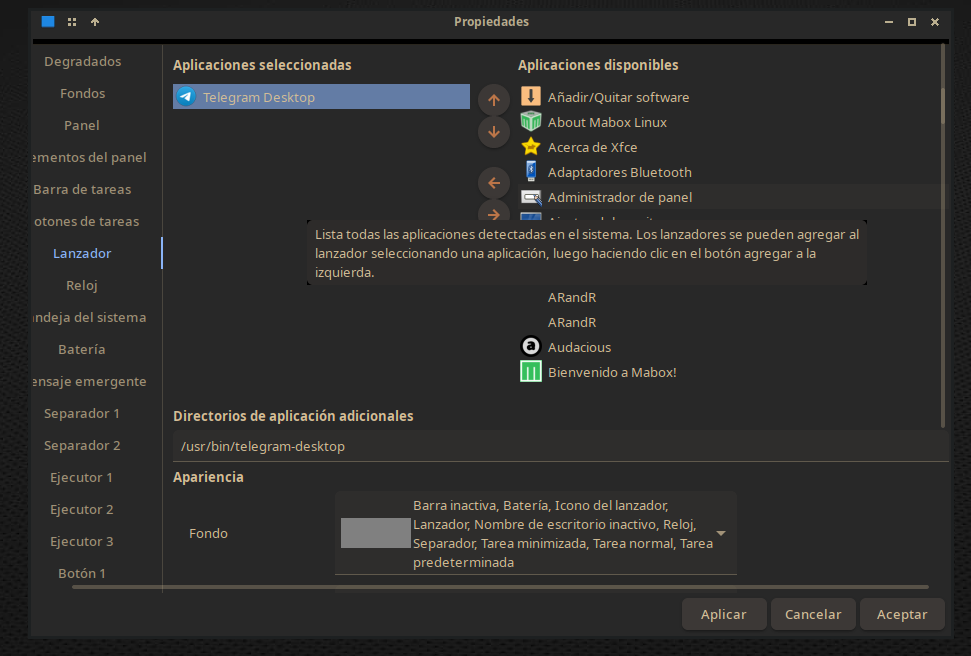
I can’t tell if I’m working in one panel or another, I want to edit the Pinchudo panel and use that one but as much as I do it always seems that I’m working in another one and I don’t manage to apply the modifications or use my panel.
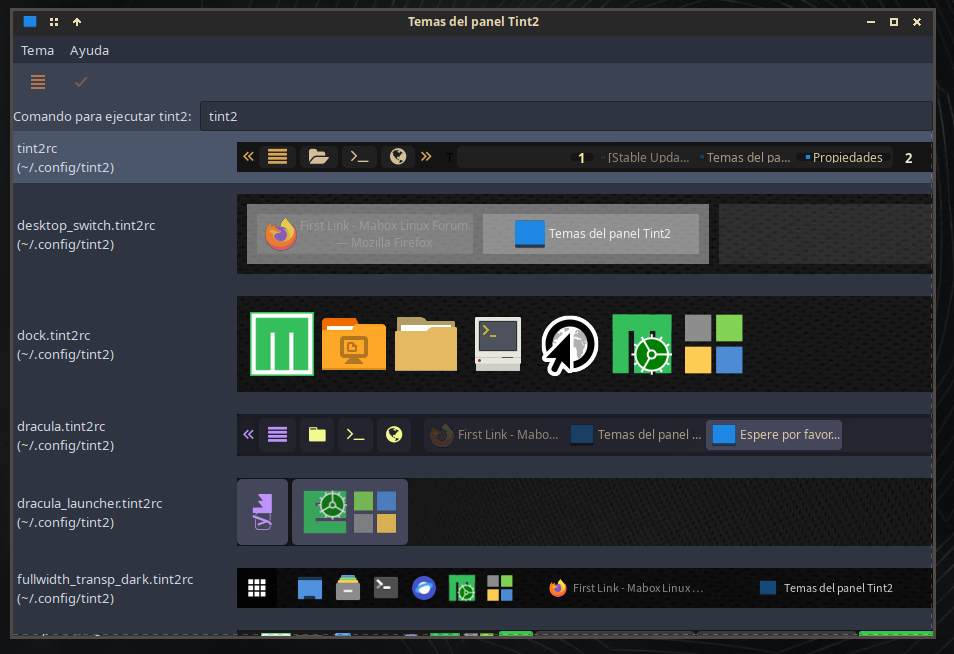
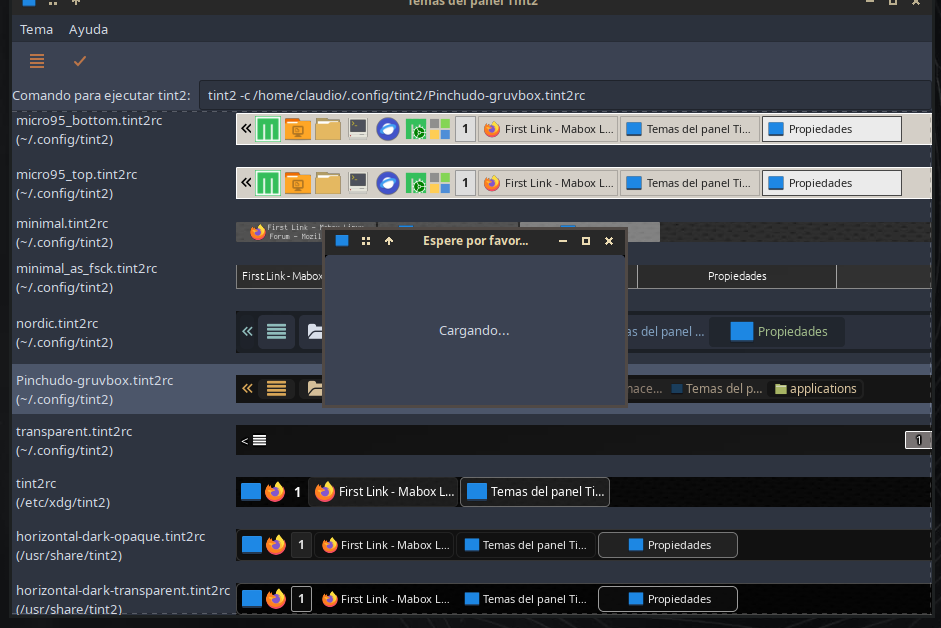
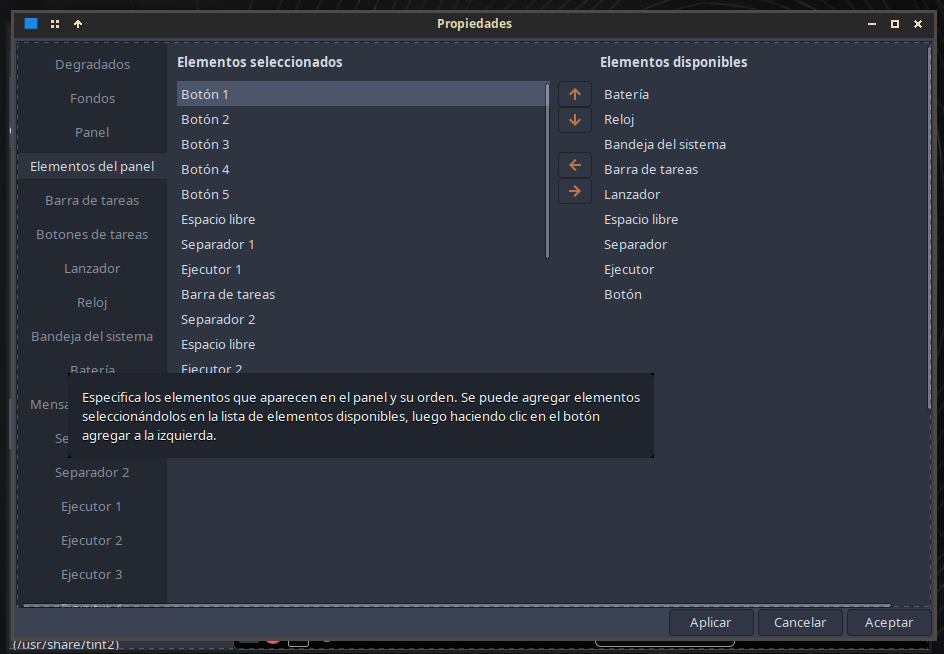
I have followed the following steps.
1º\_ Open Panel Themes.
2º\_ Edit Panel.
3º\_ Panel Elements
4º\_ Properties, here I choose launchers and buttons.
Well whatever I do it doesn’t work, I’m probably doing it wrong, and I don’t know how to continue.
I hope you can guide me. Thank you very much.
Translated with [Translate texts & full document files instantly. Accurate translations for individuals and Teams. Millions translate with DeepL every day.](http://www.DeepL.com/Translator) (free version)
---
### Author:  [@napcok](https://forum.maboxlinux.org/u/napcok)
#### Post date: [July 19, 2023, 6:04am UTC](https://forum.maboxlinux.org/t/tint2-is-a-tint-2-is-a-headache/1438/3 "2023-07-19T06:04:33Z")
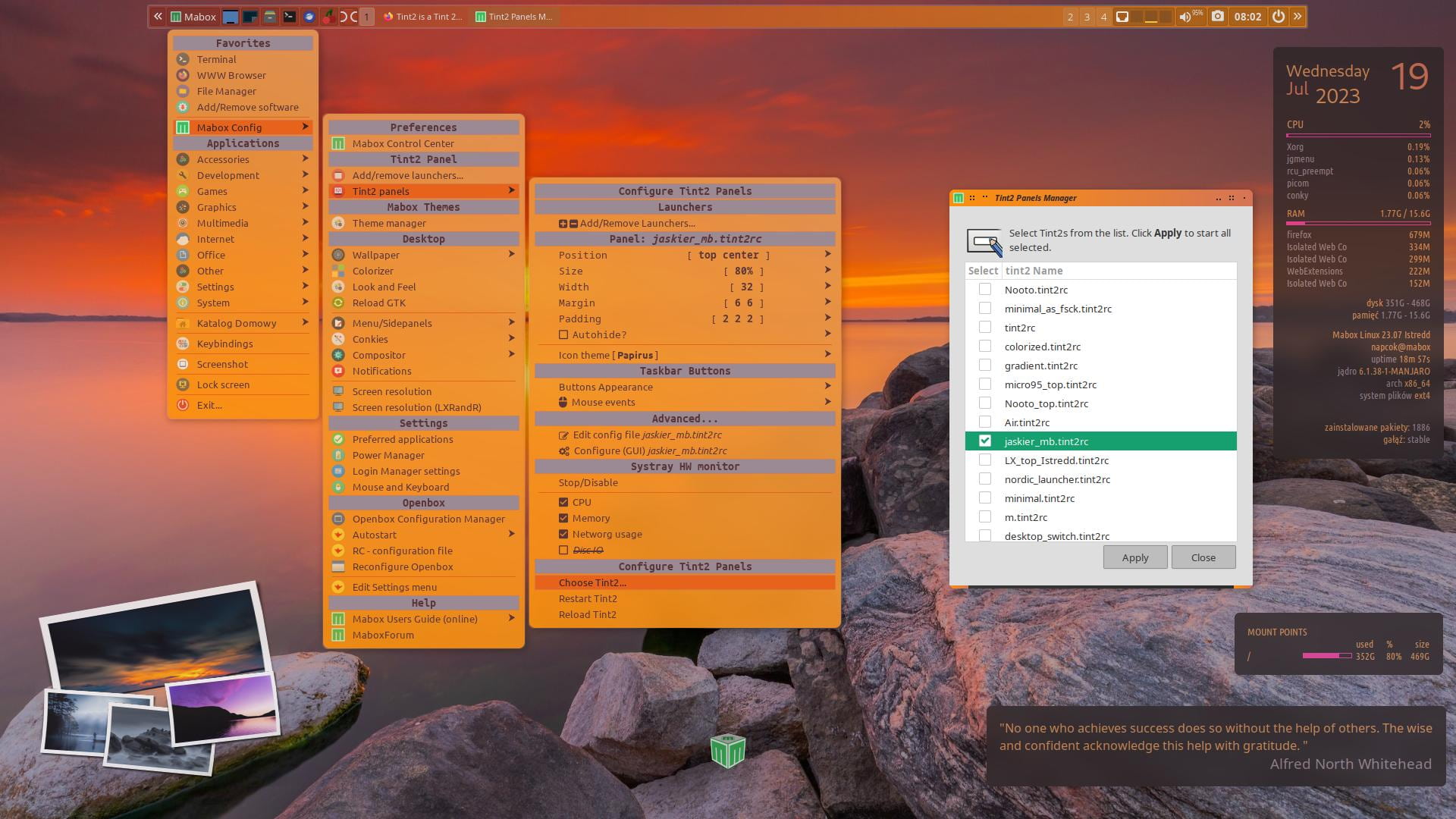
Use **Tint2 Panels Manager** from menu to choose which tint2 you like to use.
---
### Author:  [@Claudio](https://forum.maboxlinux.org/u/Claudio)
#### Post date: [July 19, 2023, 10:27am UTC](https://forum.maboxlinux.org/t/tint2-is-a-tint-2-is-a-headache/1438/4 "2023-07-19T10:27:25Z")
I did it, I reset Tint2, and did it again and I can choose the panel.
The real headache for me is not being able to add launchers, I changed gruvbox for nordic and I can’t either, I tried from the side panel and with the graphical editor. 🤷🏿
---
### Author:  [@Claudio](https://forum.maboxlinux.org/u/Claudio)
#### Post date: [April 12, 2024, 12:04am UTC](https://forum.maboxlinux.org/t/tint2-is-a-tint-2-is-a-headache/1438/5 "2024-04-12T00:04:30Z")

This was pending, I managed to insert the Telegram launcher in the Tint2 panel, I can’t use icons because the panel uses emoticons, now I have to find out if I can change or add emoticons to use some I like more.
To Firefox I put something similar to a fox (although the logo is a red panda) and to Telegram I put a text golobo.
For now I’m satisfied and the issue is solved.