# Theming - tooltips
**URL:** https://forum.maboxlinux.org/t/theming-tooltips/2340
**Category:** Tint2 Panels
**Created:** [September 2, 2025, 10:16pm UTC](https://forum.maboxlinux.org/t/theming-tooltips/2340 "2025-09-02T22:16:32Z")
**Posts on this page:** 7
**Page:** 1
### Author:  [@SauronsMouth](https://forum.maboxlinux.org/u/SauronsMouth)
#### Post date: [September 2, 2025, 10:16pm UTC](https://forum.maboxlinux.org/t/theming-tooltips/2340/1 "2025-09-02T22:16:32Z")
Speaking of themes:
I was doing some theming based around the Wallpaper I created in GIMP and have encountered an issue.
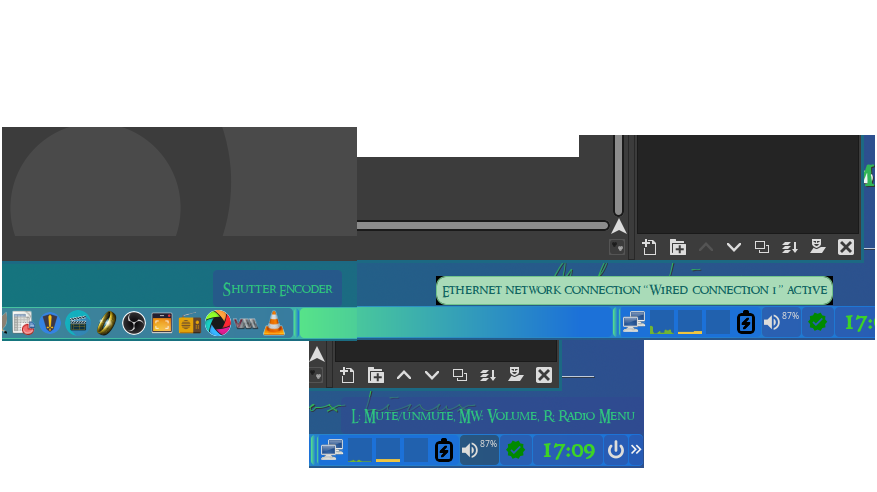
As you can see the tooltips for the section of tint2 that houses the network status and more, the tool tip is different than the other tooltips. Is there a fast/easy way to make those tooltips conform to the others?
---
### Author:  [@napcok](https://forum.maboxlinux.org/u/napcok)
#### Post date: [September 2, 2025, 10:50pm UTC](https://forum.maboxlinux.org/t/theming-tooltips/2340/2 "2025-09-02T22:50:16Z")
Theming of tooltips from system tray are not handled by tint2. They are dependent on GTK theme or handled by applications they belong to itself.
So… no way to really control how they look.
---
### Author:  [@SauronsMouth](https://forum.maboxlinux.org/u/SauronsMouth)
#### Post date: [September 2, 2025, 10:55pm UTC](https://forum.maboxlinux.org/t/theming-tooltips/2340/3 "2025-09-02T22:55:32Z")
Got you.
Just have to say however that I thank you for all you do. Mabox is tight and I love it.
Also that gives me a clue as to where to begin.
---
### Author:  [@muzqs](https://forum.maboxlinux.org/u/muzqs)
#### Post date: [September 3, 2025, 9:29am UTC](https://forum.maboxlinux.org/t/theming-tooltips/2340/4 "2025-09-03T09:29:30Z")
**Another way/approach to set radius for `tooltip gtk theme`.**
Picom config.
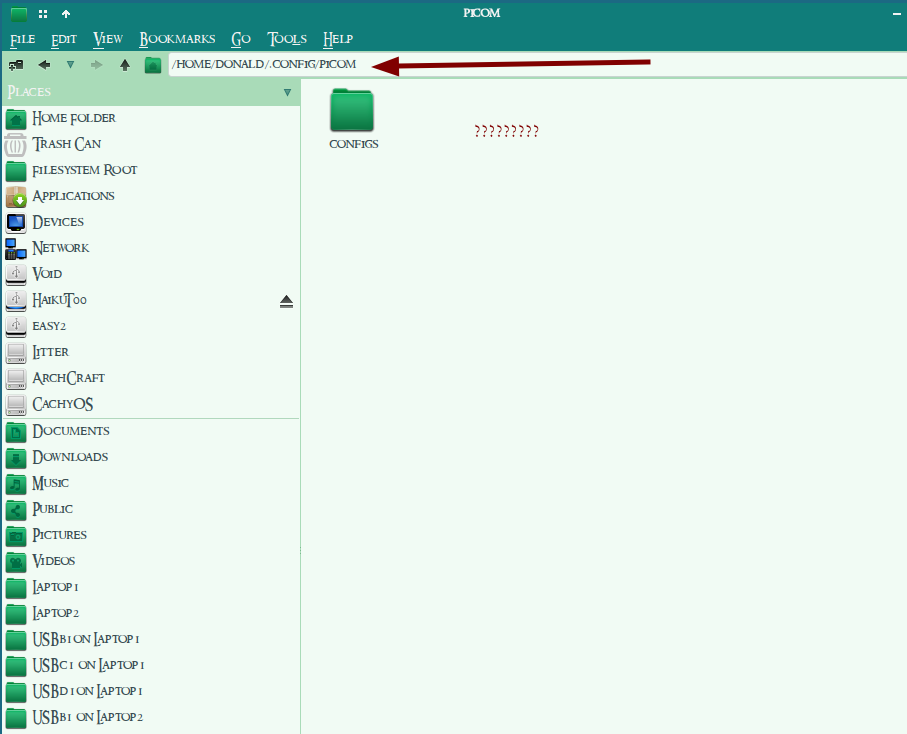
Edit `~/.config/picom/include/mabox-rules.conf`.
Find this part and change `corner-radius` here.
```auto
{
match = "window_type = 'tooltip'";
shadow = false;
corner-radius = 2;
fade = false;
opacity = 0.95;
full-shadow = false;
},
```
This way you could keep the gtk theme you using, and set radius like tint2 radius value.
---
### Author:  [@SauronsMouth](https://forum.maboxlinux.org/u/SauronsMouth)
#### Post date: [September 3, 2025, 1:45pm UTC](https://forum.maboxlinux.org/t/theming-tooltips/2340/5 "2025-09-03T13:45:29Z")
Cool beans. Thank you very much. Hopefully that saves me from wondering around aimlessly for the next few days.
Hmmmm
---
### Author:  [@muzqs](https://forum.maboxlinux.org/u/muzqs)
#### Post date: [September 4, 2025, 6:10am UTC](https://forum.maboxlinux.org/t/theming-tooltips/2340/6 "2025-09-04T06:10:38Z")
Ok I see,
you use an old Picom setup. There should be a tooltip section in your '\*.conf` too.
Not sure about 'corner-radius` with this config. Should be possible i think.
Or update to the latest Picom setup.
see post
> [@Picom with animations - config for Mabox - try it!](https://forum.maboxlinux.org/t/picom-with-animations-config-for-mabox-try-it/2121):
>
> Animation support has been added in the latest version of Picom (v12) bangbang From today, you can easily try it in Mabox slight_smile Quick how to: Fully update system: yay Install needed files to your ~ mb-reset picom Select mabox-jaskier.conf as config for Picom. To do so, super + p to toggle picom, click Configure Picom button on notification. Then select mabox-jaskier.conf Animations are enabled for: windows - try to meve them around with super + Arrow or even better sup…
🐦
---
### Author:  [@SauronsMouth](https://forum.maboxlinux.org/u/SauronsMouth)
#### Post date: [September 4, 2025, 10:19am UTC](https://forum.maboxlinux.org/t/theming-tooltips/2340/7 "2025-09-04T10:19:54Z")
Followed those instruction provided in the link. Everything looks great. Now to track down those pesky tooltips. Thanks again.