# New default tint2 as of June 2023
**URL:** https://forum.maboxlinux.org/t/new-default-tint2-as-of-june-2023/1368
**Category:** Tint2 Panels
**Created:** [June 4, 2023, 8:02am UTC](https://forum.maboxlinux.org/t/new-default-tint2-as-of-june-2023/1368 "2023-06-04T08:02:14Z")
**Posts on this page:** 2
**Page:** 1
### Author:  [@napcok](https://forum.maboxlinux.org/u/napcok)
#### Post date: [June 4, 2023, 8:02am UTC](https://forum.maboxlinux.org/t/new-default-tint2-as-of-june-2023/1368/1 "2023-06-04T08:02:14Z")
If you like to use new tint2 from Juni 2023 ISO…
```auto
cd ~/.config/tint2
wget https://repo.maboxlinux.org/contrib/tint2/Istredd.tint2rc
```
Select it from: super + alt + p → Choose Tint2…
From release announcement:
> ### Default panel changes/improvements
>
> As you probably know (or not), the tint2 panel allows you to attach many actions to the buttons: separately for: _left-click_, _right-click_, _middle-click_, _scroll-up_ and _scroll-down_ events.
> In Mabox we have been using these possibilities for a long time, this time several possibilities have been added:
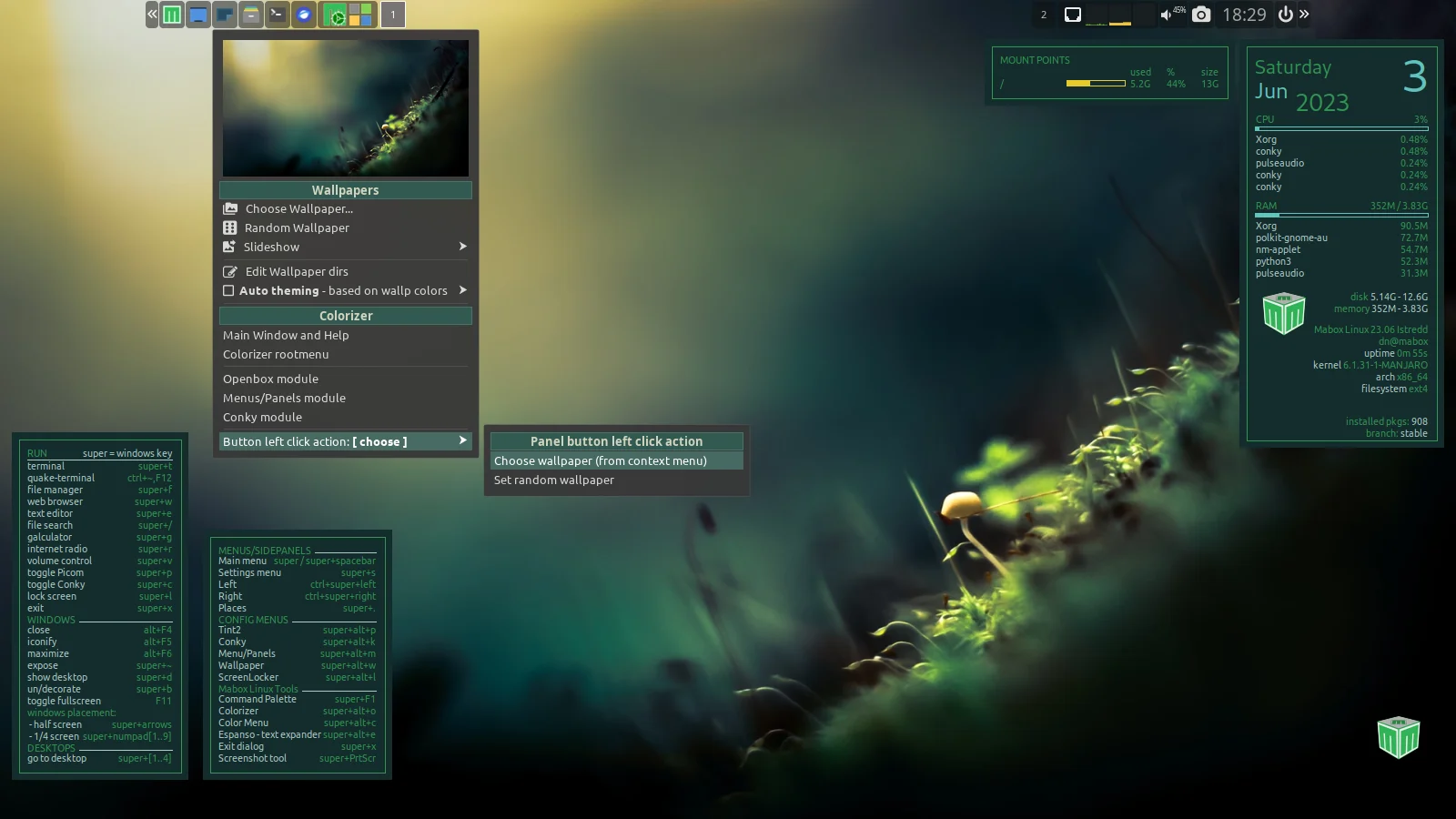
> - The **wallpaper icon** allows you to: select a wallpaper, set a random one and show a menu with actions related to wallpapers (Colorizer, Slideshow, configuration of wallpaper directories)
> - The **music and sound menu** – accessible by right-clicking on the volume control icon – is now a lightweight mpv-based audio player.
> It’s not a replacement for the full-featured player, but it’s useful if you need background music for a coding session, for example.
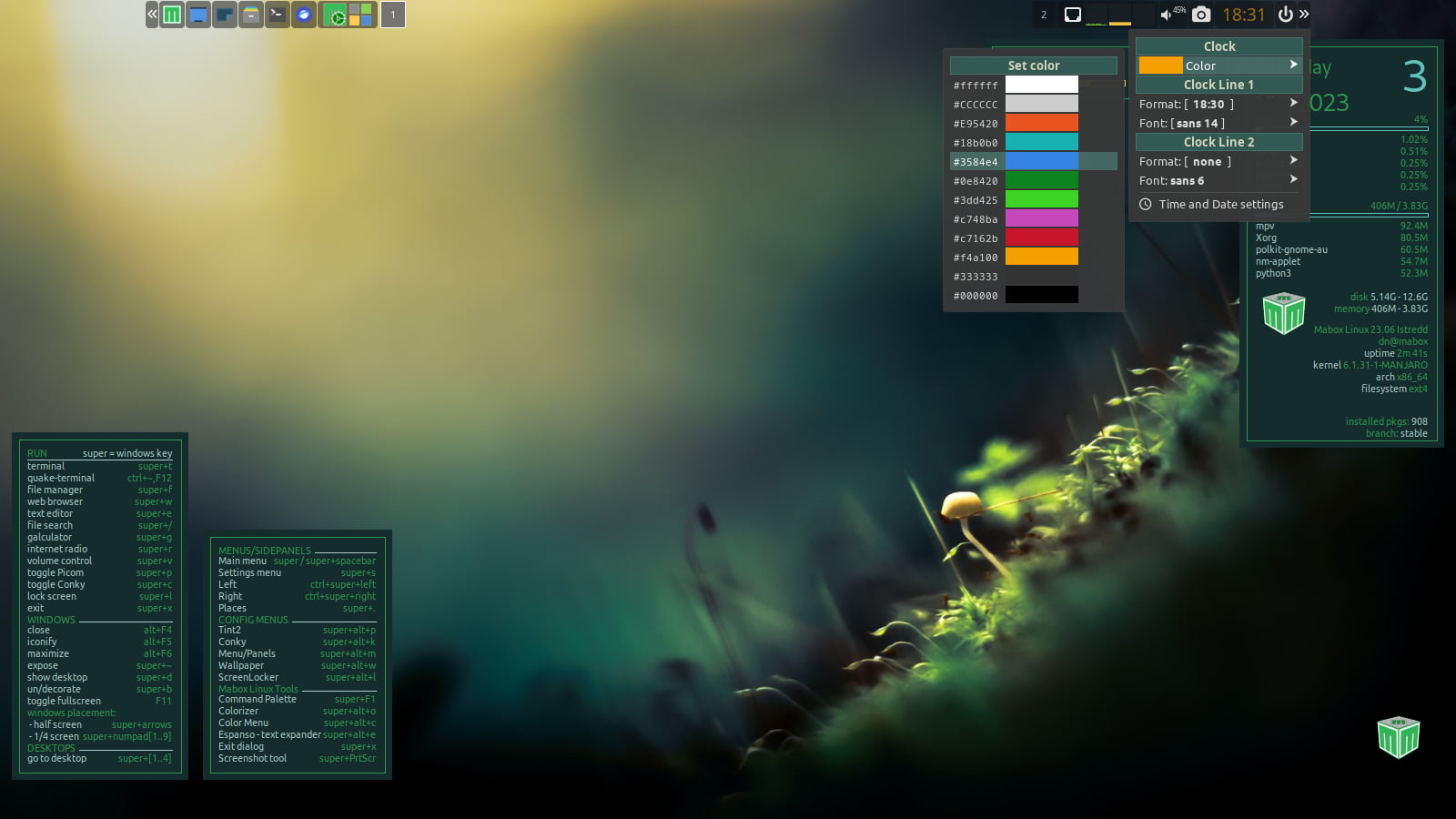
> - **_Right-click_ on the clock** shows a menu for configuring the clock: you can quickly change the color, font and format for both lines.

---
### Author:  [@napcok](https://forum.maboxlinux.org/u/napcok)
#### Post date: [June 4, 2023, 12:02pm UTC](https://forum.maboxlinux.org/t/new-default-tint2-as-of-june-2023/1368/2 "2023-06-04T12:02:24Z")
Also, if you need to use Cortile together with Mabox’s panel applet for controlling it…
```auto
mkdir -p ~/.config/cortile
cd ~/.config/cortile/
wget https://repo.maboxlinux.org/contrib/tint2/config.toml
cd ~/.config/cortile/tint2-cortile/
wget https://repo.maboxlinux.org/contrib/tint2/{vertical-left,vertical-right,horizontal-top,horizontal-bottom,fullscreen,untiled}.png
```
Install cortile:
```auto
yay cortile
```
And start it from middle-click on desktop menu.