# Introducing Betterlockscreen Theming Toolkit
**URL:** https://forum.maboxlinux.org/t/introducing-betterlockscreen-theming-toolkit/2403
**Category:** Scripts, Tutorials & Tips
**Created:** [December 14, 2025, 10:56am UTC](https://forum.maboxlinux.org/t/introducing-betterlockscreen-theming-toolkit/2403 "2025-12-14T10:56:44Z")
**Posts on this page:** 6
**Page:** 1
### Author:  [@muzqs](https://forum.maboxlinux.org/u/muzqs)
#### Post date: [December 14, 2025, 10:56am UTC](https://forum.maboxlinux.org/t/introducing-betterlockscreen-theming-toolkit/2403/1 "2025-12-14T10:56:44Z")
# Introducing Betterlockscreen Theming Toolkit – where your lock screen gets a glow‑up!
Ready to make the mundane lock screen _awesome_? Let’s dive in. 🤿
Level:: Easy\_Stupid
Urgent:: Zero
Fun:: \*\*\*\*\*\*\*
```auto
███╗ ███╗ █████╗ ██████╗ ██████╗ ██╗ ██╗
████╗ ████║██╔══██╗██╔══██╗██╔═══██╗╚██╗██╔╝
██╔████╔██║███████║██████╔╝██║ ██║ ╚███╔╝
██║╚██╔╝██║██╔══██║██╔══██╗██║ ██║ ██╔██╗
██║ ╚═╝ ██║██║ ██║██████╔╝╚██████╔╝██╔╝ ██╗
╚═╝ ╚═╝╚═╝ ╚═╝╚═════╝ ╚═════╝ ╚═╝ ╚═╝ Community.
```
# Betterlockscreen Theme Toolkit for Mabox Linux
_(pl, es, nl , en)_
This toolkit offers intuitive scripts for creating, selecting,
and applying custom Betterlockscreen themes—including **Cyberpunk,**
**Vibrant, and Pastel styles** —on Mabox Linux.
It allows easy customization of login, verification, and warning messages, and seamlessly integrates with the Mabox desktop wallpaper system.
Note:
- Need `betterlockscreen` installed and setup for Mabox.
* * *
# Quick Start…
## Launch ./`betterlock-theming.AppImage`
- Run **directly** via AppImage – no installation needed
#### Get started creating your first betterlockscreen theme:
```bash
chmod +x betterlock-theming.AppImage
./betterlock-theming.AppImage
```
* * *
#### Optional: To peek inside the AppImage:
```bash
./betterlock-theming.AppImage --appimage-extract
cd squashfs-root
ls
```
You’ll see all scripts, icons, and desktop files included.
* * *
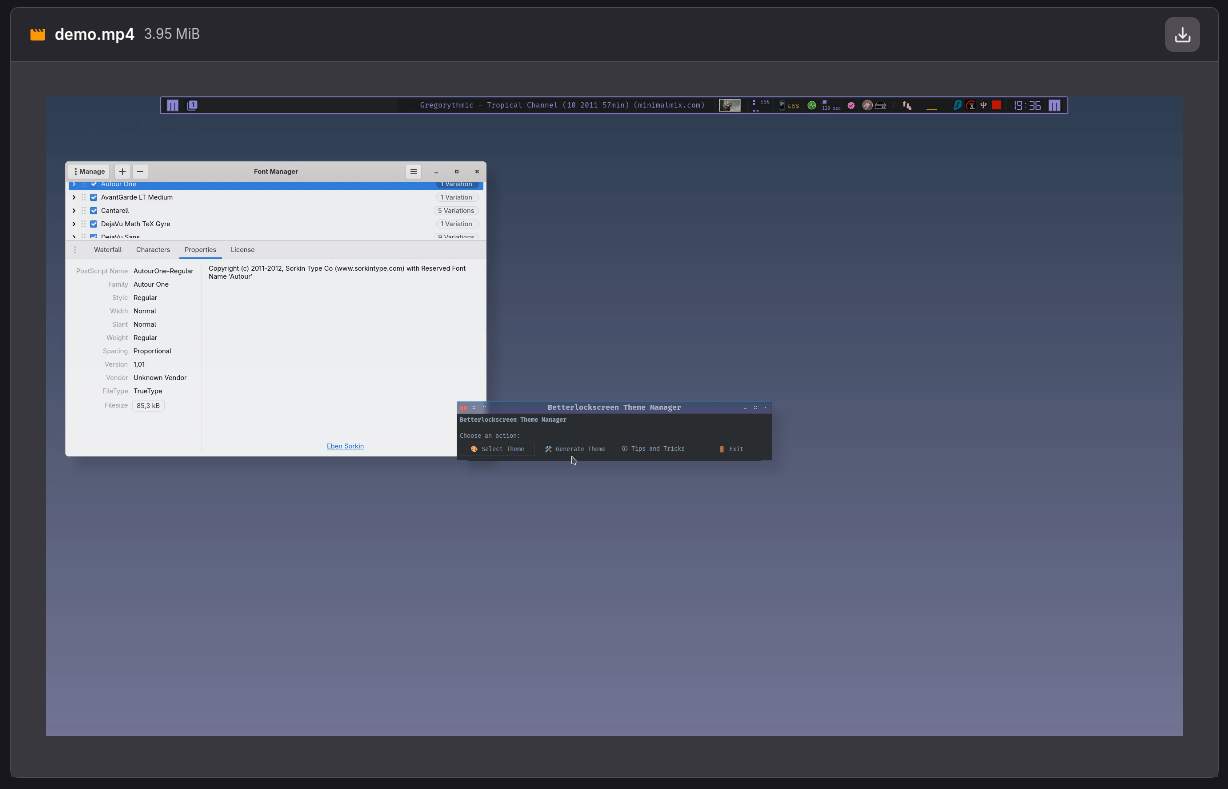
[BETTERLOCKSCREEN THEME GENERATION VIDEO WORKFLOW](https://gitlab.com/muzlabz/betterlockscreen-theme-creator/-/blob/main/demo/demo.mp4?ref_type=heads)
# Manual Instalation Steps
## Bash scripts involved
1. **betterlock-theme-generator** – interactive color theme generator
2. **betterlock-themes** – select and activate existing themes
3. **betterlock-menu** – **main menu**
## Features
### 1. Theme Generator (`betterlock-theme-generator`)
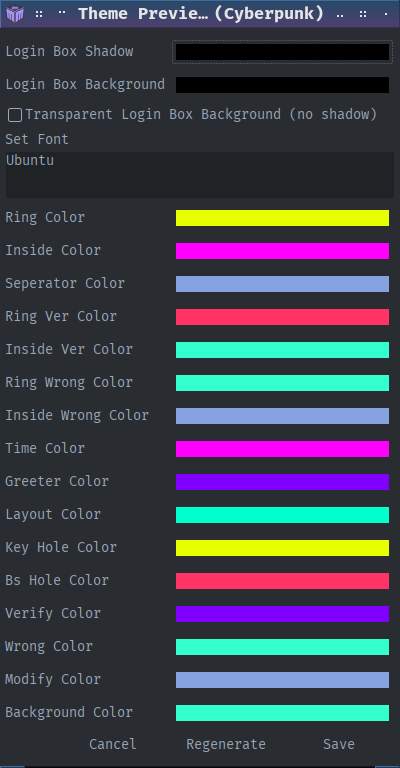
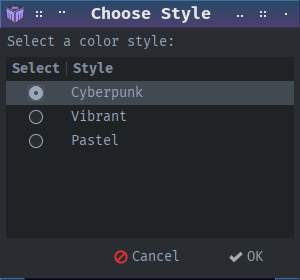
- Choose a color style: **Cyberpunk** , **Vibrant** , or **Pastel**
- Randomly generate colors, with option to **regenerate until satisfied**
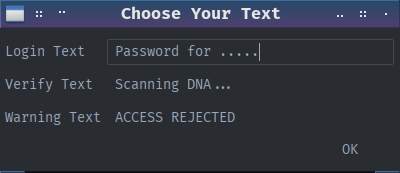
- Edit login, verification, and warning text
- Adjust login-box background or make it fully transparent
- Choose font family
- Preview all color variables
- Save themes directly to:
```auto
~/.config/betterlockscreen/themes/
```
Saved themes can then be selected using **betterlock-themes**.
### Login window demo’s.
_(fade effect is from picom)_
[https://gitlab.com/muzlabz/betterlockscreen-theme-creator/-/raw/main/demo/passwin-02.gif](https://gitlab.com/muzlabz/betterlockscreen-theme-creator/-/raw/main/demo/passwin-02.gif)
[https://gitlab.com/muzlabz/betterlockscreen-theme-creator/-/raw/main/demo/passwin-03.gif](https://gitlab.com/muzlabz/betterlockscreen-theme-creator/-/raw/main/demo/passwin-03.gif)
[https://gitlab.com/muzlabz/betterlockscreen-theme-creator/-/raw/main/demo/passwin-01.gif](https://gitlab.com/muzlabz/betterlockscreen-theme-creator/-/raw/main/demo/passwin-01.gif)
* * *
### 2. Theme Picker (`betterlock-themes`)
- Lists all saved themes in `~/.config/betterlockscreen/themes`
_themes dir will be created_
- Activate a chosen theme
- Optionally regenerates login box background, shadows, and transparency
- Integrates with Mabox wallpaper handling _default_
- Or custom background image
* * *
### 3. Main Menu (`betterlock-menu`)
- Provides the main menu. a simple GUI interface (yad)
- Common actions:

* * *
## Save theme Quick or Slow …
When applying or previewing themes:
- **Quick update (instant preview):**
- **Slow update (full regeneration):**
* * *
## Mabox Linux Integration
- Changing the desktop wallpaper updates the source image for
betterlockscreen background regeneration (Default)
- Or use `Custom Background Path`. _Leave empty to use current wallpaper._
![]()
* * *
## Installation
1. Clone the repository:
```auto
git clone https://gitlab.com/muzlabz/betterlockscreen-theme-creator
cd betterlockscreen-theme-creator
```
1. Install the scripts:
```auto
chmod +x bin/betterlock-*
cp bin/betterlock-* ~/bin
```
## Usage
### Main menu
```auto
betterlock-menu
```
## Note
- Themes are saved as `.theme` files in:
```auto
~/.config/betterlockscreen/themes/
```
## .Desktop template
```auto
[Desktop Entry]
Name=Betterlock Theme
Comment=Choose betterlockscreen theme
Exec=/path/to/betterlock-menu
Icon=system-lock-screen
Terminal=false
Type=Application
Categories=Settings;Utility;
```
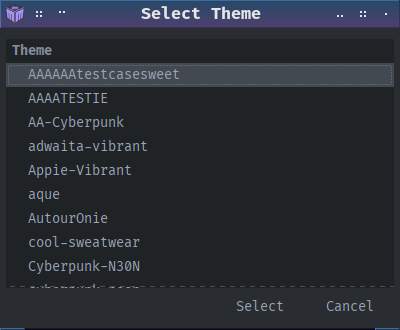
## Windows overview
## Extra info yad title image Mabox way
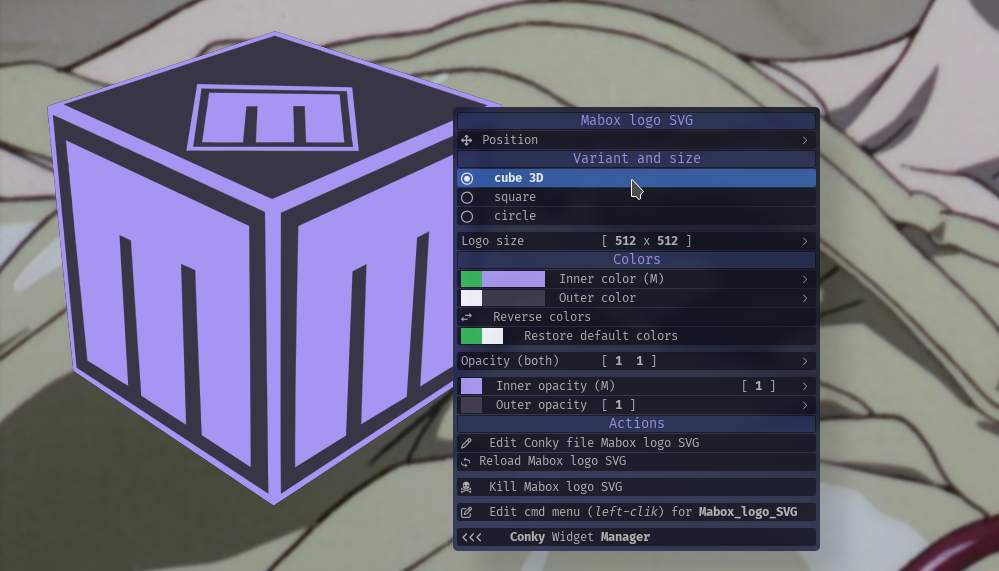
Mabox has a LOGO SVG Conky `Mabox_logo_SVG_mbcolor.conkyrc` where one can choose between 3 variation with coloring options.
The svg’s are created automatic when using conky svg coloring edit menu _(preview)_.
Path `$HOME/.icons/mabox-logo-*` is used to store the svg’s.
```
In the scripts at the top, look for...
```
```auto
ICON="$HOME/.icons/mabox-logo-3d.svg"
# all options
mabox-logo-3d.svg
mabox-logo-circle.svg
mabox-logo-square.svg
```
## Mabox lock screen settings menu (jg)
Hotkey `W-A-l` show Mabox betterlockscreen settings for blur, etc…
**DOWNLOAD**
> **[M bird / betterlockscreen-theme-creator · GitLab](https://gitlab.com/muzlabz/betterlockscreen-theme-creator)**
>
> Betterlockscreen theme creator deluxe. Mabox specific.
Have fun 😉
---
### Author:  [@napcok](https://forum.maboxlinux.org/u/napcok)
#### Post date: [December 14, 2025, 1:33pm UTC](https://forum.maboxlinux.org/t/introducing-betterlockscreen-theming-toolkit/2403/2 "2025-12-14T13:33:05Z")
I haven’t had a chance to test it yet, but it looks great in the video 😃
👍
---
### Author:  [@muzqs](https://forum.maboxlinux.org/u/muzqs)
#### Post date: [December 14, 2025, 7:55pm UTC](https://forum.maboxlinux.org/t/introducing-betterlockscreen-theming-toolkit/2403/3 "2025-12-14T19:55:59Z")
**Planned for future commit:**
_EDIT:: Commits done and AppImage updated…_ 🍬 🍭
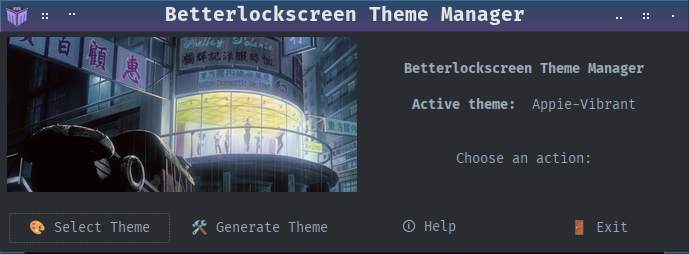
I thought I’d give the main menu a bit more body.
It displays the active BetterLockScreen background that is currently in use. _(cache)_
---
### Author:  [@SauronsMouth](https://forum.maboxlinux.org/u/SauronsMouth)
#### Post date: [December 15, 2025, 10:34pm UTC](https://forum.maboxlinux.org/t/introducing-betterlockscreen-theming-toolkit/2403/4 "2025-12-15T22:34:03Z")
> [@muzqs](#):
>
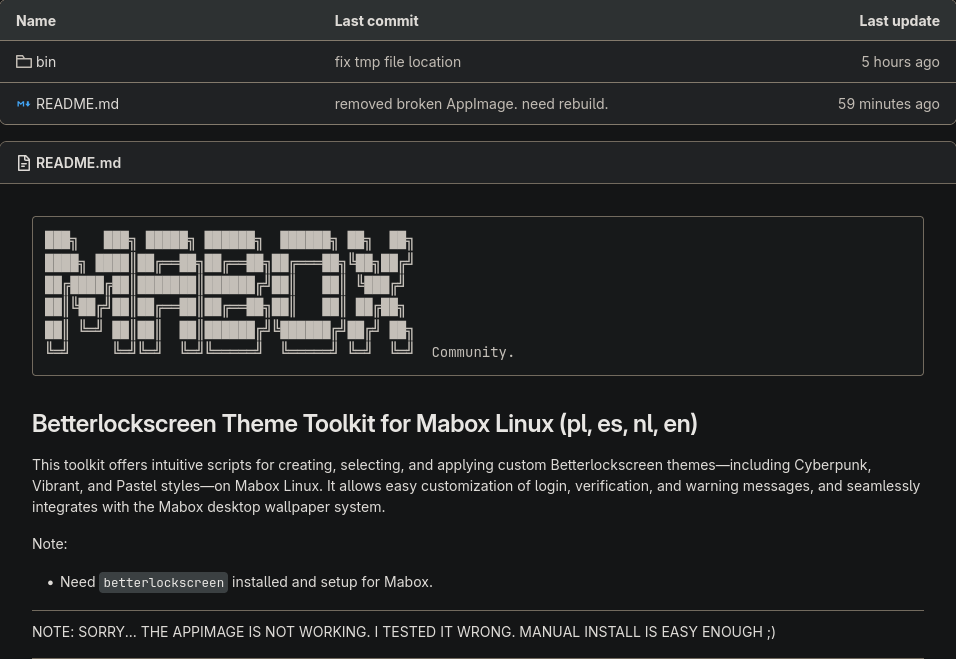
> `https://gitlab.com/muzlabz/betterlockscreen-theme-creator`
Will we be updated when the AppImage is available?
---
### Author:  [@muzqs](https://forum.maboxlinux.org/u/muzqs)
#### Post date: [December 16, 2025, 9:57am UTC](https://forum.maboxlinux.org/t/introducing-betterlockscreen-theming-toolkit/2403/5 "2025-12-16T09:57:34Z")
Ai Yes i made a mistake with building the AppImage. I could run it but it was using just my home bin. So I thought it was running from the AppImage.
Need some time to recreate the AppImage. But manual install is easy too 😉
Thanks for testing…
---
### Author:  [@muzqs](https://forum.maboxlinux.org/u/muzqs)
#### Post date: [December 16, 2025, 10:42am UTC](https://forum.maboxlinux.org/t/introducing-betterlockscreen-theming-toolkit/2403/6 "2025-12-16T10:42:55Z")
Update:
The AppImage should work now 🐧
…