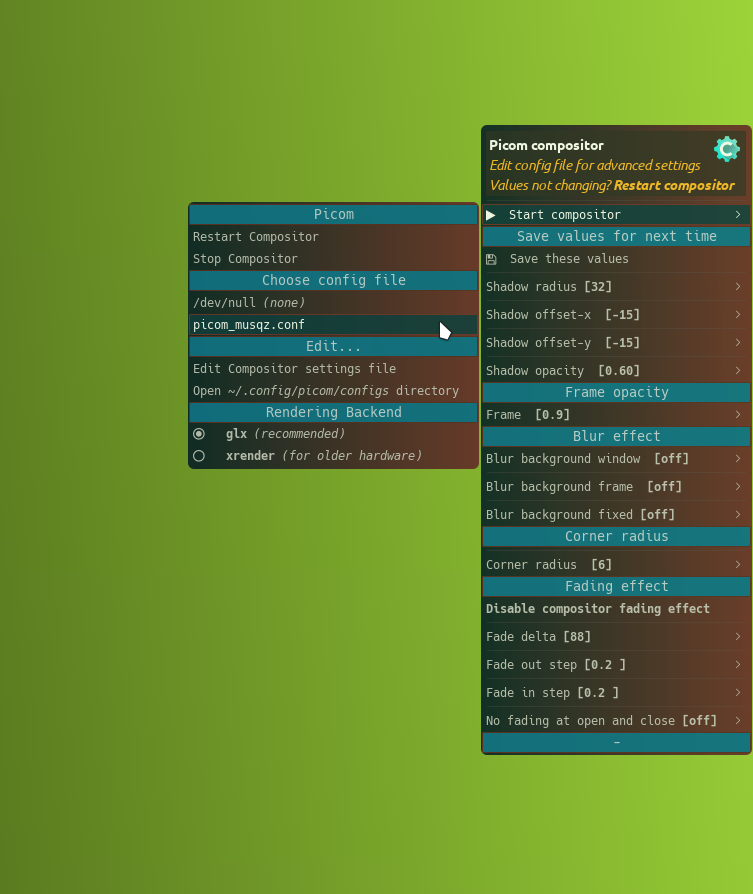
[community] JGPICOM

Sorry couldn’t let. :face_with_spiral_eyes:

This one is a bit like the preview video on gitlab.

backend = "glx";
frame-opacity = 0.9;
corner-radius = 10;
shadow-radius = 32;
fade-delta = 88;
fading = true;
fade-in-step = 0.099; 
fade-out-step = 0.040; 
no-fading-openclose = false;
no-fading-destroyed-argb = false;
no-ewmh-fullscreen = true;
no-vsync = false;

	
rules = (
  {
    match = "focused";
    opacity = 1.0;
    fade = true;
  },
  {
    match = "!focused";
    opacity = 0.95;
    fade = true;
  },

  {
    match = "window_type = 'utility' || window_type = 'notification'";
    shadow = false;
    opacity = 1.0;
  },

  {
    match = "class_g = 'i3-frame' || class_i = 'i3-frame'";
    opacity = 1.0;
    animations = (
      {
        triggers = [ "close", "hide" ];
        preset = "slide-out";
        direction = "down";
        duration = 0.1;
      },
      {
        triggers = [ "open", "show" ];
        preset = "slide-in";
        direction = "down";
        duration = 0.1;
      },
    )
  },

  {
    match = "window_type = 'dock'";
    shadow = true;
    opacity = 1.0;
    animations = (
      {
        triggers = [ "close", "hide" ];
        preset = "slide-out";
        direction = "up";
        duration = 0.1;
      },
      {
        triggers = [ "open", "show" ];
        preset = "slide-in";
        direction = "up";
        duration = 0.1;
      },
    )
  },

  {
    match = "class_g = 'Dunst'";
    shadow = false;
    animations = (
      {
        triggers = [ "close", "hide" ];
        preset = "slide-out";
        direction = "right";
        duration = 0.1;
      },
      {
        triggers = [ "open", "show" ];
        preset = "slide-in";
        direction = "right";
        duration = 0.1;
      },
    )
  },
  { match = "class_g = 'Screenkey'"; shadow = false; },
  { match = "class_g = 'screenkey'"; shadow = false; },
  { match = " name = 'vistransparent'||
		name = 'cavatransparent'||
		name = 'quakeradio'||
		name ?= 'Glava'||
		name = 'xfce4-notifyd'||   
		name *= 'Conky'||
		name ~= 'Mabox Polaroid Widget'||
		name ?= 'org.nickvision.cavalier' ||
		window_type *= 'dock'||
		window_type *= 'toolbar'||
		window_type *= 'menu'	";
@include "terminator.conf"
},

  {
    match = "window_type = 'dropdown_menu' || window_type = 'popup_menu' || window_type = 'menu' || window_type = 'tooltip'";
    opacity = 1;
    fade = false;
    full-shadow = true;
  },

  {
    match = "class_i = 'rofi' || class_g = 'Rofi'";
    fade = true;
    opacity = 1;
    full-shadow = true;
  }
)

shadow = true;
shadow-offset-x = -15;
shadow-offset-y = -15;
shadow-opacity = 0.80;

animations = (
  {
    triggers = [ "geometry" ];
    preset = "geometry-change";
    duration = 0.3;
  },
  {
    triggers = [ "close", "hide" ];
    preset = "disappear"
    duration = 0.3;
  },
  {
    triggers = [ "open", "show" ];
    preset = "appear";
    duration = 0.3;
  }
)


VIDEO PREVIEW

:bird:

1 Like

Wow! Your configs are impressive, especially the animation effects :slight_smile:

And unfortunately picom-conf doesn’t handle them well :frowning:

I have to give up on experimenting with animations for now, as my priority is to release Mabox Herbolth before the end of 2024. And there’s not much time.

From the beginning of 2025 I want to start working on Mabox “NEXT”. A fresh start, which will be an opportunity to get rid of all the technological baggage accumulated over the years :slight_smile: There will also be time to think about how to handle the new features in Picom :wink:

2 Likes

I agree thats indeed a next step. A lot of possabilities.

But also how complex it should be.

Gitlab testcase is deleted and migrated to mabox_jgpicom.

I need to invest more about the rules and animations etc .

The new year is perfect. No hurry,wurrry.

:bird:

Sorry to distrup. @napcok .

I have to get used to the changes you made.

I can’t get the new jgpicom-pipe running in the jgpicom menu.

out+=("  $START,^pipe(jgpicom-pipe)")        

I changed it for the time being with directly the use of…

mabox-compositor --etc

UPDATE mabox_jgpicom

  • jgpicom for the moment only start and stop. No config choose.

  • Use mabox main menu to choose config, etc.

  • Use jgpicom only to change values for some basic visual settings.

https://gitlab.com/muzlabz/mabox_jgpicom.git

:bird:

Try:

out+=("  $START,^pipe(jgpicom-pipe menu)") 

for now.

1 Like

Update:

  • added fixed jgpicom-pipe. :wink: for now.
  • simplified menu shadows.
  • need look at values fading.
  • removed tip (W-p) from menu

:bird:

Jpicom-pipe : Glx / xrender not changing for me in the config.

It changes in the menu though.

out+=("^sep($RENDERER)")
[[ "$backend" == "glx" ]] && out+=("<big>綠</big>   $GLX" "<big>祿</big>   $XRENDER,mb-setvar picom_renderer=xrender;mabox-compositor --restart") || out+=("<big>祿</big>   $GLX,mb-setvar picom_renderer=glx;mabox-compositor --restart" "<big>綠</big>   $XRENDER")

Is the backend setting a testing case or..

Should this

mb-setvar picom_renderer=glx

be

mb-setvar backend="glx" "$CONFIGFILE"

BUT.

Maybe i am wrong about this.

mb-setvar is good for shadow=value "$configfile".

The picom config uses backend = "glx";. With spaces.

Thats the reason i use :

sed -i 's/^backend[[:space:]]*= \S*;/backend = "$i";/'  "$CONF_FILE"

Correct if i am wrong.

:bird:

Maintenance of rolling distro is not easy…
I have to deal with configs shipped with Mabox by default - they broke after last picom update.
The reason is the latest picom v12 refuses to start when backend is not specified in config. Previously that worked (with picom v11).

Now $backend is used in command which starts picom and stored in ~/.config/mabox/mabox.conf.
The parameter given in the command line is used instead of what we have in the config. (I’m not 100% sure, but that’s how it should work).

1 Like

Could not not not post this effect :scream_cat:. By accident. I was creating include file and suddenly this happend.

:dizzy: switching workspace. Windows slide up.

1 Like

Another preview a bit better i think

:bird:

Another example setup for picom. :pushpin:

Hard to find updated custom configured picom configs.

The whole folder picom is needed.
Two files are @included.configs.

Did’t test it yet.

:bird:

Update: latest jgpicom.

  • new config (adnope/i3wm)
  • readme cleaned

TODO: Disable blur for screenshot

https://gitlab.com/muzlabz/mabox_jgpicom.git

:bird:

1 Like

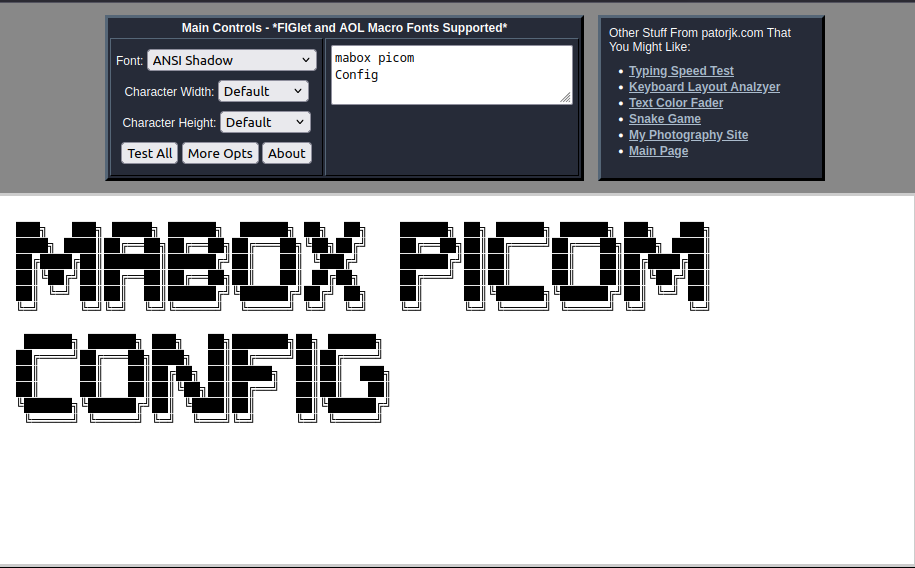
ASCII FONTS GENERATOR:

https://patorjk.com/software/taag/#p=display&f=ANSI%20Shadow&t=mabox%20picom Config

:bird:

1 Like

Wow!
Latest is very impressive :smiley:

And works very nice on my HW.

1 Like

I like the latest too. A bit more refind in movement not to jumpie.

:bird:

When you do screenshot select area.

Is the screen transparent or blur.

in case of blur.

download the latest picom-rules. I added slop to the list.

maybe quicker

{ # system mabox
match = “class_g = ‘slop’”;
opacity = 0.9;
shadow = false;
blur-background = false;
},

to picom-rules.conf

ps: the latest has more edits done.

Thanks :slight_smile:
I will redownload later…

Here some additions to picom-animations.conf

Different animations for menus (jgmenu based) and for Quake Term F12 :wink:

{
	match = "name = 'jgmenu'";
	animations = (
    {
      triggers = ["close", "hide"];
      preset = "disappear";
      duration = 0.1;
      scale = 0.5;
    },
    {
      triggers = ["open", "show"];
      preset = "appear";
      duration = 0.3;
      scale = 0.5;
    }
  )
},
{
	match = "name = 'Quake Term'";
	animations = (
    {
      triggers = ["close", "hide"];
      preset = "fly-out";
      direction = "up";
      duration = 0.2;
    },
    {
      triggers = ["open", "show"];
      preset = "fly-in";
      direction = "up";
      duration = 0.2;
     }
  )
}
1 Like

Added pyradio to Quake term animation. Nice effect for the quake feeling.

"name = 'quakeradio'";

:bird:

I had a chance to play around with your config a bit over the weekend. I changed quite a few things. And overall I’m very happy with the result.

A few conclusions so far…

One sad one…

  1. Building a dynamic menu that universally supports the new rule-based format seems impossible - and definitely beyond my skills.

A few positives…
2. Thanks to @include directives - we can split the config into many parts, where each is responsible for something different :slight_smile:
For now I have:

  • conky.conf
  • conky-transp.conf
  • jgmenu.conf
  • notifications.conf
  • picom-animations.conf
  • picom-rules.conf
  • tint2.conf
  • win-inactive.conf
  1. Assuming the above or similar convention - it would be easy to build a dynamic menu for changing parameters

  2. I think it is possible to recognize in the script building the dynamic menu what type of picom config we are dealing with and present the appropriate possibilities :slight_smile:

I still need some free time (an hour or two) to refine the proposed config. Then I will publish it in some repo so that we can test it and think about how to implement a cool dynamic menu.

1 Like