# Colorizer with automatic theme generation
**URL:** https://forum.maboxlinux.org/t/colorizer-with-automatic-theme-generation/1036
**Category:** Mabox Updates
**Created:** [August 16, 2022, 8:24pm UTC](https://forum.maboxlinux.org/t/colorizer-with-automatic-theme-generation/1036 "2022-08-16T20:24:36Z")
**Posts on this page:** 14
**Page:** 1
### Author:  [@napcok](https://forum.maboxlinux.org/u/napcok)
#### Post date: [August 16, 2022, 8:24pm UTC](https://forum.maboxlinux.org/t/colorizer-with-automatic-theme-generation/1036/1 "2022-08-16T20:24:37Z")
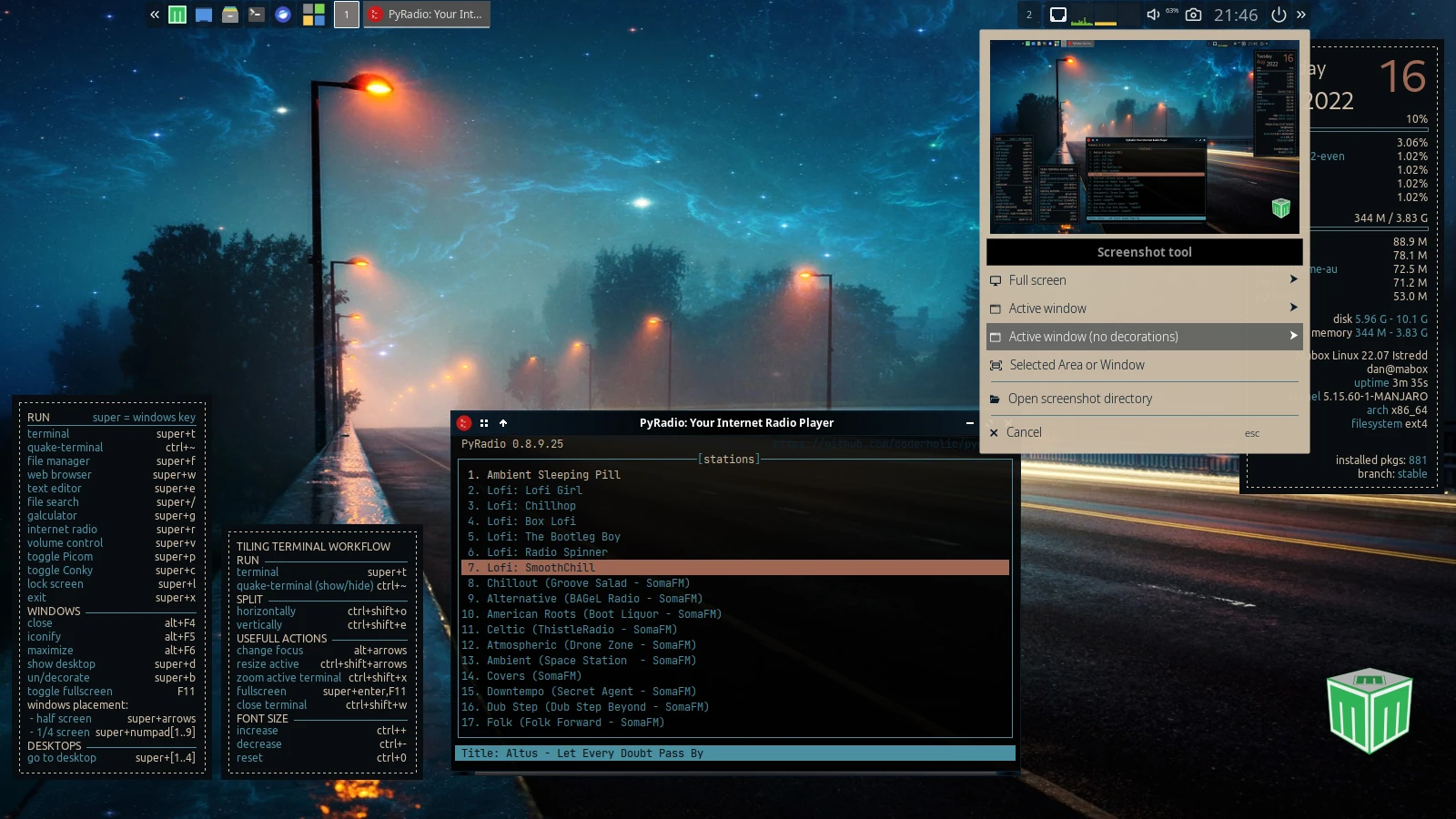
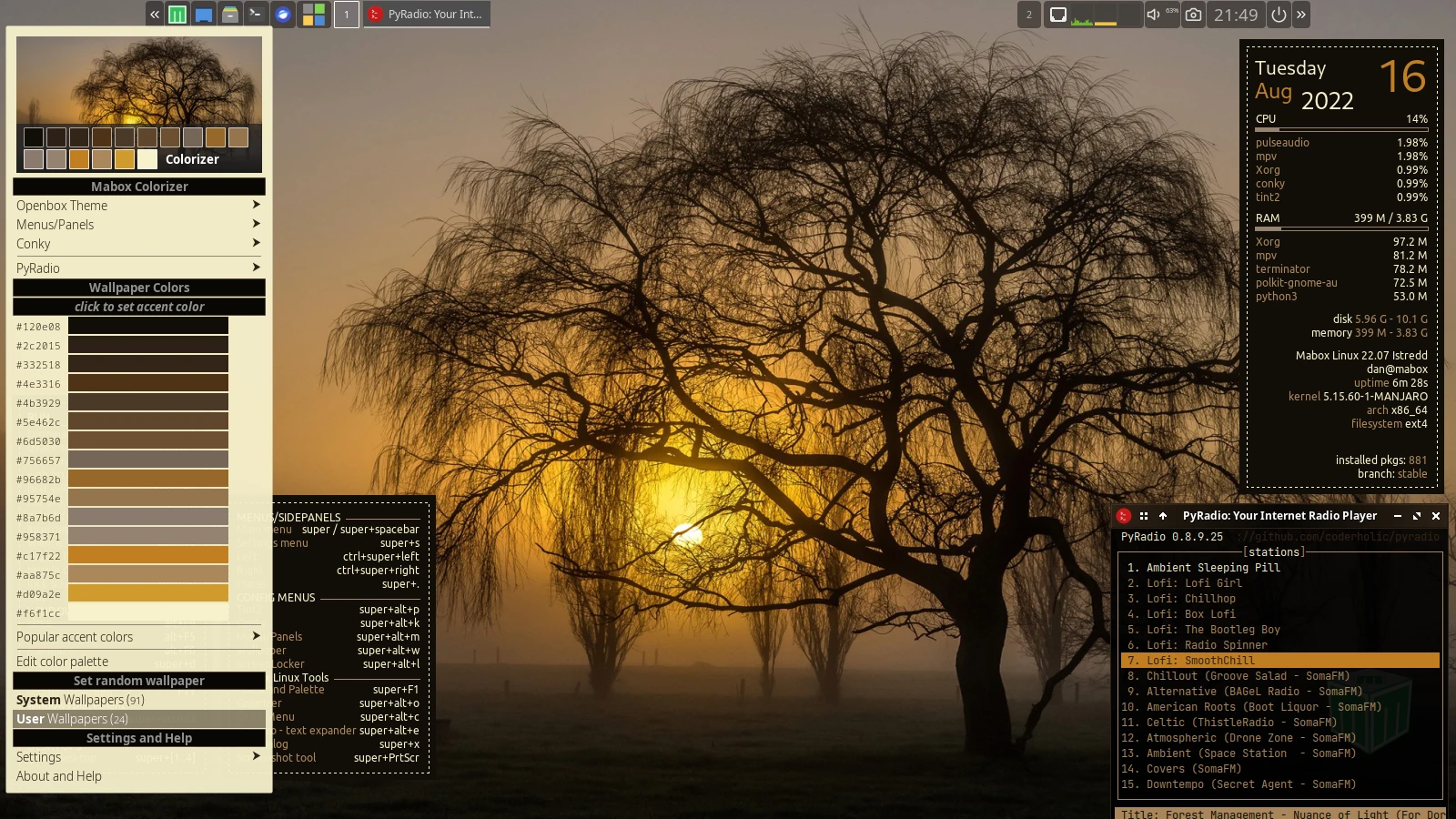
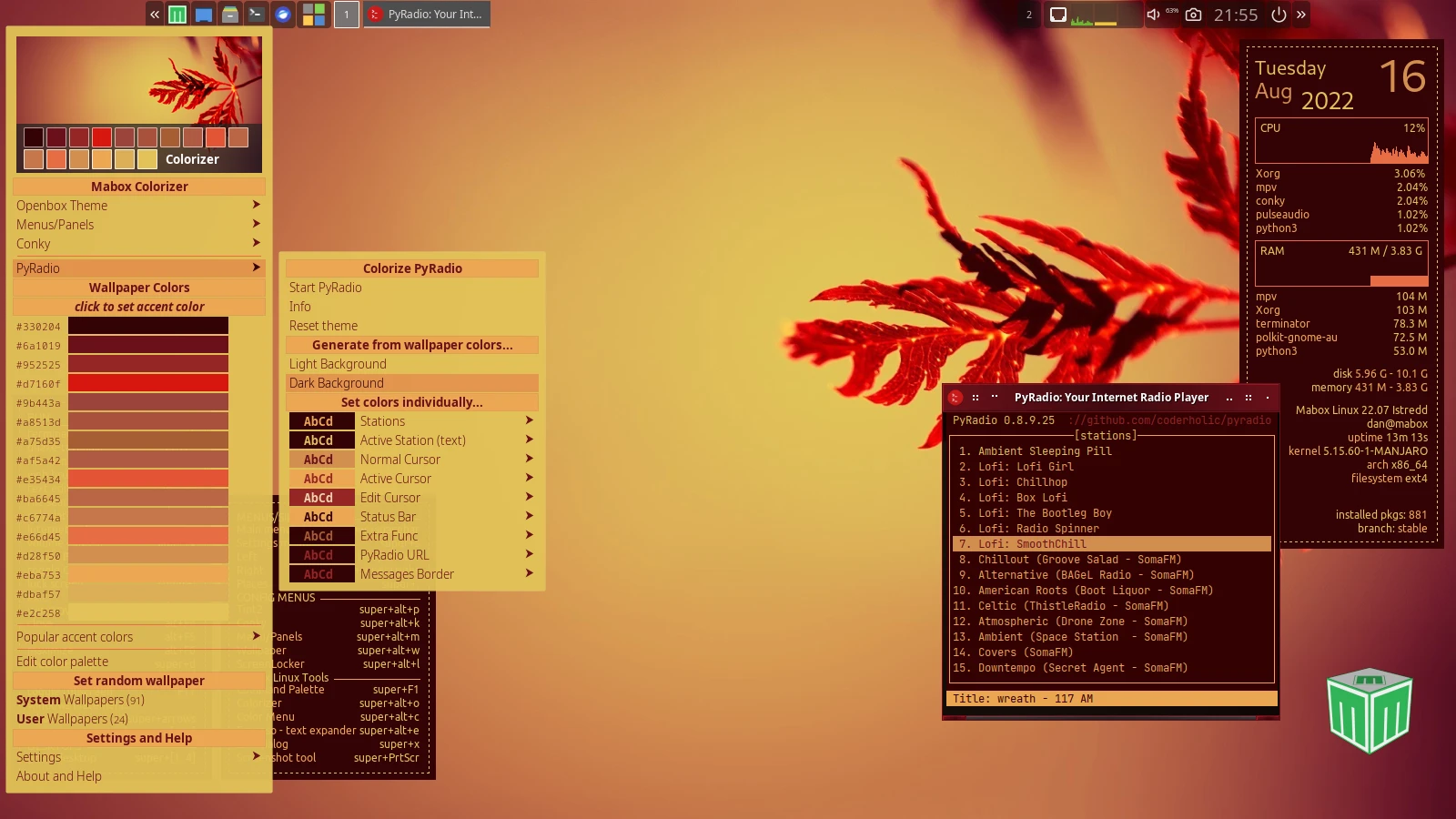
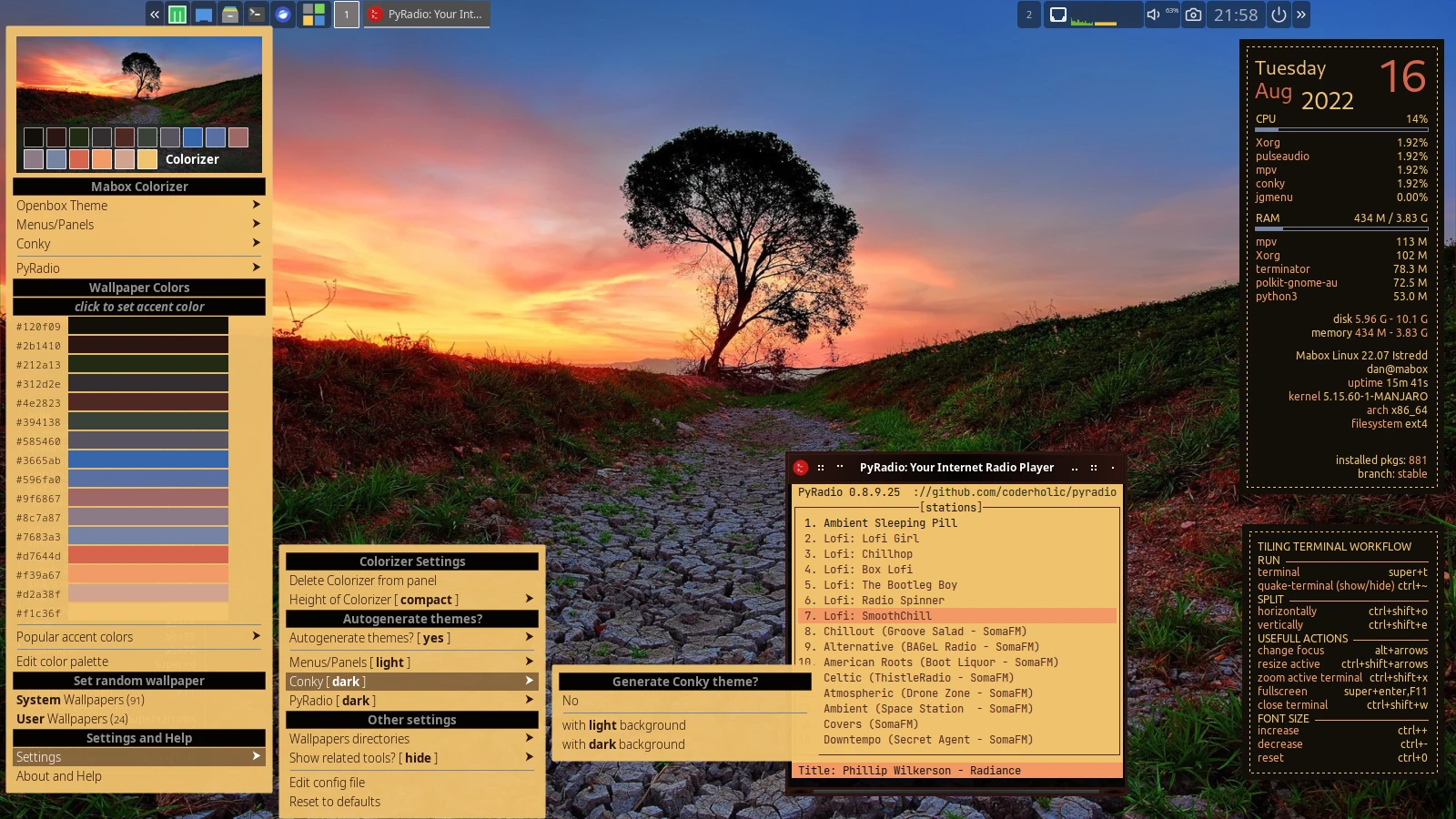
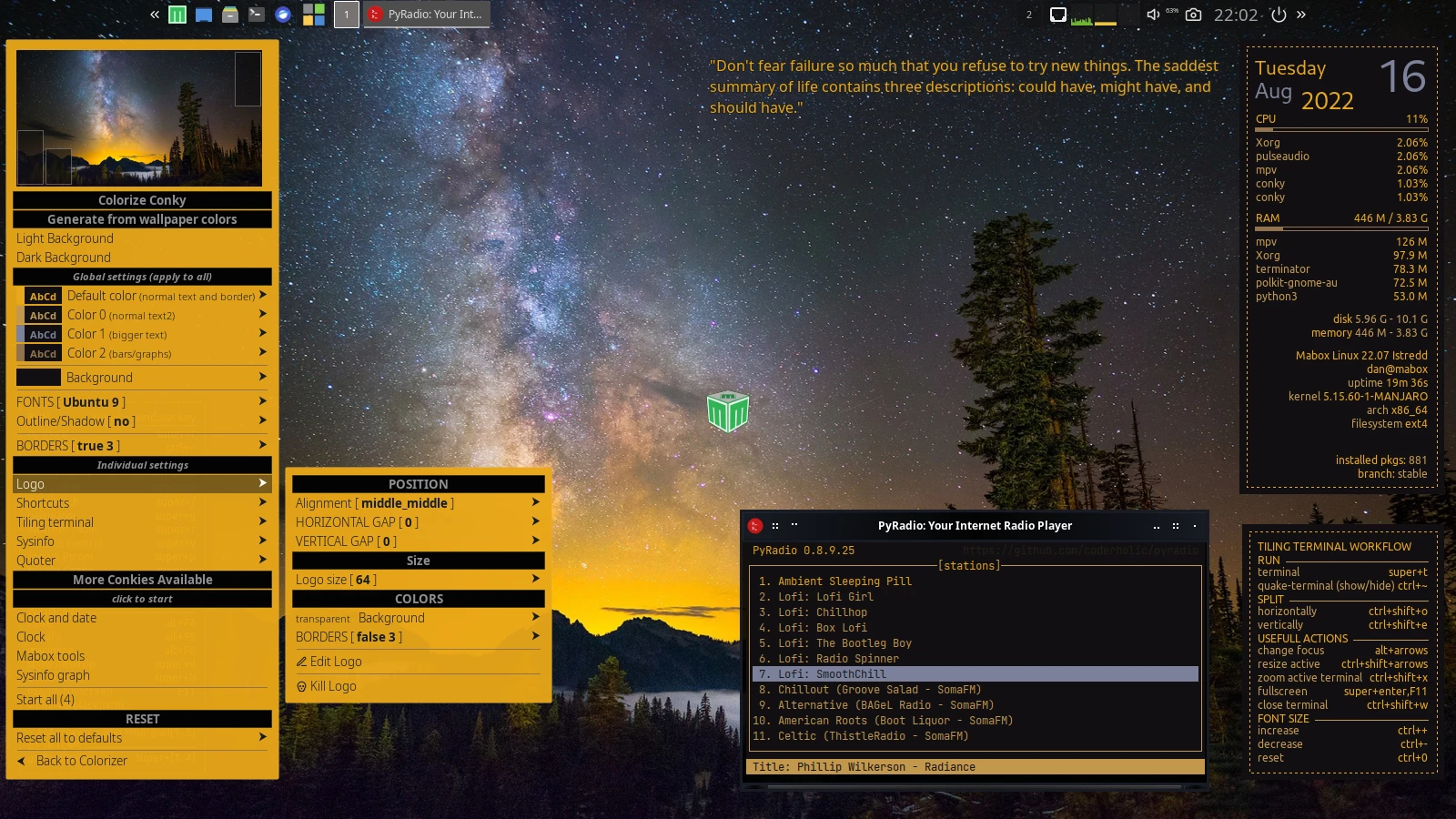
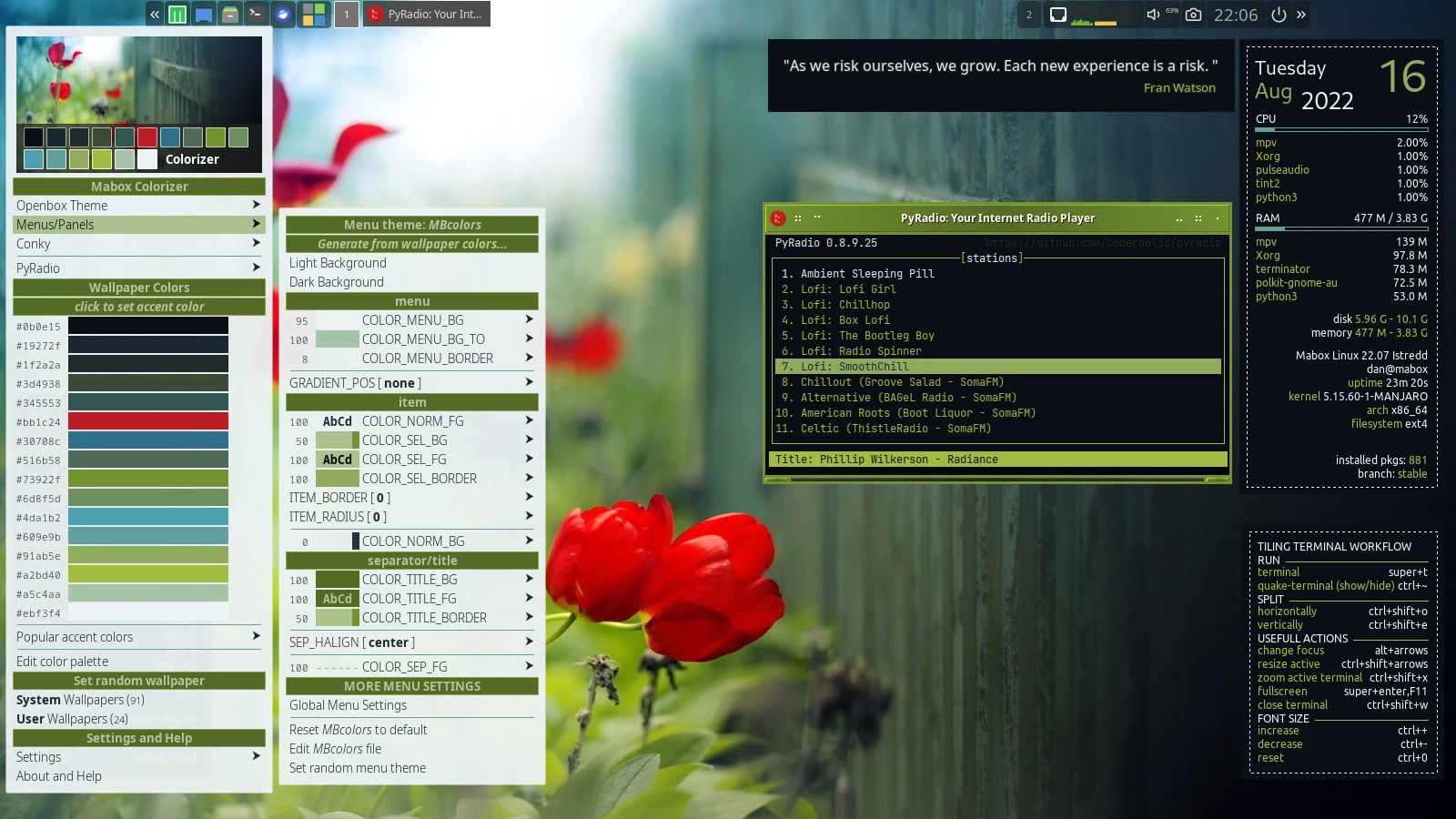
New version of Colorizer allows you to automatically generate themes based on the colors of the wallpaper
(for Openbox, Conky, Jgmenu, PyRadio)
Enjoy 🙂
_Automatic theme generation after wallpaper change is disabled by default… explore Colorizer settings submenu to enable and configure it 😉_
_Note:_
_This is a development version of Colorizer. I’ve been working on it for the last few months and will probably spend the next few on it 😉_
_A lot of functionality is still missing … the most important is assigning polished - not automatically generated themes to a specific wallpaper - I intend to work on this next.
At the moment you can use Theme Manager to save and restore your creations.
Menu → Mabox Config → Theme manager._
Some examples:


---
### Author:  [@Crunchig](https://forum.maboxlinux.org/u/Crunchig)
#### Post date: [August 16, 2022, 11:23pm UTC](https://forum.maboxlinux.org/t/colorizer-with-automatic-theme-generation/1036/2 "2022-08-16T23:23:57Z")
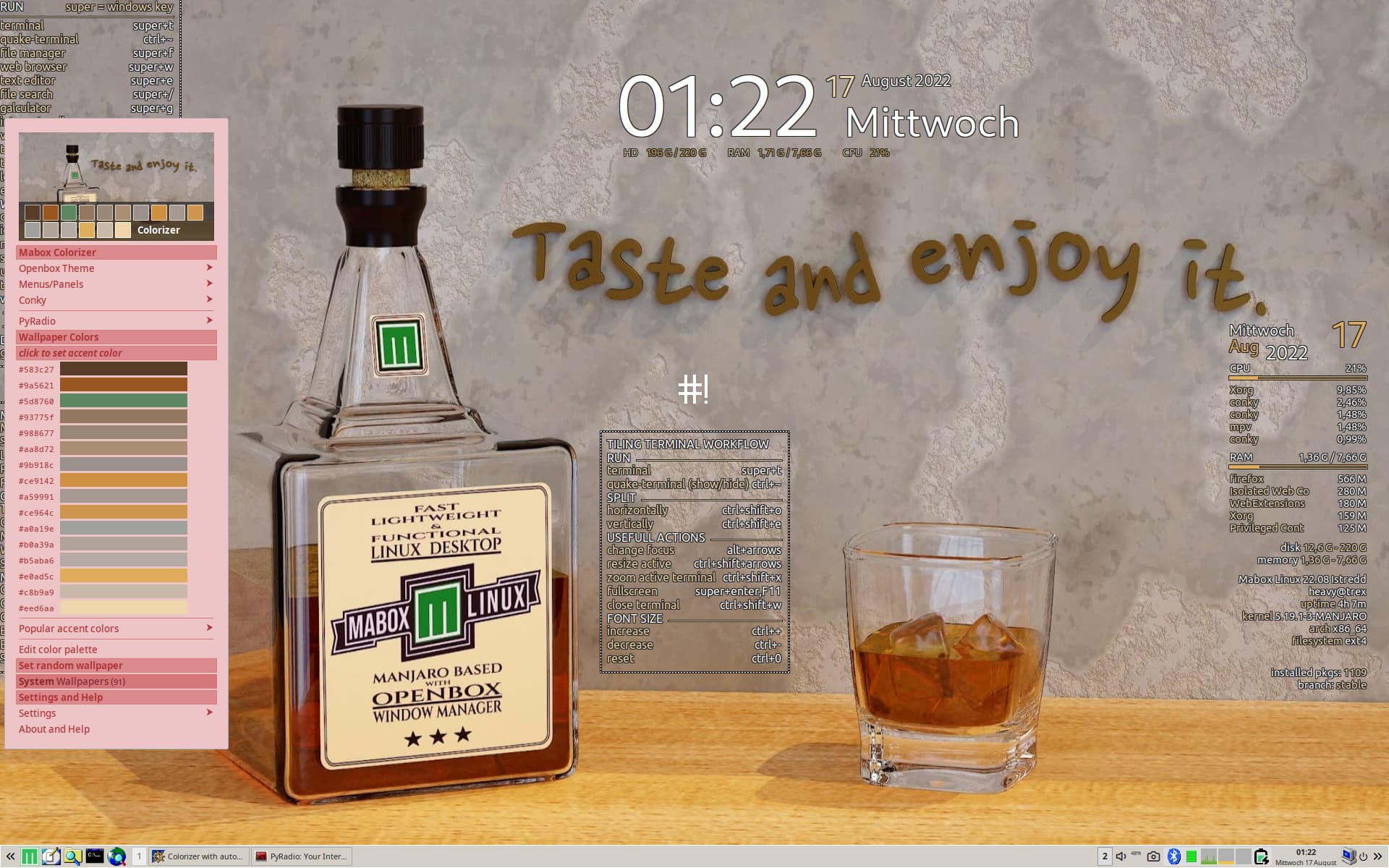
I have spend many Hours today for customize my Desktop Colors and then this nice awesome feature. I need a drink. 😓
But i can’t finde the “User Wallpaper” option only “System Wallpaper” is Availability.
---
### Author:  [@napcok](https://forum.maboxlinux.org/u/napcok)
#### Post date: [August 16, 2022, 11:35pm UTC](https://forum.maboxlinux.org/t/colorizer-with-automatic-theme-generation/1036/3 "2022-08-16T23:35:27Z")
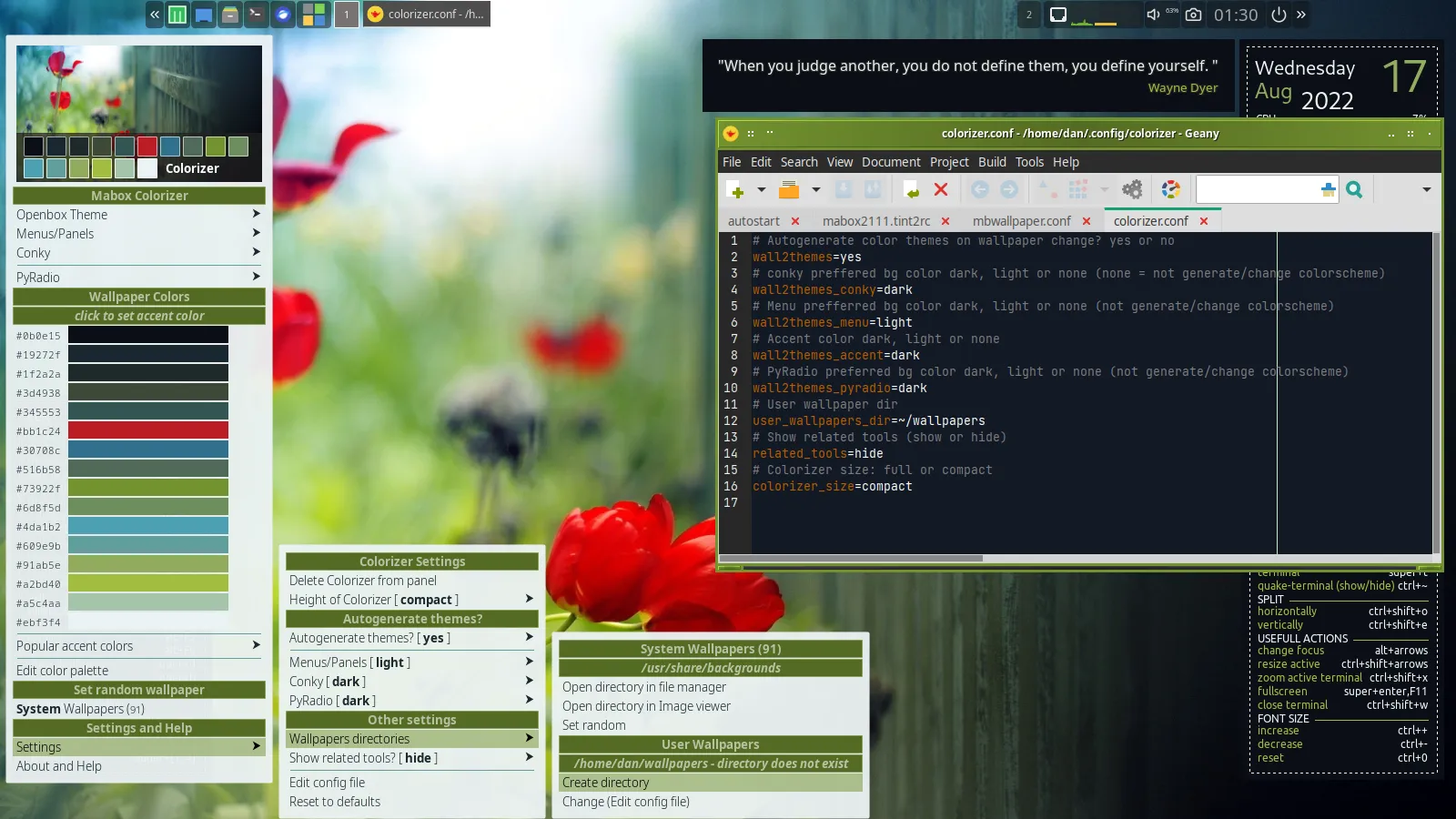
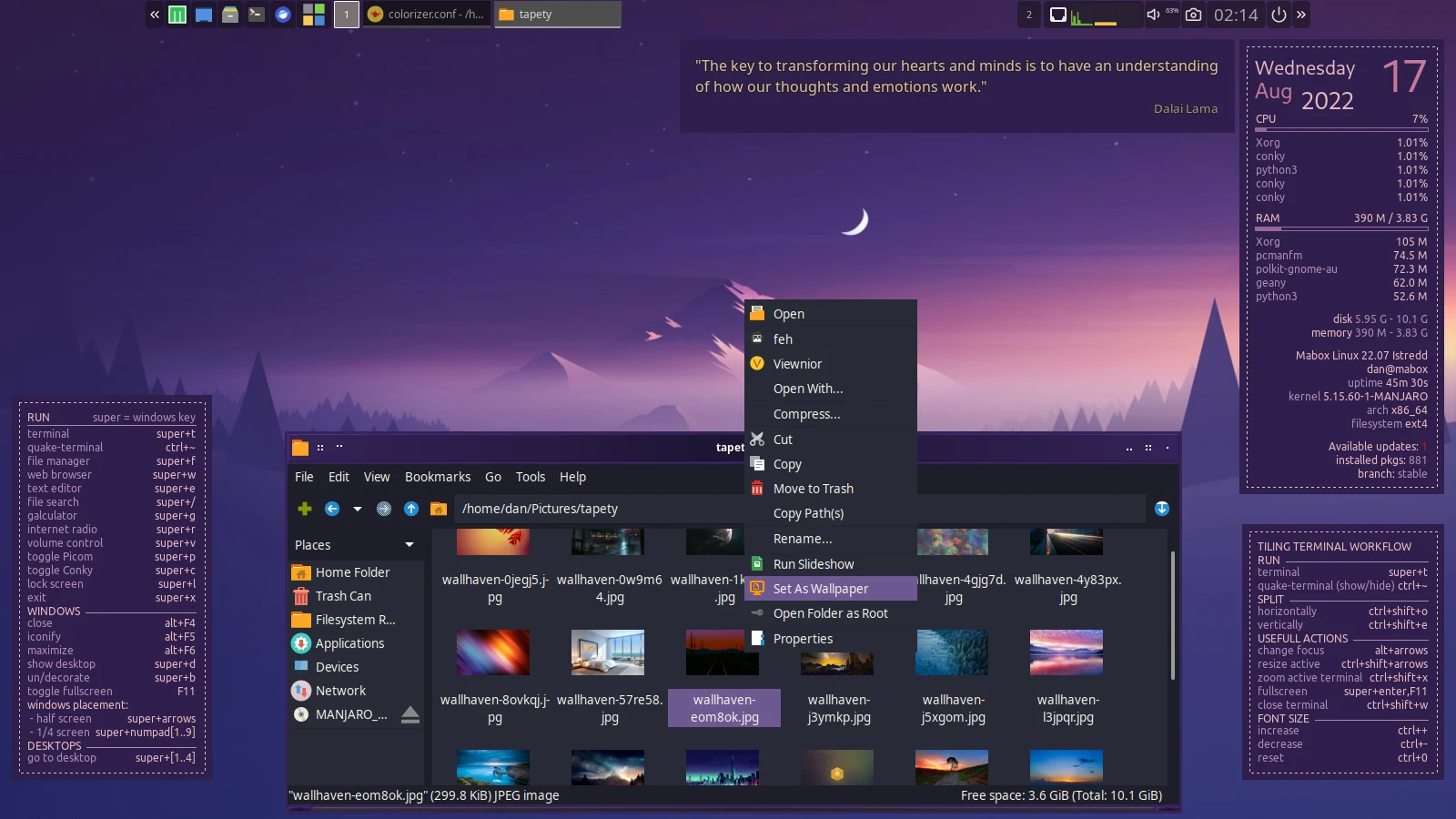
Please go to submenu: **Colorizer** → **Settings** → **Wallpaper directories** …
You have two options here:
1. Create directory … and then place your wallpapers in it
or
2. Change config file so user\_wallpapers\_dir will point to where you have wallpapers collected
See:
You can also just open filemanager, go to your wallpaper directory and set new wallpaper from context menu. It will fire up automatic theme generation if it is enabled with Colorizer.
---
### Author:  [@Crunchig](https://forum.maboxlinux.org/u/Crunchig)
#### Post date: [August 17, 2022, 12:44am UTC](https://forum.maboxlinux.org/t/colorizer-with-automatic-theme-generation/1036/4 "2022-08-17T00:44:33Z")
Tanks it works. Crispy Feature nice work. 👍
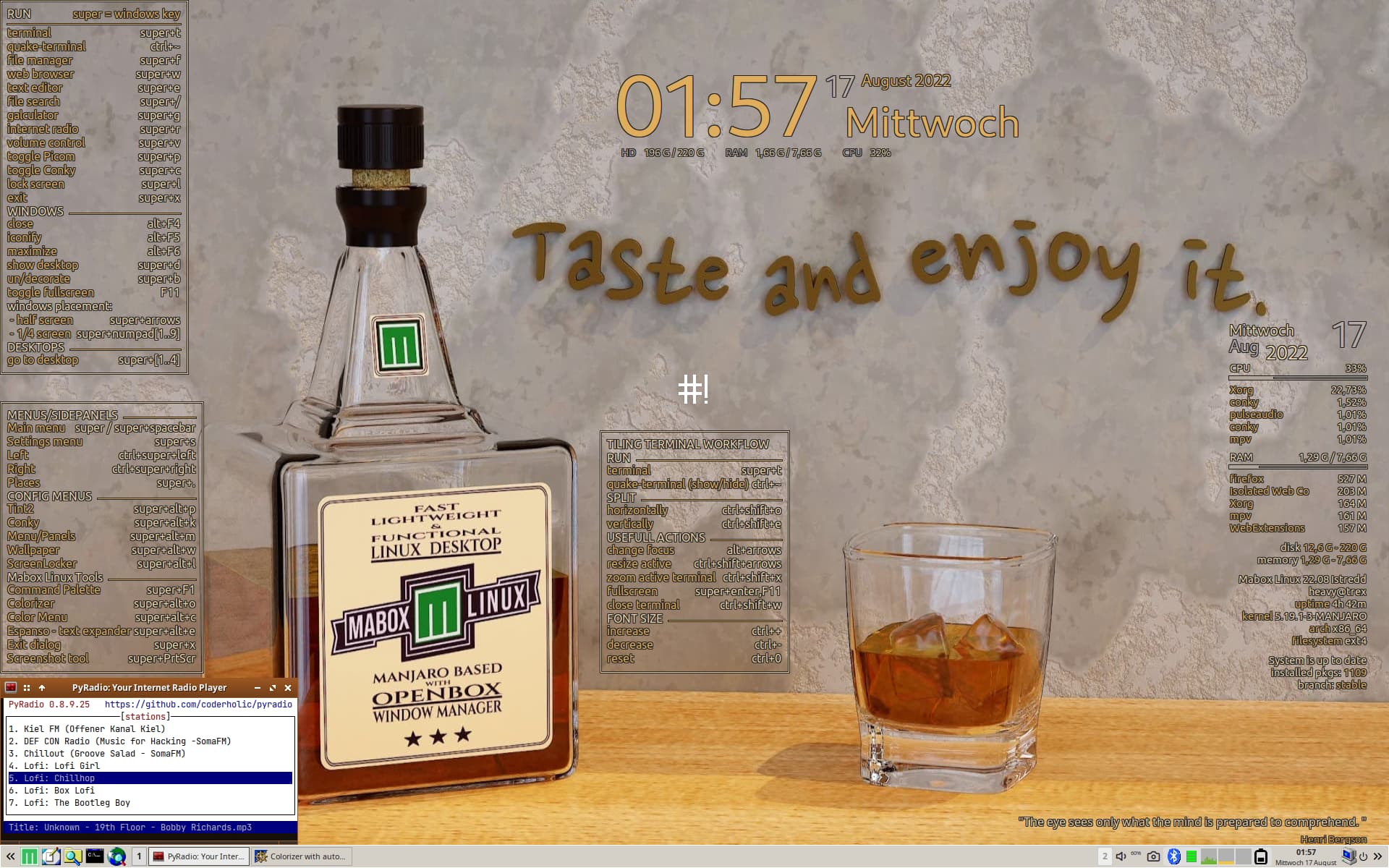
Here my Theme for the day:
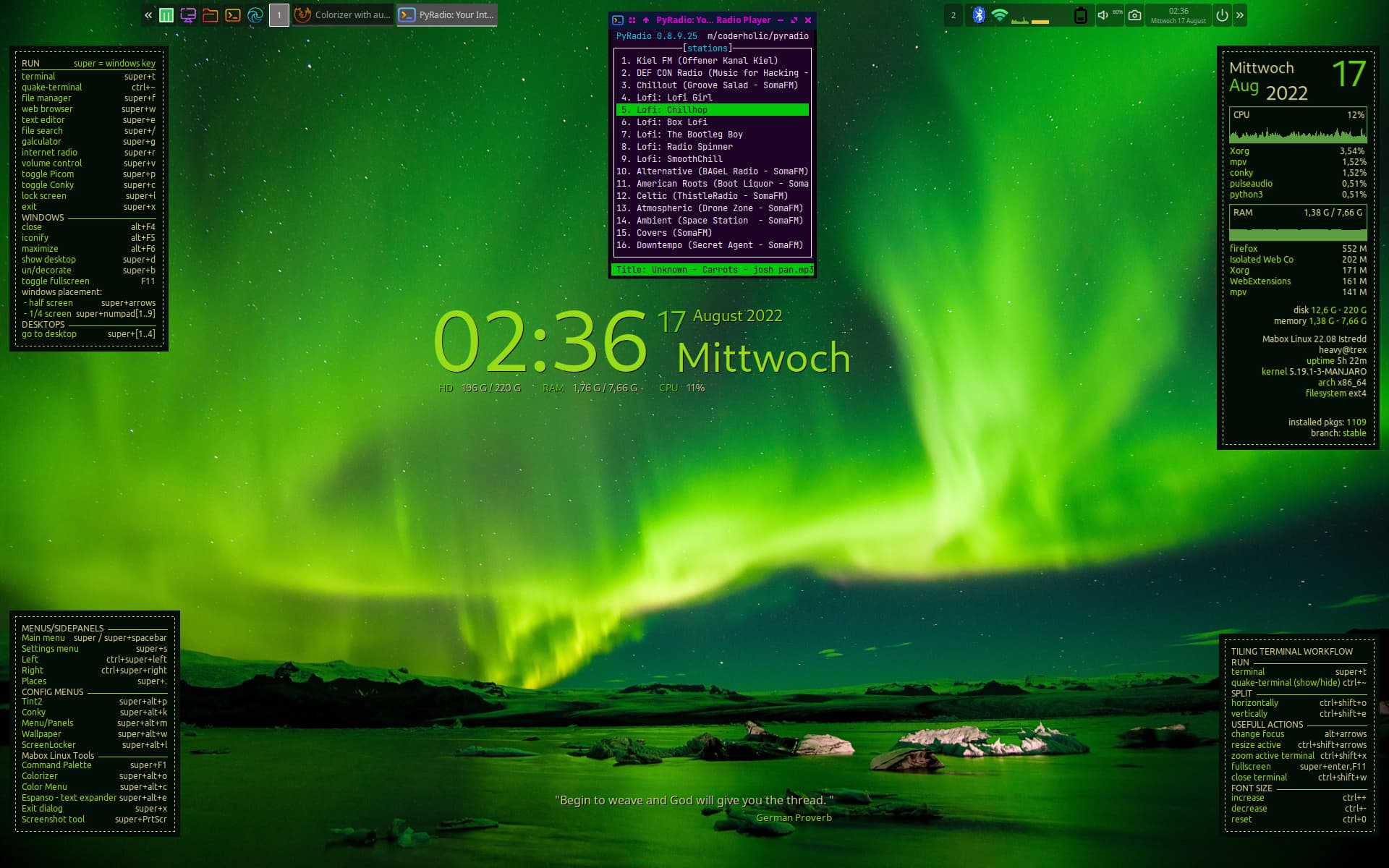
And a one for the night:
---
### Author:  [@sng](https://forum.maboxlinux.org/u/sng)
#### Post date: [August 17, 2022, 7:44am UTC](https://forum.maboxlinux.org/t/colorizer-with-automatic-theme-generation/1036/5 "2022-08-17T07:44:10Z")
Hi all!
I have a problem… I cannot seem to able to auto change pyradio theme…
I have reset the theme and started afresh…
pyradio works (manually changing mbcolors.pyradio-theme)
But changing the wallpaper, nothing happens
Please see this
[https://filedn.com/loWMlo6BVTYbKscNrrMNCDu/vokoscreenNG-2022-08-17\_10-30-26.mp4](https://filedn.com/loWMlo6BVTYbKscNrrMNCDu/vokoscreenNG-2022-08-17_10-30-26.mp4)
What am I doing wrong?
Am I missing something?
---
### Author:  [@napcok](https://forum.maboxlinux.org/u/napcok)
#### Post date: [August 17, 2022, 7:50am UTC](https://forum.maboxlinux.org/t/colorizer-with-automatic-theme-generation/1036/6 "2022-08-17T07:50:48Z")
I forgot to mention that…
Seems like nitrogen GUI spawn needed command only when you quit GUI.
(the whole thing is spawned thanks to nitrogen wrapper)
Try to set random wallpaper from Colorizer or image context menu → Set as wallpaper… from filemanager (PCManFM)
Any method of setting the wallpaper available in the Wallpaper menu super + alt +w should also work (except the Nitrogen GUI). Even sildeshow (don’t forget to set longer interval, like 10 sec)
---
### Author:  [@sng](https://forum.maboxlinux.org/u/sng)
#### Post date: [August 17, 2022, 7:55am UTC](https://forum.maboxlinux.org/t/colorizer-with-automatic-theme-generation/1036/7 "2022-08-17T07:55:10Z")
Yes!
Thank you very much!
---
### Author:  [@sng](https://forum.maboxlinux.org/u/sng)
#### Post date: [August 17, 2022, 7:59am UTC](https://forum.maboxlinux.org/t/colorizer-with-automatic-theme-generation/1036/8 "2022-08-17T07:59:28Z")
BTW, I just noticed (watching the video again), `tint2` is changing even when I change the wallpaper with `nitrogen`; everything else does not…
Does that mean anything to you?
---
### Author:  [@napcok](https://forum.maboxlinux.org/u/napcok)
#### Post date: [August 17, 2022, 8:03am UTC](https://forum.maboxlinux.org/t/colorizer-with-automatic-theme-generation/1036/9 "2022-08-17T08:03:31Z")
Tint2 doesn’t change … it’s just a wallpaper behind it 😉
The panel you are using is slightly transparent.
> [@sng](#):
>
> everything else does not…
Everything else is: Conkies, Menus and Openbox theme (window decoration). Hard to spot when you have windows placed on whole screen.
---
### Author:  [@sng](https://forum.maboxlinux.org/u/sng)
#### Post date: [August 17, 2022, 8:05am UTC](https://forum.maboxlinux.org/t/colorizer-with-automatic-theme-generation/1036/10 "2022-08-17T08:05:17Z")
hahahaha
You are probably right!
😉 😉 😉
---
### Author:  [@napcok](https://forum.maboxlinux.org/u/napcok)
#### Post date: [August 17, 2022, 10:54am UTC](https://forum.maboxlinux.org/t/colorizer-with-automatic-theme-generation/1036/11 "2022-08-17T10:54:04Z")
@sng See also: [Colorizer glitches on older Mabox installations](https://forum.maboxlinux.org/t/colorizer-glitches-on-older-mabox-installations/1040)
This may affect your installation ☹
---
### Author:  [@Shay\_Saheed](https://forum.maboxlinux.org/u/Shay_Saheed)
#### Post date: [September 16, 2022, 5:53am UTC](https://forum.maboxlinux.org/t/colorizer-with-automatic-theme-generation/1036/12 "2022-09-16T05:53:06Z")
Hello from Mexico, I have installed Mabox for 2 days and I am surprised at how beautiful and light it is. I haven’t found any problem in my Inspiron 3647… It works great, before I used MXLinux (Openbox) but when I entered Distrowatch I found an update of Mabox, a distro that I didn’t know and it seems powerful and elegant. I have no problem, I just wanted to say thank you for doing this. Long live!, you have something beautiful here.
---
### Author:  [@napcok](https://forum.maboxlinux.org/u/napcok)
#### Post date: [September 16, 2022, 9:12pm UTC](https://forum.maboxlinux.org/t/colorizer-with-automatic-theme-generation/1036/13 "2022-09-16T21:12:09Z")
Hello @Shay_Saheed,
Welcome to the forum 🙂
---
### Author:  [@Shay\_Saheed](https://forum.maboxlinux.org/u/Shay_Saheed)
#### Post date: [September 17, 2022, 10:52pm UTC](https://forum.maboxlinux.org/t/colorizer-with-automatic-theme-generation/1036/14 "2022-09-17T22:52:08Z")
Thank you very much, I haven’t written in a forum for about 20 years but I like your operating system and I wanted to write even though I don’t know much English 🙂