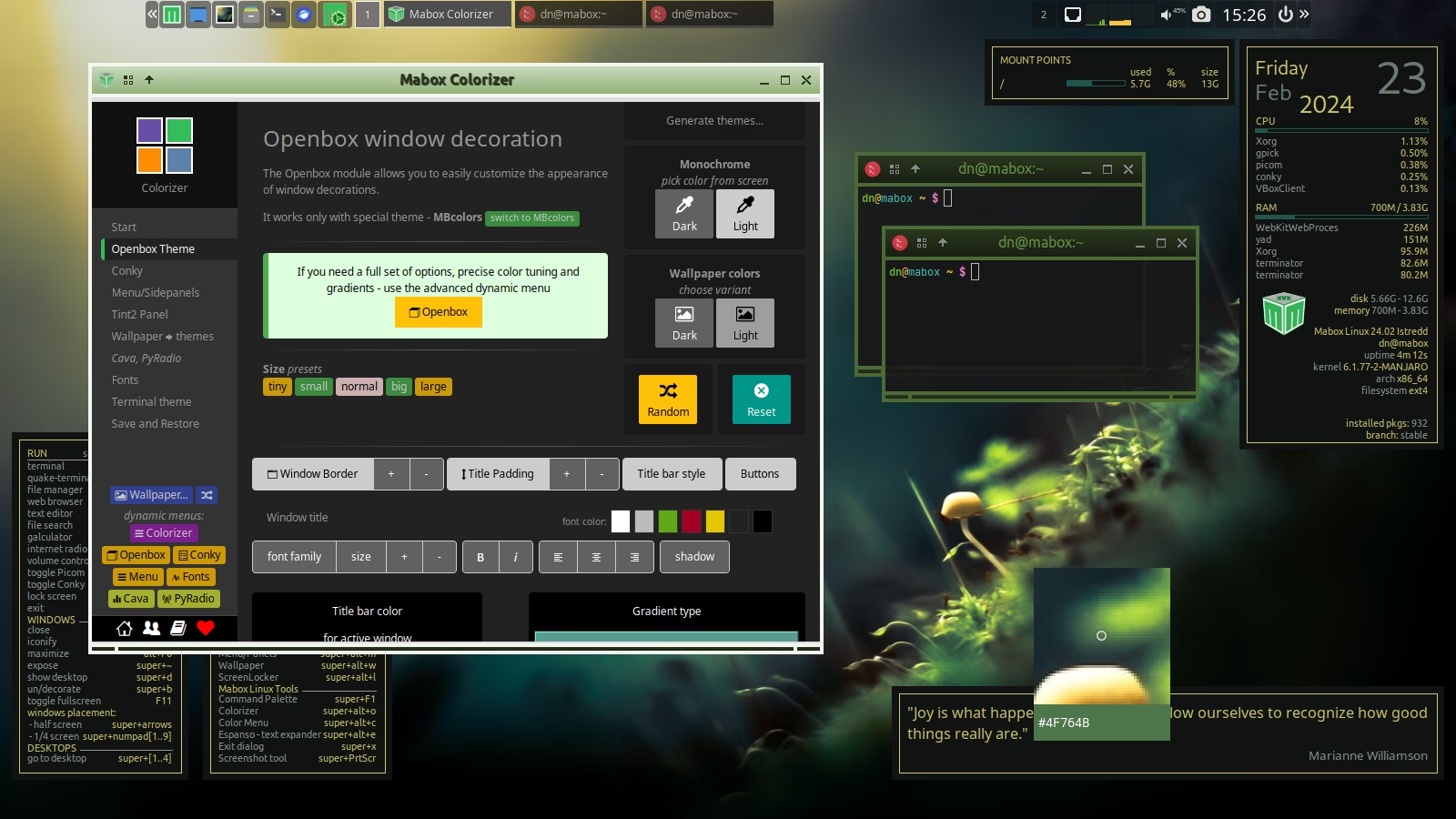
# Colorizer 1.0 on its final stretch
**URL:** https://forum.maboxlinux.org/t/colorizer-1-0-on-its-final-stretch/1494
**Category:** Development & Suggestions
**Created:** [September 9, 2023, 2:43pm UTC](https://forum.maboxlinux.org/t/colorizer-1-0-on-its-final-stretch/1494 "2023-09-09T14:43:23Z")
**Posts on this page:** 16
**Page:** 1
### Author:  [@napcok](https://forum.maboxlinux.org/u/napcok)
#### Post date: [September 9, 2023, 2:43pm UTC](https://forum.maboxlinux.org/t/colorizer-1-0-on-its-final-stretch/1494/1 "2023-09-09T14:43:23Z")
After over a year and a half of development - Colorizer is approaching release 1.0.
This means that it is undergoing significant changes.
Currently, it is in the phase of transformation from a tool for developers, experimenters, and ricing maniacs towards a tool that is more useful also to the end user.
The most spectacular functionality _is/will be_ the ability to **save** and **restore** the color schemes for all components and also the whole desktop meta-theme at once.
## Status for main modules:
| Module | description | Save/Restore color scheme | Ready for 1.0? | notes |
| --- | --- | --- | --- | --- |
| **Menus** | Look and feel of all jgmenu-based menus and tools | ✅ | need testing | |
| **Conky** | Conky Manager & Colorizer | ✅ | need testing | |
| **OpenBox** | Openbox Window decoration | ✅ | need testing | |
| **Panel tint2** | Configure and colorize panel | … | no | prototype, not published yet |
After completing the above, the next step is to create a mechanism to save/restore the **Mabox Desktop Theme** (meta theme), which will consist of:
- colorschemes for all above
- font settings
- sizing options
- GTK theme and icons
- wallpaper
## Status for other areas:
| Area | description | Ready for 1.0? | notes |
| --- | --- | --- | --- |
| **Fonts** module | quickly change fonts from one place | ✅ | |
| **mbclr** | submenu to modify/change colors | ✅ | |
| **Rootmenu** | Main menu of Colorizer | no | need work |
| **Main Window** | Interactive HTML main window and Help | no | need work |
| **PyRadio** and **Cava** | extra modules for PyRadio and Cava audio visualiser | ✅ | |
| **Documentation** | to be written as a separate website | | not started |
* * *
## Autotheming on wallpaper change
The option to automatically generate a theme after changing the wallpaper will probably be removed, or at least hidden more deeply. In most cases (~80%), the generated themes still need to be tweaked manually.
It will certainly still be possible to quickly generate a theme based on the wallpaper in each component separately (OB, Conky, menus. tint2). In two options: dark and light.
* * *
Last days changes…
### Menus module


* * *
### Conky module
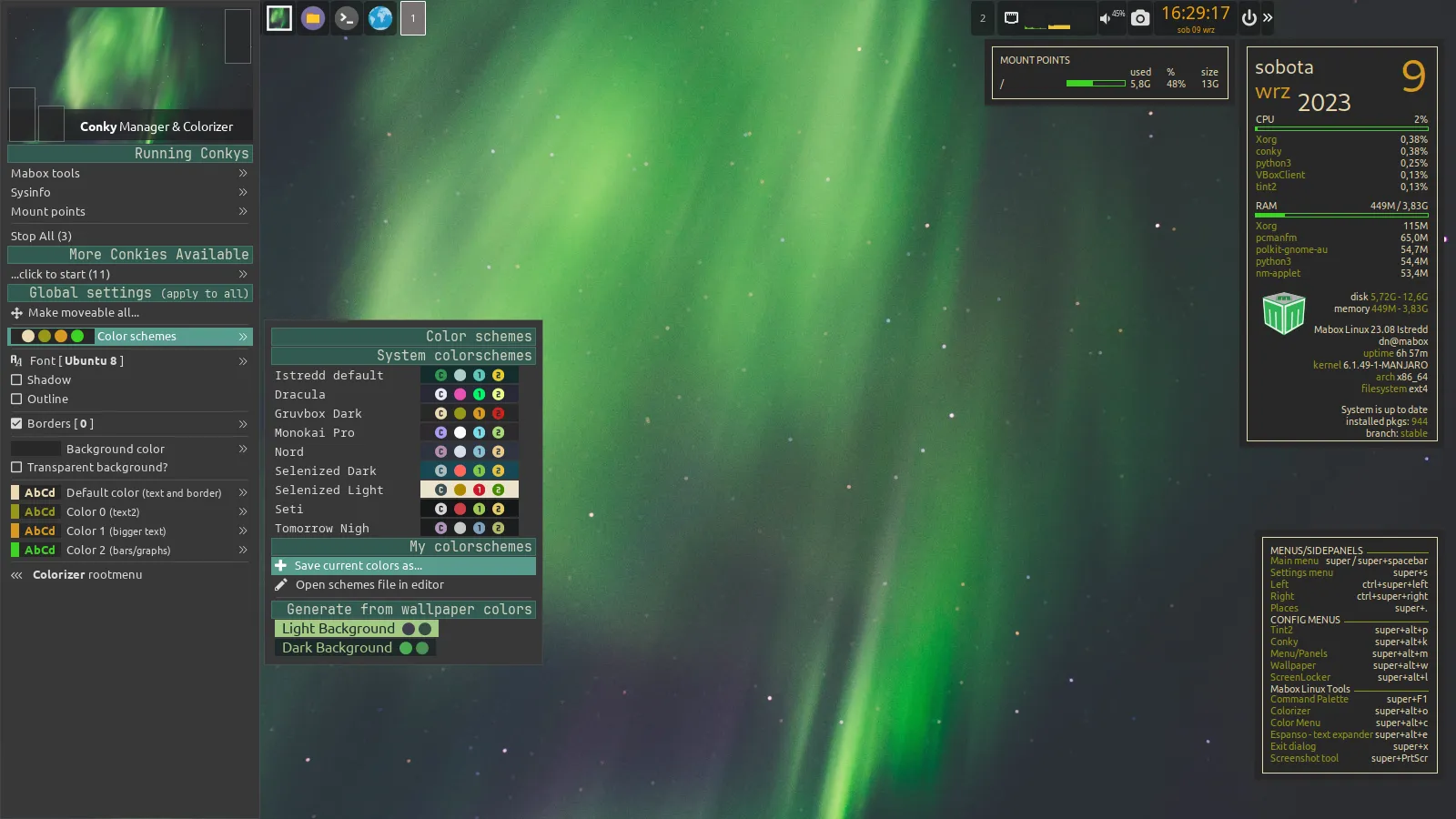

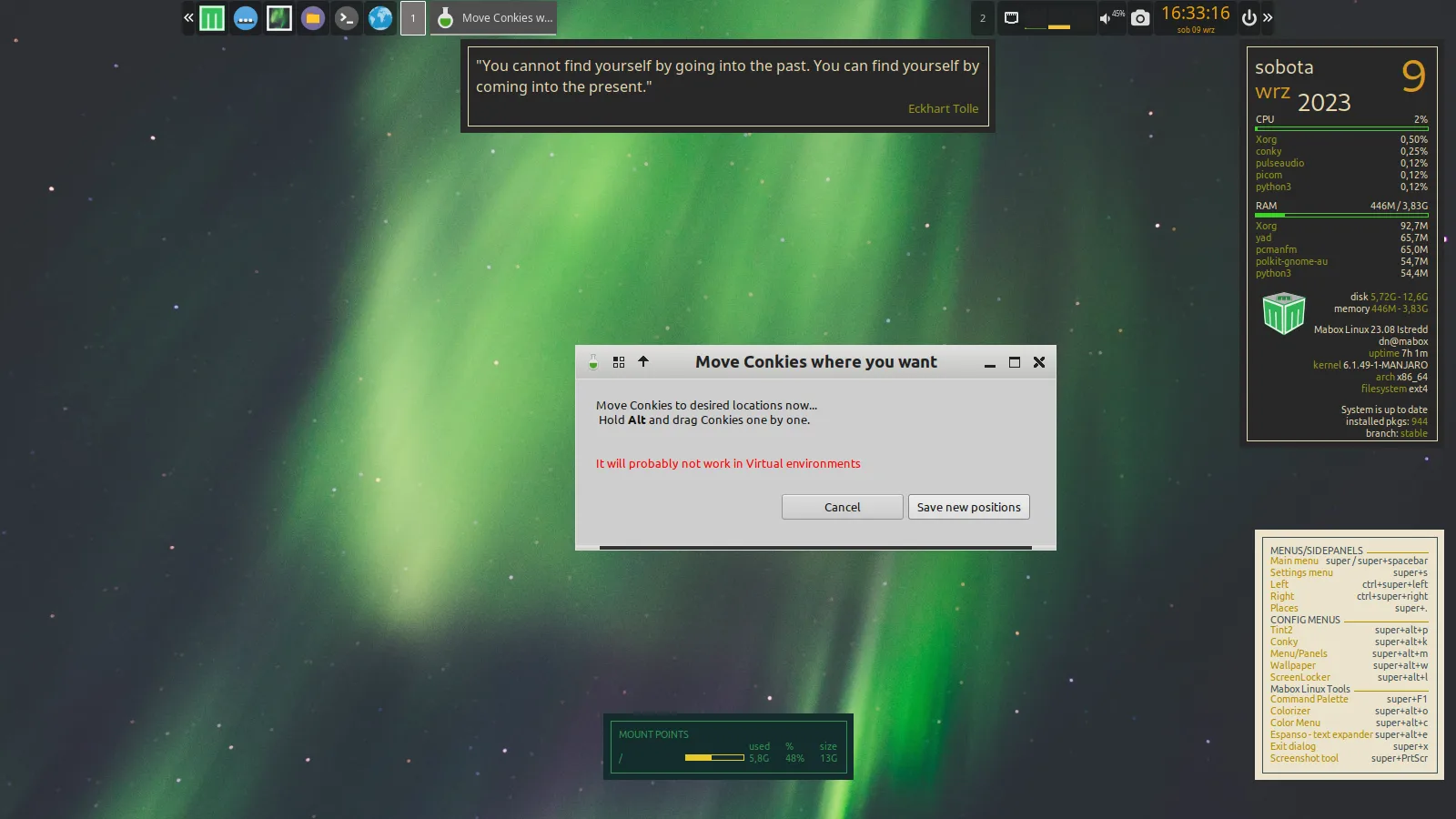
* * *
### submenu to modify/change colors


---
### Author:  [@ben\_chile](https://forum.maboxlinux.org/u/ben_chile)
#### Post date: [September 9, 2023, 11:16pm UTC](https://forum.maboxlinux.org/t/colorizer-1-0-on-its-final-stretch/1494/2 "2023-09-09T23:16:41Z")
> [@napcok](#):
>
> The most spectacular functionality _is/will be_ the ability to **save** and **restore** the color schemes for all components and also the whole desktop meta-theme at once
Love these lines! I can´t wait dear @napcok Thanks for this exciting news.
---
### Author:  [@napcok](https://forum.maboxlinux.org/u/napcok)
#### Post date: [September 11, 2023, 5:51pm UTC](https://forum.maboxlinux.org/t/colorizer-1-0-on-its-final-stretch/1494/3 "2023-09-11T17:51:46Z")
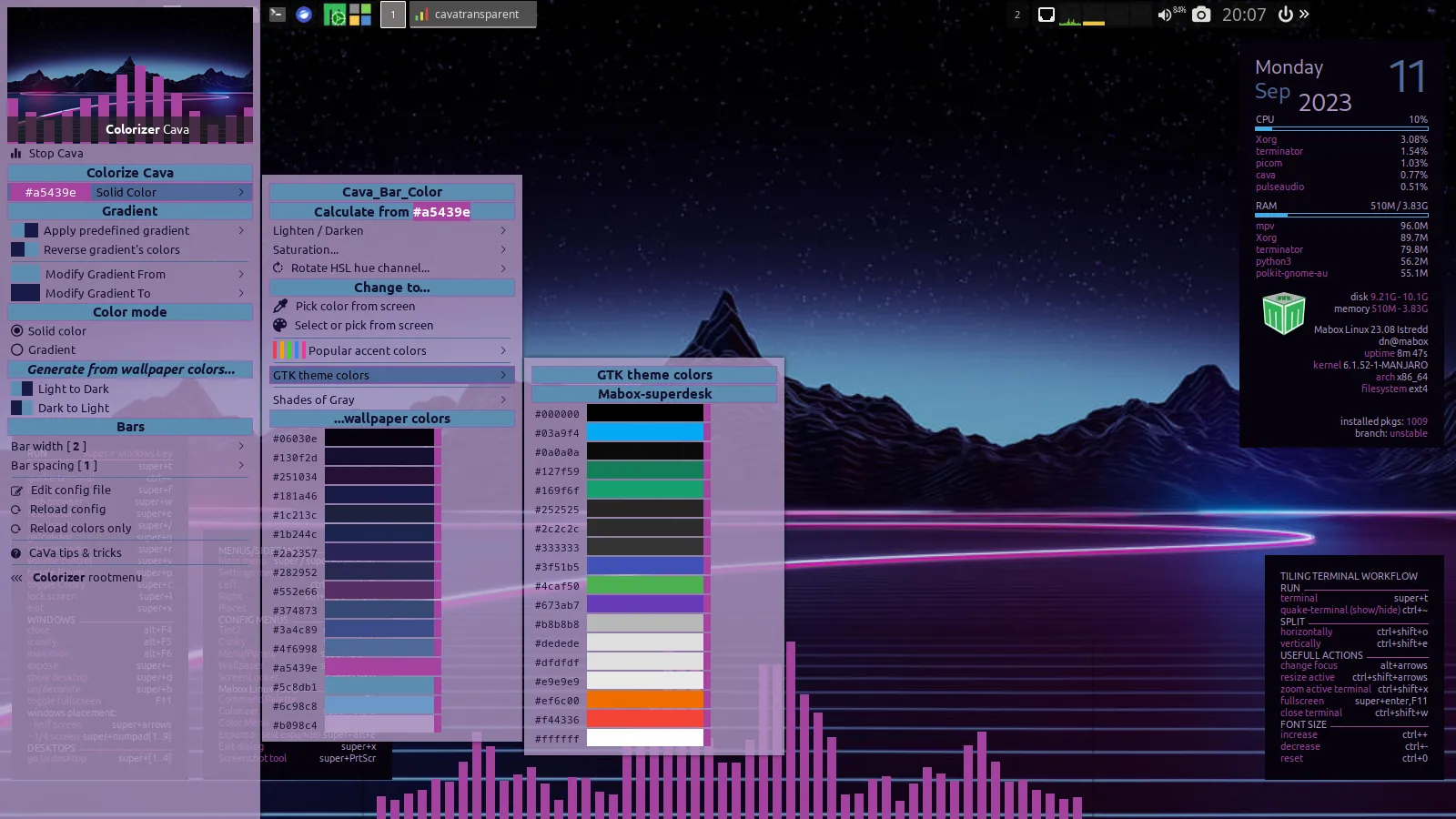
### 0.9.61 pre-release
### Conky Manager/Colorizer
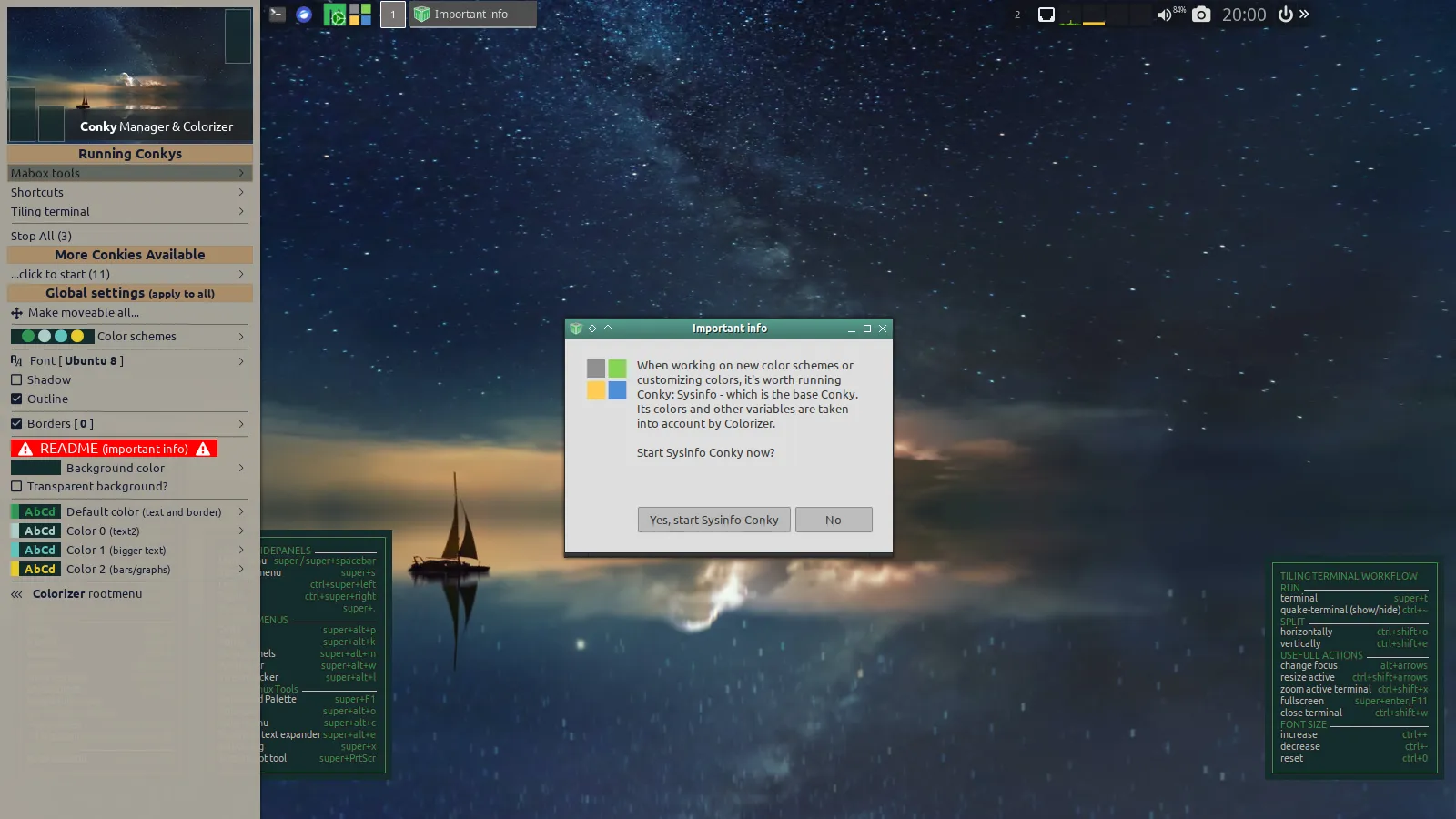
- scheme file now stores not only colors but more variables like: own\_window\_transparent, outline, shadow border
- two variants of transparent schemes provided
- quite important info is shown when Sysinfo conky is not running - it is a base conky for some Colorizer functionality
### mbclr - submenu to modify/change colors
- current color small indicator beside every color
- show current GTK theme name


---
### Author:  [@napcok](https://forum.maboxlinux.org/u/napcok)
#### Post date: [September 23, 2023, 12:19pm UTC](https://forum.maboxlinux.org/t/colorizer-1-0-on-its-final-stretch/1494/4 "2023-09-23T12:19:02Z")
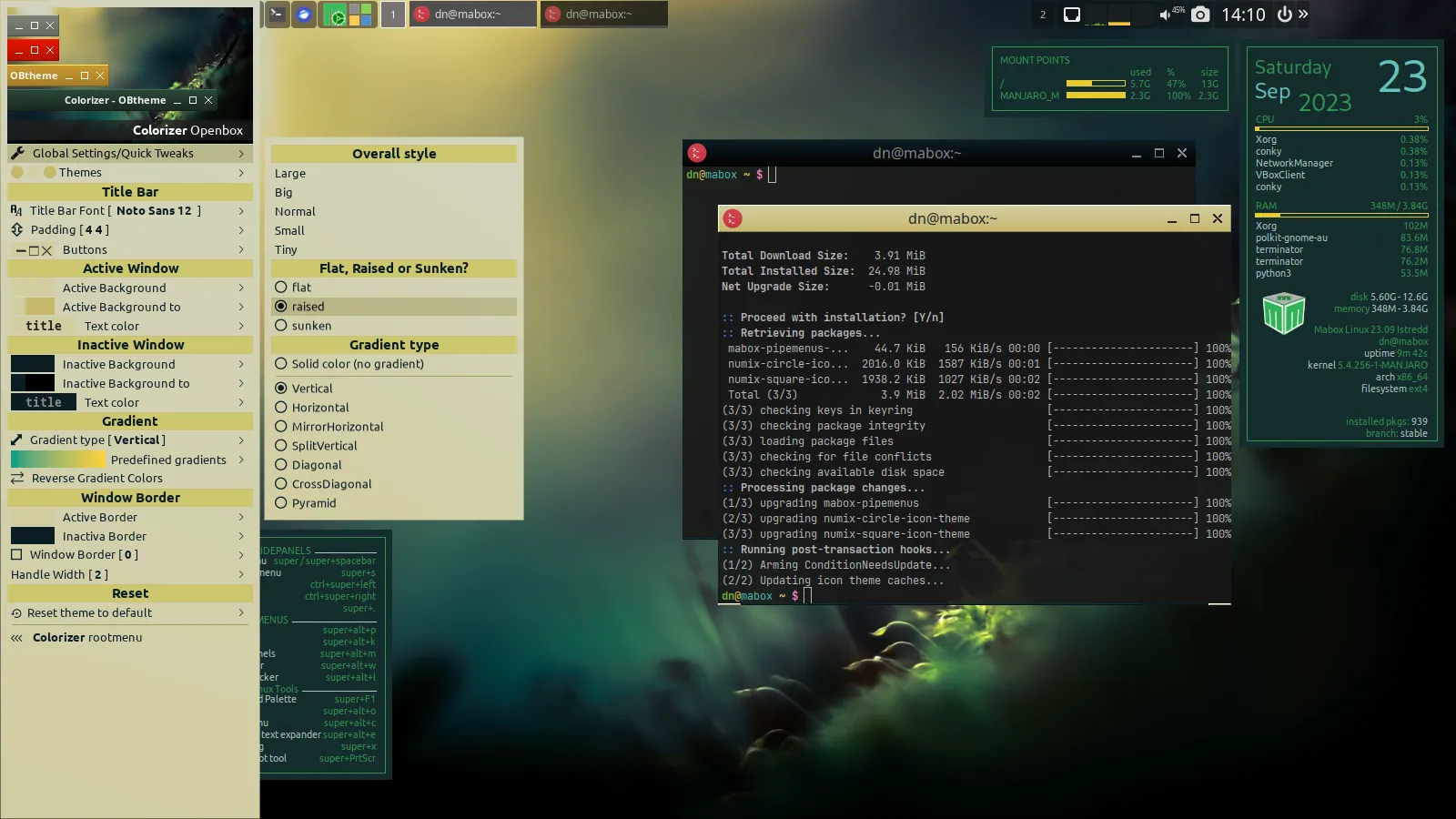
### 0.9.62 pre-release
### Openbox theme save / restore
You can save your Openbox theme configuration. Then restore it fully or only colors from it.
_Warning!_
_Playing with this can be addictive, don’t spend too many hours 😉_
Also some improvements to theme generation from Wallpaper colors ( light and dark variants ) and theme generation from predefined gradients.


---
### Author:  [@muzqs](https://forum.maboxlinux.org/u/muzqs)
#### Post date: [September 24, 2023, 9:27am UTC](https://forum.maboxlinux.org/t/colorizer-1-0-on-its-final-stretch/1494/5 "2023-09-24T09:27:43Z")
I use Feh for a little while now for setting the wallpaper. Quicker with changing wallpapers.
And i created a click (tint2) script running Nitrogen [_automatic theming on_].
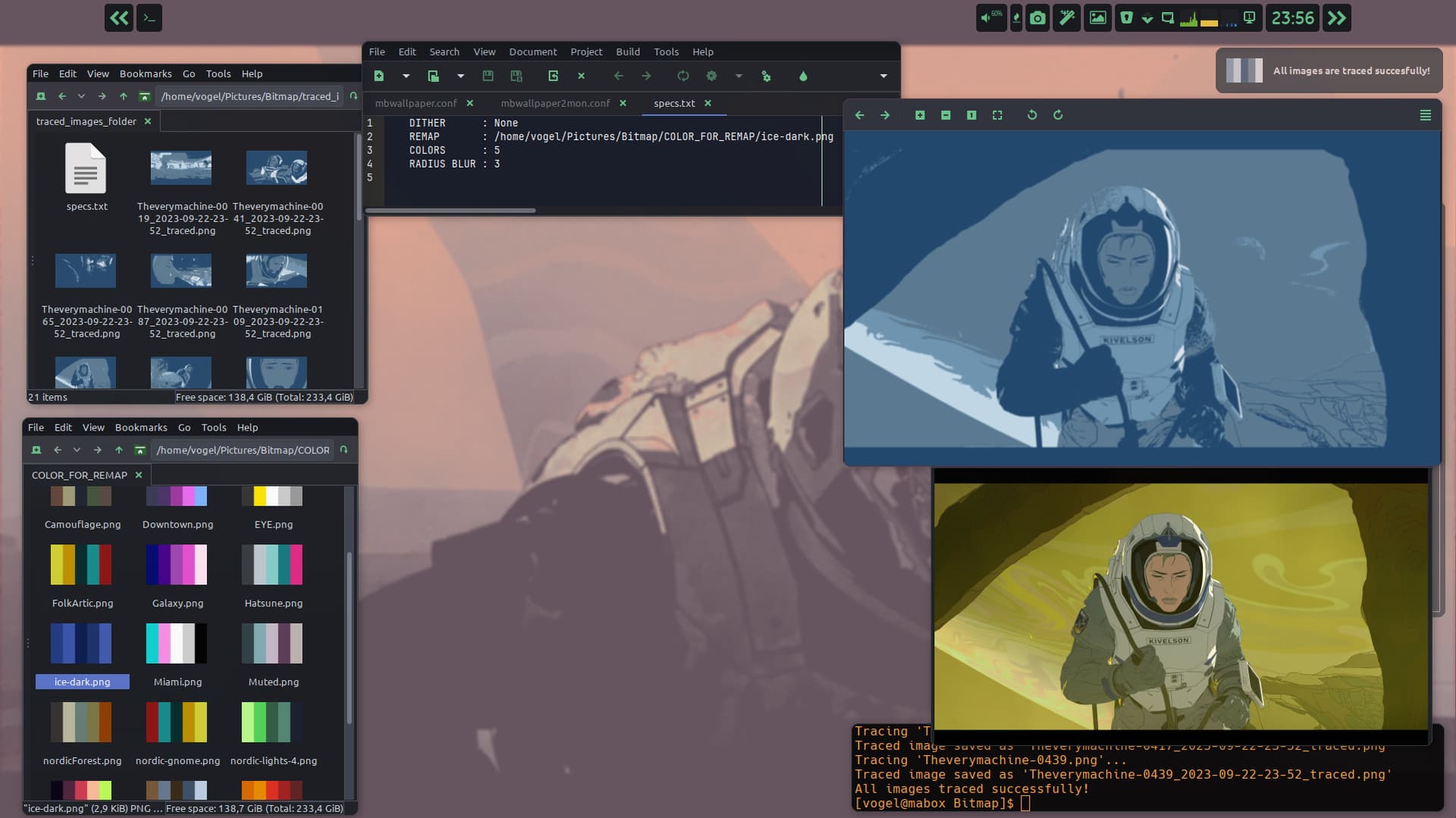
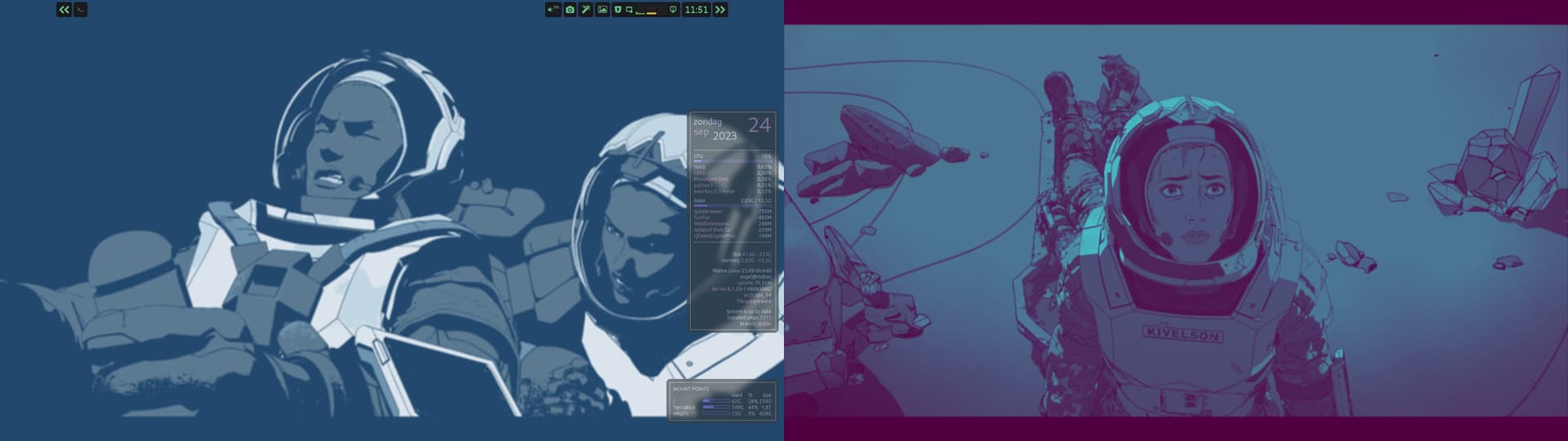
In the picture i am testing a script i am developing for remap wallapers. So i can change the color style with the same pix. (Magick)
Things will change, i quess, when Version V1.0 will be released.
**Ps:**
_Not yet found the way to use hex colors for --remap images ._
_This is possible, tried it, but can’t get that to work, yet._
_I use now png files with color pattern._
_Preferably i would use hex colors from a config file._
In development 🙂
Looking foreward to V1.0.
🐦
edit:add pic.
---
### Author:  [@napcok](https://forum.maboxlinux.org/u/napcok)
#### Post date: [January 25, 2024, 12:40pm UTC](https://forum.maboxlinux.org/t/colorizer-1-0-on-its-final-stretch/1494/6 "2024-01-25T12:40:18Z")
### 0.9.69 pre-release
Colorizer **Main Window and Help** improvements 🙂
- window is now responsive (fonts and content scales while resizing window)
- new **Fonts** page - just link to launch Fonts dynamic menu for now
- **Conky** and **Cava** pages gets lot of improvements. I think they now spectacular to use…
### Conky page
Conky page now let you to toggle all Conkies easily. More detailed info about unique Conky related features provided by Mabox: customization _right-click_ context menu and _left-click_ launchers
### Cava page
Much more control over transparent Cava colors and sizing
_I highly encourage you to try them out_ 🙂


---
### Author:  [@muzqs](https://forum.maboxlinux.org/u/muzqs)
#### Post date: [January 27, 2024, 1:18pm UTC](https://forum.maboxlinux.org/t/colorizer-1-0-on-its-final-stretch/1494/7 "2024-01-27T13:18:42Z")
> [@napcok](#):
>
> I highly encourage you to try them out 🙂
Where to find the pre-release for testing.
🐦
---
### Author:  [@napcok](https://forum.maboxlinux.org/u/napcok)
#### Post date: [January 27, 2024, 2:08pm UTC](https://forum.maboxlinux.org/t/colorizer-1-0-on-its-final-stretch/1494/8 "2024-01-27T14:08:01Z")
You have it installed already if you have updated system.
I call it “pre-release” before 1.0 version, but it is available from mabox repo, and updated frequently.
---
### Author:  [@muzqs](https://forum.maboxlinux.org/u/muzqs)
#### Post date: [January 28, 2024, 10:57am UTC](https://forum.maboxlinux.org/t/colorizer-1-0-on-its-final-stretch/1494/10 "2024-01-28T10:57:31Z")
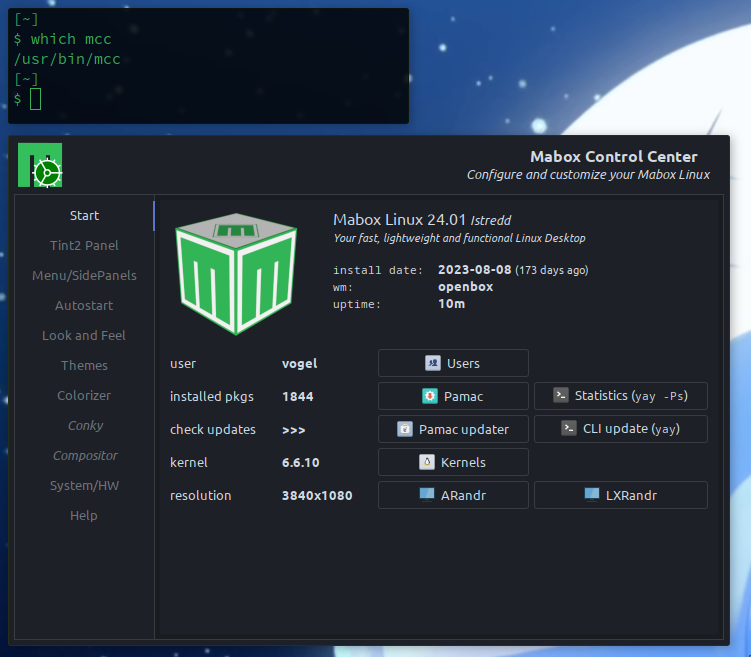
This is my version. I did’t touch mcc.
---
### Author:  [@napcok](https://forum.maboxlinux.org/u/napcok)
#### Post date: [January 28, 2024, 10:58am UTC](https://forum.maboxlinux.org/t/colorizer-1-0-on-its-final-stretch/1494/11 "2024-01-28T10:58:32Z")
MCC (Mabox Control Center) and Colorizer are two different programs.
You can start Colorizer from MCC or from terminal 😉
```auto
ycolorizer
```
---
### Author:  [@muzqs](https://forum.maboxlinux.org/u/muzqs)
#### Post date: [January 28, 2024, 11:00am UTC](https://forum.maboxlinux.org/t/colorizer-1-0-on-its-final-stretch/1494/12 "2024-01-28T11:00:58Z")
Ah, I see… i had colorizer in my ~/bin. thats it. 👾
---
### Author:  [@napcok](https://forum.maboxlinux.org/u/napcok)
#### Post date: [January 28, 2024, 11:15am UTC](https://forum.maboxlinux.org/t/colorizer-1-0-on-its-final-stretch/1494/13 "2024-01-28T11:15:24Z")
### 0.9.70 pre-release
Main Window improvements
- fix “Select wallpaper” launcher
- CSS cleaning, launchers have subtle hover effect now
- more info about Wallpaper and Terminal
- AVIF image support


---
### Author:  [@muzqs](https://forum.maboxlinux.org/u/muzqs)
#### Post date: [January 28, 2024, 12:49pm UTC](https://forum.maboxlinux.org/t/colorizer-1-0-on-its-final-stretch/1494/14 "2024-01-28T12:49:06Z")
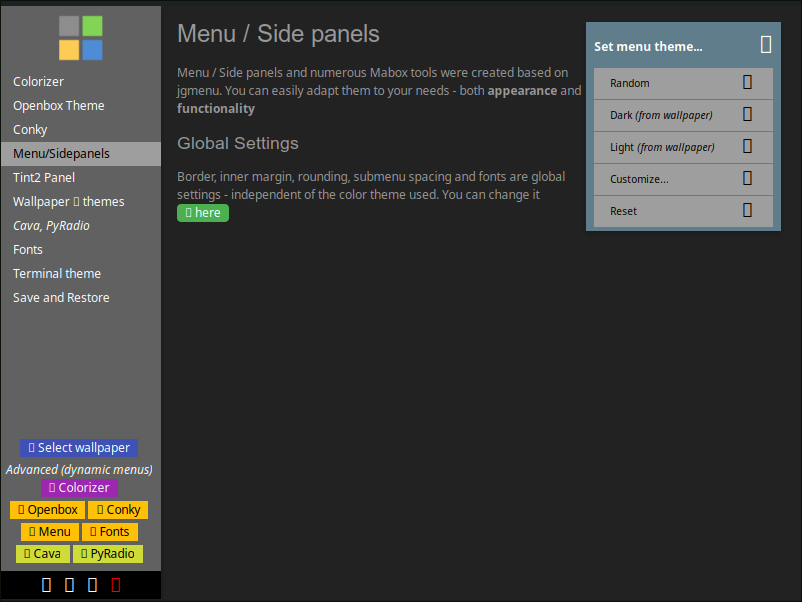
For some reason the unicode icons are not shown for me in colorizer.
Fonts are installed…
🐦
---
### Author:  [@napcok](https://forum.maboxlinux.org/u/napcok)
#### Post date: [January 28, 2024, 12:57pm UTC](https://forum.maboxlinux.org/t/colorizer-1-0-on-its-final-stretch/1494/15 "2024-01-28T12:57:49Z")
Do you have **ttf-nerd-fonts-symbols-2048-em** font installed?
```auto
yay -S ttf-nerd-fonts-symbols-2048-em
```
If so, you can also try:
```auto
mb-reset glyphicons
```
and then relogin
---
### Author:  [@muzqs](https://forum.maboxlinux.org/u/muzqs)
#### Post date: [January 28, 2024, 1:23pm UTC](https://forum.maboxlinux.org/t/colorizer-1-0-on-its-final-stretch/1494/16 "2024-01-28T13:23:37Z")
> $ yay -S ttf-nerd-fonts-symbols-2048-em
> Sync Explicit (1): ttf-nerd-fonts-symbols-2048-em-2.3.3-1
> resolving dependencies…
> looking for conflicting packages…
> :: ttf-nerd-fonts-symbols-2048-em and ttf-nerd-fonts-symbols-1000-em are in conflict. Remove ttf-nerd-fonts-symbols-1000-em? [y/N]
I had another one installed…This works 🙂
🐦
---
### Author:  [@napcok](https://forum.maboxlinux.org/u/napcok)
#### Post date: [February 23, 2024, 2:32pm UTC](https://forum.maboxlinux.org/t/colorizer-1-0-on-its-final-stretch/1494/17 "2024-02-23T14:32:38Z")
### 0.9.73 pre-release
Monochromatic theme generator from color picked from screen
You can generate themes for OpenBox window decoration, Menus and Conkys.
Two variants: dark and light.
_For me this works usually better than theme generation from wallpaper colors palette._
Colorizer Main window redesigned
_This is 101’th small release of Colorizer during almost 2 years of development, and we are not at version 1.0 yet. Am I crazy? Yes, I am 🤣_